Out of the 2 app which 1 is most accurate for wind and gust speed
Ive tried both but both show different readings, i know its down to the pilot to check trees and conditions before flying this is just a questions of which people think is most accurate and which one should be trusted more thanks
And to complicate things there is Windy which gives a range of windspeeds for any time and location (And winds ar height).
OKyo Fly also gives winds at heights (because at 120 m it can be 3 times the speed of winds at 10m.) It’s also colour coded - blue ok, orange caution, red no fly. It does seem to exaggerate the speeds though.
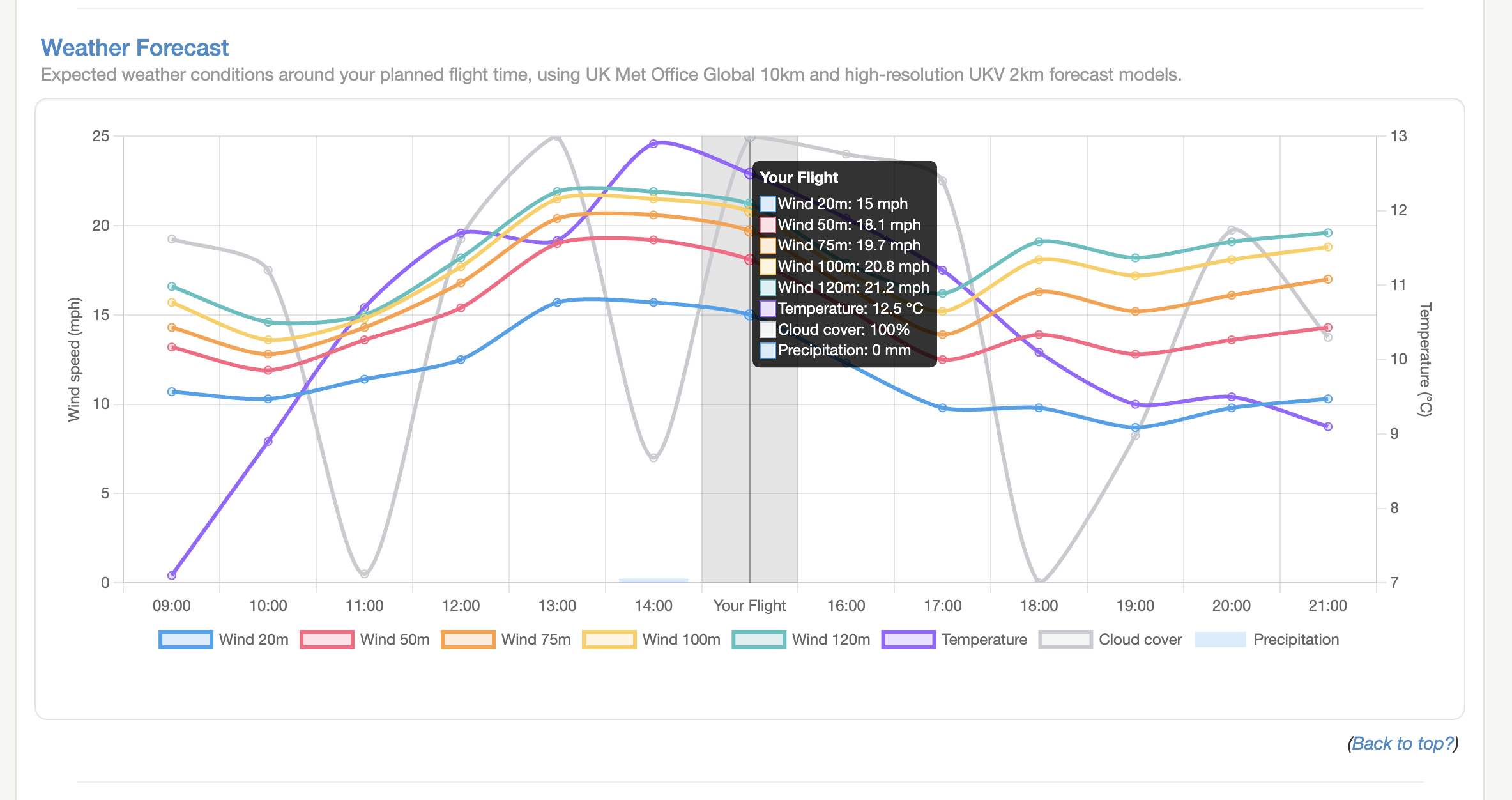
Why not give our own Good 2 Go a trial - all your flight planiing in one with forecast for the date and time of your planned flight along with hazards, restrictions, NOTAMs and the like
I just sent an email fingers crossed i can do that as i want the gold benefits just dont want to have to pay £25 again when i only took it out in august so 2 months ago
I jumped straight into Drone checker when I recently got my drone.
Ben listens to feedback and responds to requests.
Because I’m new to drones I do tend to err on the safe side. Weather is a fickle thing, but that’s not the only area where Drone checker helps me.
I’m pleased to support it.
I’m also only Silver but to be fair, having an android app to get the windspeed is so much simpler than using a website when I’m out on site. Is there an android app that I’m missing for Good2Go or is it just web based only?
As I understand it, Drone checker is a wrap. You still need internet access using an actual weather app.
Have you tried any of the other apps ?
I’m a Drone checker user and I’ll admit to looking at the alternatives but knew I’d found my solution from day one.
You can add them to your homescreen easily enough I have them and this Forum on my Android devices where they act just like an app. I have moved them all into my “Flight” folder
I see no point in paying for apps when the best ones are available free with my Grey Arrows Gold membership
To add an internet shortcut to your Android home screen, use Google Chrome or your preferred mobile browser. [1, 2]