Hi all ,
I’ve used my mini 4 pro today but the flight logs won’t sync to Airdata , I had this problem before and I’ve gone back and checked that post but to no avail , I did the latest update before my flight , I am missing something as I can work this out. , my Airdata DJI log in is there and logged in , rc2 is connected to internet and the flights are on the logs on it , the auto download is switched on but it’s not appearing on Airdata . I will try again when I fly tomorrow but just thought I would ask as not been able to fly for nearly a year now because of my leg but now I’m nearly fit enough to fly again but this has got me baffled as to why it’s not syncing, any advise welcome
I had this problem, I thought everything was setup to autosync but apparently what you have to do is do your flight logged into to DJI Fly on your RC2 and, I believe, make sure it is switched with an internet connection after the flight for the data to transfer to your DJI account.
Then, in Airdata, make sure you are logged in. on the “My Logs” page go to your avatar in the top right corner and click on “My Account”

That will open this dialog (part shown)
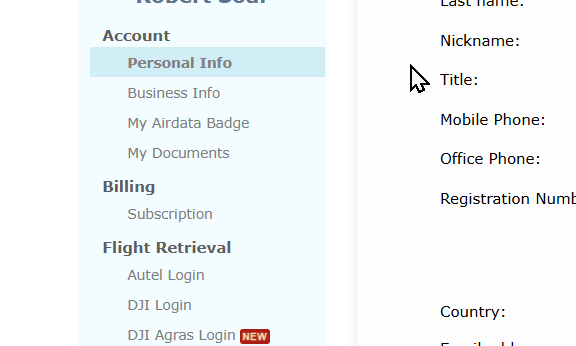
Click on “DJI Login” in Flight Retrieval
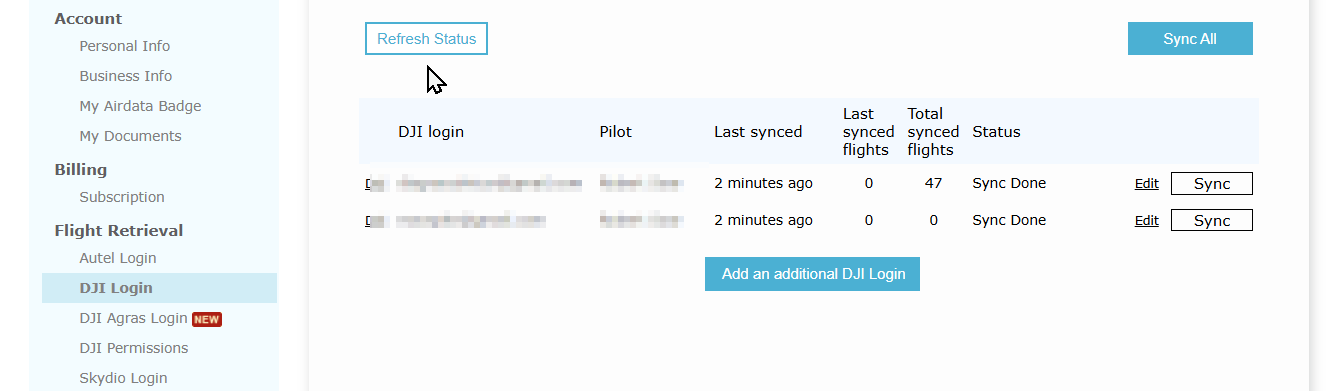
which gets you the above screen with your DJI login(s)
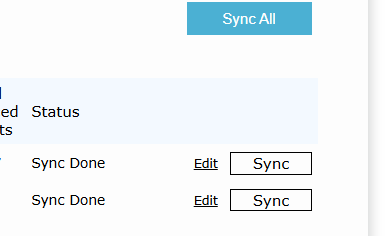
Click on “sync all” ( or just sync if you have been flying using one id only) and that, after a short period with “Wait” showing will show “Sync Done”.
And your sync is done!
Thanks mate ,
I think that’s more or less what I did but it’s still only showing the 2 flights from the air 2S but I will give it another go tomorrow following your instructions , it was all working fine before I had to stop flying and it all looks right but obviously I am missing something , there used to be a little prompt above the flight logs on the rc2 but that’s not there so maybe I need to just start again when I am more patient with it lol , thanks for the help and I will let you know how I get on .
I had same issue a couple of weeks ago - all other drones (Neo, mini2, Mavic2) would all sync with Airdata, but not the Mini4 pro.
Went through the above rigmarole to get the DJI account logged back in to Airdata, now it’s ok.
I think it comes down to DJI making a change to something in their latest firmware upgrade that knocks out the link to Airdata. And, as usual they remain vague about what the latest update improves or adds:
Upgrade to latest firmware X.xx.xxxx
Fixed certain issues, adds functionality to application
Manual uploads work fine for me.
Both on windows but more often used android.
There is a 50 file limit per upload last time i checked so batch uploads are needed.
Well I’ve been through it all , even re signed into the DJI fly account on Airdata , checked everything but it’s still not done it so will wait and see if it does it at a set time in the week , the flights all seem to of gone off to the DJI cloud so that’s a start but beyond that it’s wait and see as there is nothing I haven’t tried , it’s not the end of the world if they don’t go over unless something goes wrong , or as you say it’s a DJI update thing .
Thanks everyone anyway , it’s appreciated.
My mistake. The ramblings above are what I do now I have setup the account (nad explains why i have two DJI accounts. (one for legit and one for iffy flights?  )
Try this which I did when I first got my Mini 4 - it’s from the FAQ section of Airdata
Hi All
Now, I know I’m late to the party, as it were… But I am a new member of GADC.
How do I add logs from my DJI Mini 3 to AirData? The instructions appear to be old and well out of date.
I’d appreciate some guidance please
Stay Safe, Fly Happy!
MDSteve
I am sure there is a detailed post on here for it but basically - on the controller sync your flight logs to the DJI servers first - then in AirData go to you account and then find the DJI login bit and put your DJI account details in so that AirData can log into your DJI account then click sync and off it goes
@MDSteve check this one out for some screen shots etc - > Syncing flights from rc2 to airdata - #2 by macspite
AH! Many thanks
looking now
All done thanks, hadn’t synced with DJI servers that was the issue. All done now. AirData Subs paid too!
There is a load of useful info about your batteries as well. It logs when you need to do a service on them.
And you can get a kml file of your flight to view in 3d on google earth.