Daft question.
I have a Mini 3 Pro with DJI RC.
Ashamed to say I’ve not flown it for a year.
In that time I have changed my broadband provider and hence my home wifi network.
So I’ve fired the drone and the RC up, it wants to check for updates and of course it can’t find the network it used to know.
For the life of me I cannot remember how you reach the place on the RC to set up the wifi network name and password. I thought it was a swipe down on the screen from the camera view but evidently not.
Help please?!
- Turn on your controller.
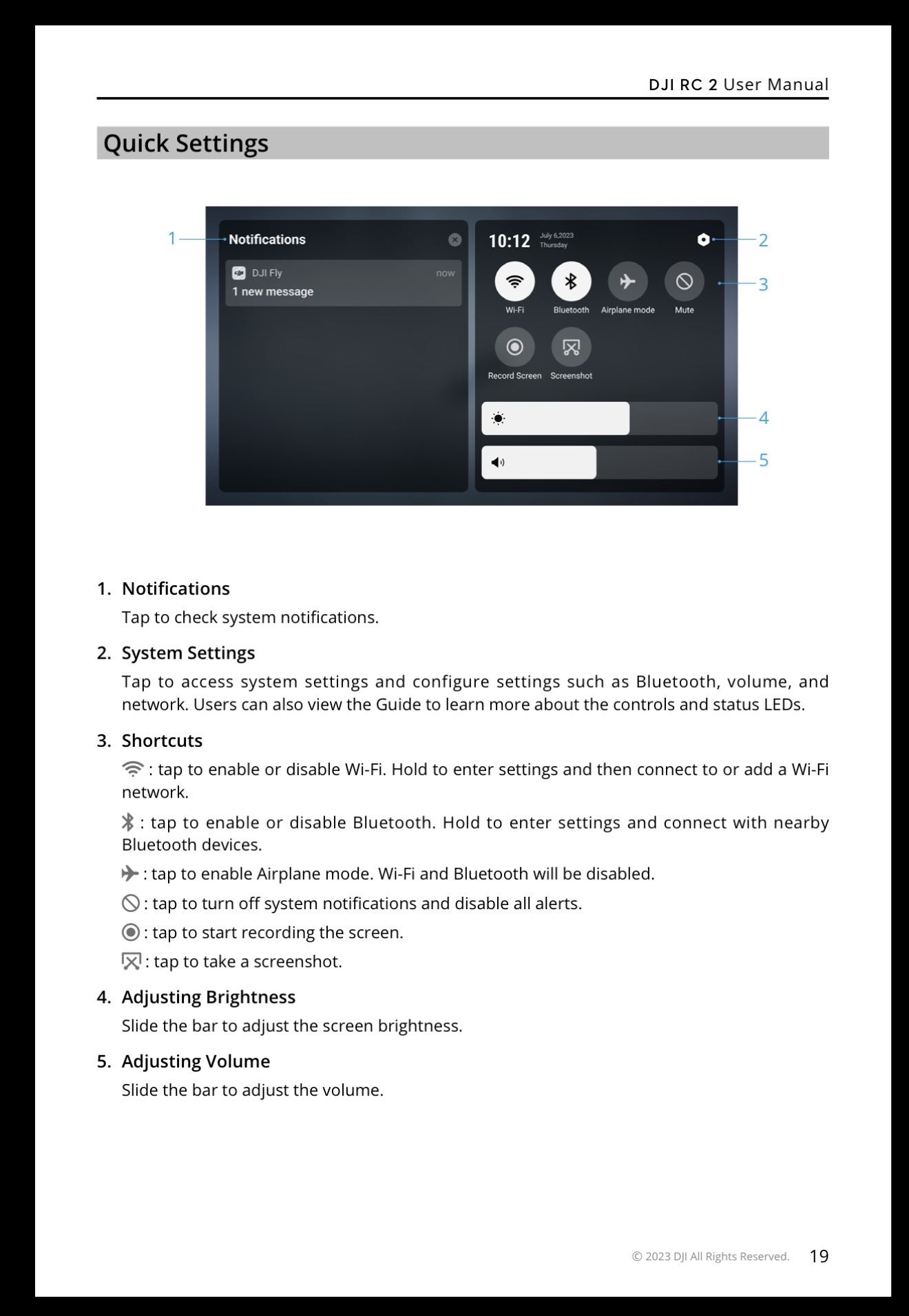
- From the home screen, swipe down twice from the top of the display to fully reveal the Quick Settings panel.
- Tap the Wi-Fi icon to enable it, or press and hold it to open the complete network settings menu.
- Select your preferred network or personal hotspot and enter the password.
Thanks guys. I was close!