I would love to know which bugs were fixed, my main issue (Studio version) is that after a while editing sound doesn’t playback from the timeline until I quit and restart the programme. The PC is quite beefy, i9 10 core, 64GB RAM and 5060ti graphics (16 GB). It’s my main complaint !
@Typhoon_Class, try this Vincent.
To stop DaVinci Resolve audio from failing without restarting, follow these steps:
1. Lock Your Audio Device
- Go to DaVinci Resolve > Preferences > System > Video and Audio I/O.
- Uncheck Automatic speaker configuration.
- Manually select your specific Output Device (don’t use “System Default”).
- Save and restart one last time.
2. Quick Fixes (If audio cuts out)
- Toggle Fairlight: Switch to the Fairlight tab, click the Speaker icon to mute and then unmute.
- Audio Engine Reset: Go to Preferences > Audio I/O, switch to a different device, click Save, then switch back to your preferred device and click Save again.
- Background Audio: Play a quick YouTube video or system sound; this can sometimes “wake up” the driver for Resolve.
3. System Check
- Match Sample Rates: Ensure your Windows sound settings and your Resolve project are both set to 48kHz.
- Bluetooth: If using Bluetooth, ensure the headphones aren’t entering “Sleep Mode” or “Hands-Free AG” mode, which crashes the Resolve engine.
Are you using Bluetooth headphones or an external audio interface (like a Focusrite) when this happens?
It’s not been a problem I’ve suffered, but I do recall someone mentioning this issue about 6 months / a year ago. Might even have been one of the usual YouTubers.
To be fait to Blackmagic - they do list fixes in great detail.
So much so that I always hide the detail in my update posts .. just click on the black triangle next to “The following features have been added or updated.” .. and it will expand out to show all 32 fixes in the latest minor update. Likewise in the earlier post on the Beta release .. which, to be fair, is more to do with new features than any fixes.
Indeed - that same info is available in the “Read me” (or whatever it’s called) that is an option to be read after installation of every update.
Thank you, I’ll go through the settings
Thanks for the pointers, I’ll keep you both posted.
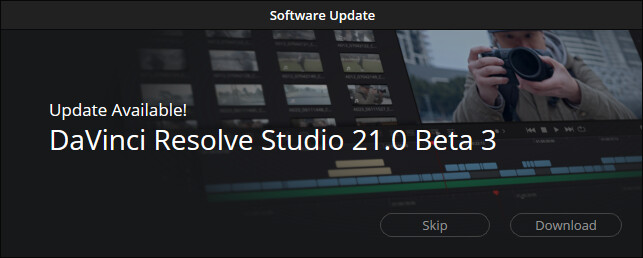
What's New in DaVinci Resolve 21.0b3
The following features have been added or updated.
- Ability to control and live capture from Sony ⍺7 V cameras.
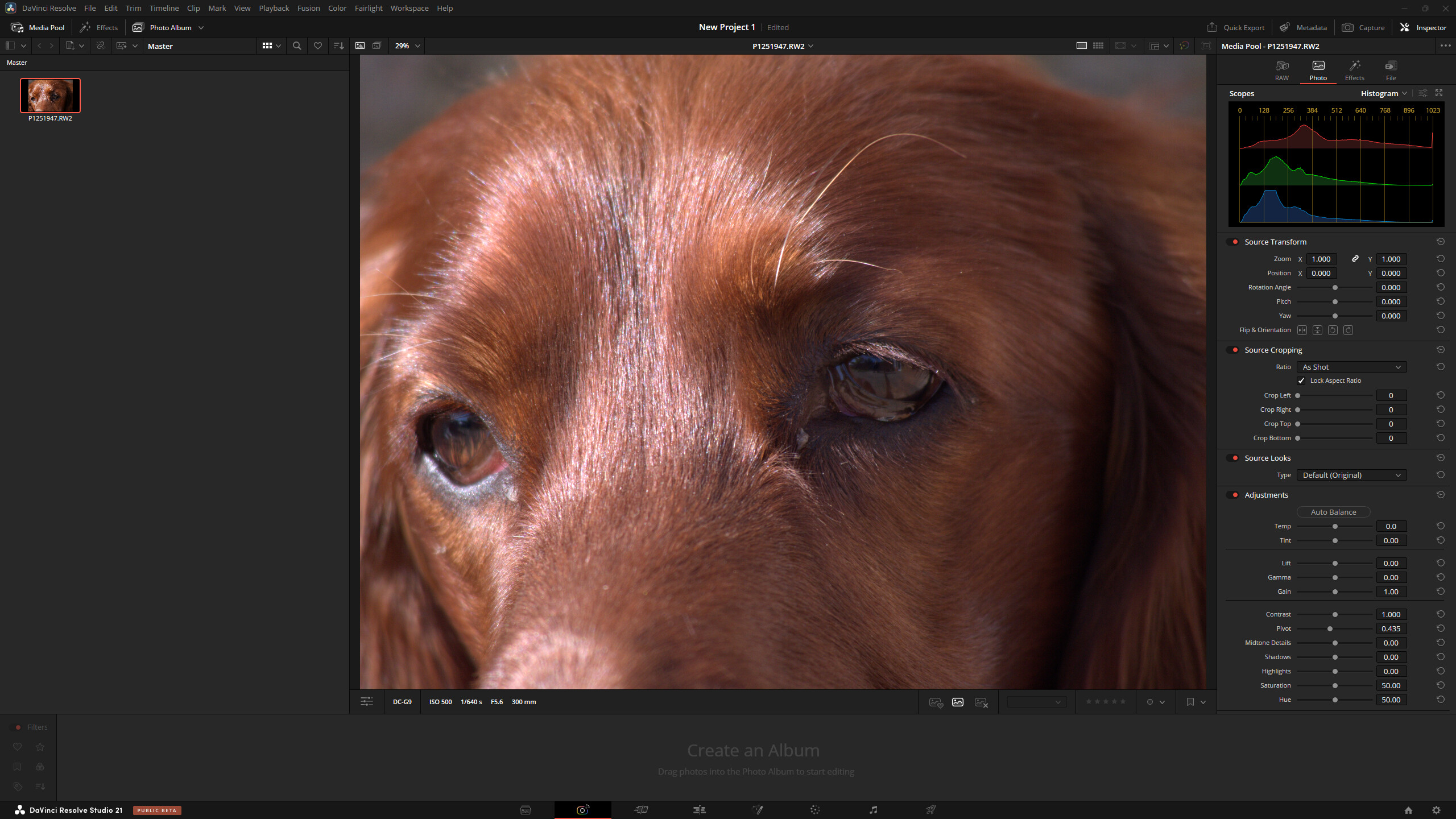
- Panasonic Lumix RW2 RAW decode support.
- Loop and extension support for Lottie animation.
- Improved support for realtime-only OGraf animations.
- Add OGraf and Lottie clips to timeline from key shortcuts or viewer overlays.
- Ability to manage active MultiMaster trim per timeline.
- Ability to manage active MultiMaster trim per project collaborator.
- HDR controls are now restricted to the MultiMaster hero trim.
- Face age transformer improvements for small age changes, bad lighting and partial faces.
- View Lightbox in SDI in remote monitoring workflows.
- Double click a photo in Lightbox to view in single viewer.
- Support for changing inspector parameters for multiple selected photos.
- Photo page capture controls for camera orientation.
- Photo page capture option to add to new album.
- Improved flip and orientation handling for Lightroom Catalog imports.
- Improved photo thumbnail information for small thumbnail widths.
- Source timecode for source tape and multiview reflects underlying media.
- Source viewer audio waveform is now persisted across app restarts.
- Trim tooltip support in Cut page.
- Assign keyboard shortcuts to create or switch group versions.
- Fairlight mixer control to collapse or expand folder tracks.
- Support for solo and mute controls for folder tracks.
- Improved Stereo3D VR metadata for side by side and top bottom YouTube renders.
- YouTube VR video renders now include spherical immersive data.
- Macro editor support for multiple selection of controls.
- Macro editor option to save as macro or save as group.
- Click on a macro editor control to highlight matching settings.
- Addressed issue with macro editor not including connected inputs.
- Scripting API support to perform IntelliSearch analysis.
- Scripting API support to perform Slate analysis.
- Scripting API support for Speech Generator.
- Scripting API support to remove motion blur for media clips.
- Scripting API to disable all background tasks for current session.
- Addressed a crop controls refresh issue for photos.
- Addressed issue with Photo page inspector reset actions.
- Addressed keyword entry for photos sometimes clearing existing keywords.
- Cinema viewer on photo page does not show playback control overlay.
- Addressed AI UltraSharpen artifacts for images with negative pixel values.
- Addressed retime smoothing issue when using speed ramp actions.
- Addressed refresh issue moving clips from multi-selected bins.
- Addressed some media pool layout and sort order persistence issues.
- Addressed hang when rendering magic mask in place for certain projects.
- Addressed context menu option to label nodes in list view.
- Addressed clip focus when switching A mode and C mode sort on the color page.
- Addressed printer light state when using advanced panels.
- Addressed wrong immersive metadata for timeline sections with disabled clips.
- Addressed issue generating proxies for immersive clips.
- Addressed issue with audio recording in ASIO mode on Windows.
- Addressed Fairlight ducker issue with lookahead and recovery controls.
- Addressed Text+ issue with rendering © ™ and other symbols as plain text.
- Addressed Cryptomatte issue with cropped data window inputs.
- Addressed issues with OGraf caching and rendering.
- Colorspace and gamma controls now work for NEF sRAW stills.
- Addressed highlights issue for some still types in RCM projects.
- Addressed chromatic aberration and distortion correction issues for RAF stills.
- Addressed ProRAW gamma issue in RCM projects.
- Addressed exported sRGB HEIC compatibility with other image editors.
- Addressed issue with XAVC Intra clip playback on NVIDIA hardware.
- Improved user feedback for camera tether failures.
- Addressed delete all render cache affecting other projects.
- General performance and stability improvements.
Mainly - a long list of fixes.
However .. for me …
- Panasonic Lumix RW2 RAW decode support.

A lot’s changed since I was at school .. even fundamental mathematics!



21 Beta update 4 out today.
Version 21.0 is now out of Beta
Thread closed
It’s out of beta! Edit - just beaten to the punch 
Summary
What’s new in DaVinci Resolve 21
The following features have been added or updated.
Photo Page
- New photo image editing now fully integrated within DaVinci Resolve.
- Image library with tagging, favorites, ratings and album collections.
- Albums let you build, manage and tweak photos at source resolution.
- Native RAW support for major camera formats.
- Import media from Apple Photos on macOS.
- Import Lightroom Catalog files into the media pool.
- Use Resolve multi-user collaboration and Blackmagic Cloud syncing.
- Support for DaVinci color control toolset and grading panels.
- Looks, LUTs, ResolveFX and OpenFX for your images.
- GPU accelerated batch exports and conversions.
Cut and Edit Page
- Keyframing provides powerful retime controls with 4-point bezier.
- Keyframe and add curves for multiple selected clips.
- Keyframing ease options, loop, ping pong, reverse and stretch.
- Keyframe Fusion effects, generators and text along with edit effects.
- Subframe support for keyframing and markers.
- Native support for OGraf HTML graphics.
- Native support for Lottie animations.
- Resolve FX Picture in Picture effect.
- Font browser window for text and subtitle elements.
- Preview fonts during font selection as a preference.
- Spell checking for all text elements.
- Emoji and color fonts for Text+ and MultiText.
- Multicam angle previews in clean feed and video outputs.
- Multicams can include all audio tracks for each angle.
- Multicams can use full clip extents on creation and during sync.
- Replay control to limit view to the last 5 minutes of recorded media.
- Replay editor allows timeline selection from search dial.
- Replay now allows independent start and end stingers.
- Replay title palette allows up to 6 favorite titles.
- Mono audio now plays on left and right channels of stereo tracks.
- Improved waveforms, markers and fades for short edit tracks.
- Source timelines support auto track selectors.
- DRT timeline import supports link and conform options.
- Compare timelines with timeline backup snapshots.
- Subtitle inspector now supports search and replace.
- Edit page lets you show or hide tracks from the index.
- Support for editing EDL clip name in the edit index.
- Affinity .af file support with group and individual layer control.
- Edit page timecode options for frames, subframes or audio samples.
- Duration timecode option to show duration for clip selection.
- Improved timeline view options with presets and clip name option.
- View remote color versions in the source viewer.
- Local color grade versions use remote grades on new clip creation.
- Timeline menu action to select transitions in the cut and edit page.
- Paste and remove attributes for clip color, markers and flags.
- Paste and remove attributes to retain image position under crop.
- Switch audio channels for multi-clip selections via the context menu.
- Edit page source tape includes multicam clips.
- Match frame finds source media for nested clips and multicams.
- Resolve FX Video Collage with separate tile fill and border controls.
- Subtitle support for fade in and out.
Media Pool and Metadata
- Support for tabbed layouts.
- Thumbnail, list and metadata views can be set for each bin.
- Star rating support for clips.
- Cut page supports smart bin views.
- Export media bin thumbnails as a PDF.
- Automatic smart bin and clip filter for offline clips.
- Custom metadata for smart bins, filters, data burn and naming tags.
- Customize your project poster frames.
- Show input colorspace and gamma in metadata view.
- Transcription column support in list view.
- Custom keyboard shortcuts to set thumbnail, list or metadata views.
- Ability to reset audio clip attributes to the original configuration.
Color Page
- Clip groups now support grade versions.
- Node graphs can now be viewed as a layer list.
- Node stacks now support up to 8 layers.
- Customizable HDR and nit scopes ranges.
- ACES AMF improvements, with transform name and custom folders.
- Adobe RGB colorspace and gamma support.
- OpenFX 1.5 color management APIs for colorspace aware effects.
- Advanced panel controls for 2.39 and 2.4 safe area aspect ratios.
- Multi-user projects can bypass color management on the color page.
- Pasting tracking data between power windows retains original shape.
Fairlight Page
- Folder tracks allow a group of tracks to be folded down or expanded.
- Go to mouse pointer support using the C key.
Fusion Page
- Support for Krokodove motion graphics effects.
- Over 100 new motion graphics effects and tools.
- New Macro Editor with inspector view and publishing to edit effects.
- Fusion animation can be creatively driven by Fairlight audio.
- Native support for OGraf HTML graphics.
- Native support for Lottie animations.
- Text+ and MultiText support spell checking.
- Font improvements include emoji, color fonts and more.
- Improved MultiText for position, pivot, alignment and CSV import.
- Support for USD SDK 25.11 with Hydra 2.0 API for Storm renderer.
- USD support for 3D matte objects and textures.
- Support for USD Texture Projector and Catcher.
- Global in-out controls for USD Loader.
- Native support for creating Relief Maps.
- Change inspector properties for multi-tool selections.
- Change common inspector values in all selected multi-tool layers.
- User defined metadata variables in paths, expressions and scripts.
- Lens Distort offers checkerboard calibration and GPU acceleration.
- Guides and rulers persistence, presets and improved snapping.
- MediaIn nodes show clip name.
- Open keyframes and spline as a new window.
Codecs and I/O
- Enhanced MXF growing file support for broadcast workflows.
- MXF OP1A support for MPEG2 bitrate and other encode options.
- Canon CR3 RAW decode support.
- Panasonic Lumix RW2 RAW decode support.
- Fujifilm RAF RAW decode support.
- Apple ProRAW decode support.
- Support for compressed ARW from Sony A7V and newer cameras.
- Improved Nikon NEF RAW decode support.
- HDR decode support for HEIC, JPEG, PNG and TIFF images.
- HEIC encode support on macOS and Windows.
- HDR encode support for HEIC, JPEG, PNG and TIFF images.
- Support for Insta360 I-Log in color management.
- Improved EXIF metadata support for stills formats.
- Support for Sony Burano V3 clips.
- Intel QuickSync AV1 4:4:4 decode and encode support.
- Windows ARM H.265 10-bit 4:2:2 decode support.
- Per render job option to override RCM or ACES outputs.
General Improvements
- Powerful, expanded and flexible data burn-in window.
- Preferences and project settings can now be searched.
- Multi-user projects support dynamic project switching.
- Remote monitor app available with DaVinci Resolve on Windows.
- Support for importing and exporting Final Cut Pro 12 FCPXML.
- Up to 3x faster file sync performance to Blackmagic Cloud.
- General performance and stability improvements.
Note: Sony camera control on Windows needs the Sony IEDT application to be installed from the Sony website.
Minimum system requirements for Mac OS
- macOS 15 Sequoia or later.
- 8 GB of system memory or 16 GB when using Fusion.
- For monitoring, Blackmagic Design Desktop Video 12.9 or later.
- Apple Silicon based computer.
Minimum system requirements for Windows
- Windows 10 Creators Update.
- 16 GB of system memory or 32 GB when using Fusion.
- For monitoring, Blackmagic Design Desktop Video 12.9 or later.
- Integrated GPU or discrete GPU with at least 4 GB of VRAM.
- GPU which supports OpenCL 1.2 or CUDA 12.8.
- AMD/Intel official drivers from your GPU manufacturer.
- NVIDIA Studio driver 581.57 or newer.
Minimum system requirements for Windows for Arm
- Windows 11 for ARM.
- Qualcomm Snapdragon X Elite series processor.
- 16 GB of system memory or 32 GB for 4K or when using Fusion.
Minimum system requirements for Linux
- Rocky Linux 8.6.
- 32 GB of system memory.
- For monitoring, Blackmagic Design Desktop Video 12.9 or later.
- Discrete GPU with at least 4 GB of VRAM.
- GPU which supports OpenCL 1.2 or CUDA 12.8.
- AMD official drivers from your GPU manufacturer.
- NVIDIA Studio driver 580.119.02 or newer.