Just a test upload to see if i can work Panoee and how to post a link here!
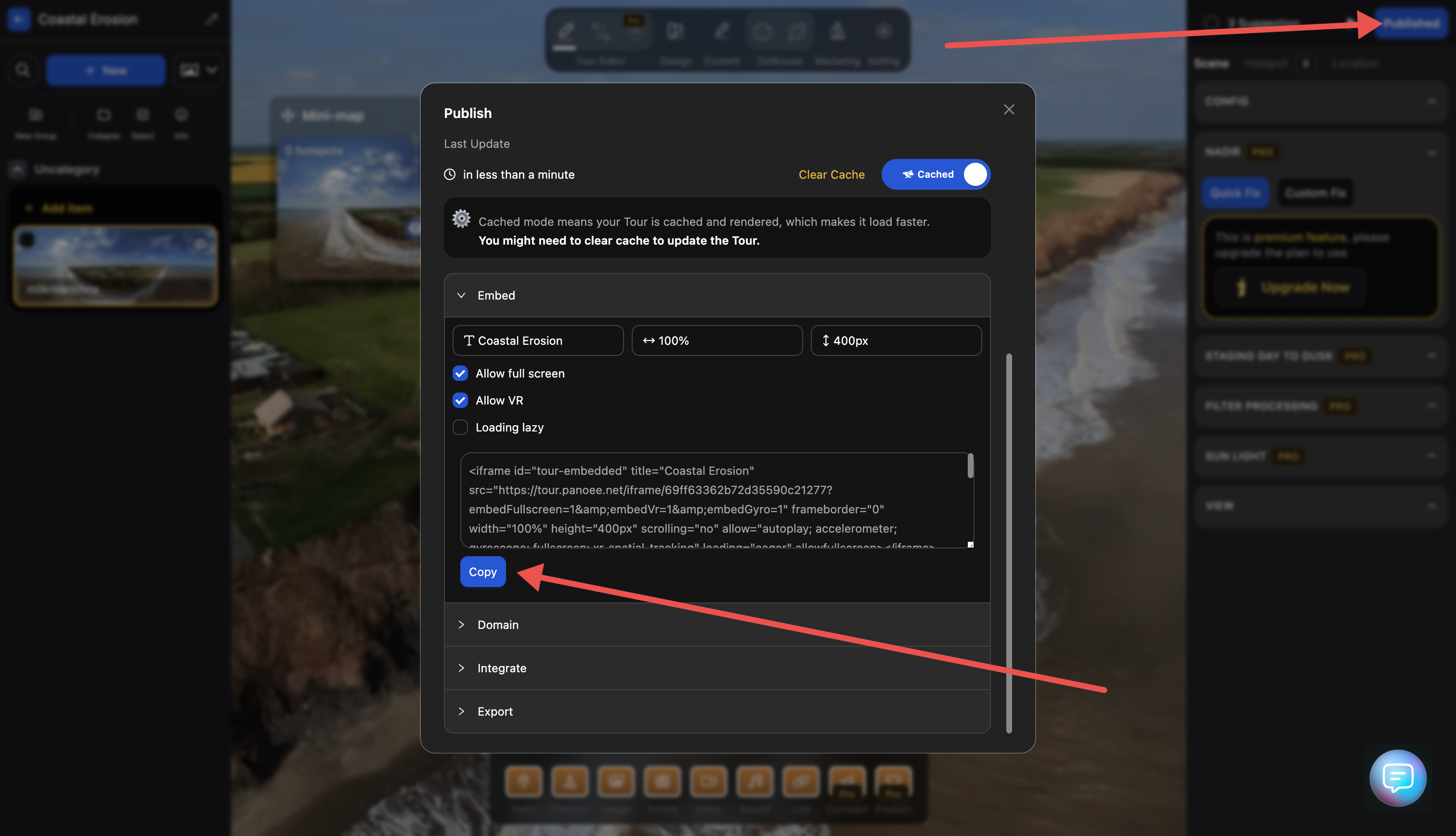
If you go into ‘published’ settings (top right blue button)
Then click embed, copy the code and paste all that here instead of just the link you will get the full onebox preview
1 Like
6 Likes
Thanks!
1 Like
Neat. How did you create the images to build up the pano?
Hi John. I used the Panorama function within the Mini 5 Pro. It gives you all the images (33 if I remember correctly) plus a jpeg file of the full panorama. It’s the jpeg you see here.
I did run the individual images through PTGui too, just to see how good it was. It did a great job but i was using the free version and that slaps watermarks all over the image!
I didn’t edit the jpeg at all, i just wanted to see how panoee works, and also learning how to post them here correctly!
panoee.live is quicker and easier option 
Thanks. My drone is too old ( and too cheap! ) for that sort of feature so I’ll have to think of something else.
Hugin is an open source alternative to PTGui. It has a bit of a steeper learning curve but I find that it does a good job normally
Can’t get panoee.live to work for me. It processes my image, gets to 95%, pauses there for a few seconds and then feints like it’s going to load the image but then just jumps to a “This page couldn’t load” screen!
Panoee works OK though. It just looks rubbish on my mobile - buttons and screen elements all overlapping each other - until I select the ‘desktop site’ option then it looks fine (if a little small!!)
I cannot get an image to upload to .live from mobile at all, tried all weekend at the Big Meet with no sucess (iOS)
What are you trying on
Android
I’ve reached out to the Dev’s, Mac/PC web version is working, mobile 
I accidentally just worked out how to add different scenes to the same embedded panoee!
Changed it back now though!