No its a generic windows driver, you showed a list of them, delete the lot and restart and try again
That would be a problem. Keyboard and mouse are registered as HID vendor devices and would stop working.
Hello,
I did it with a Phantom 3 battery and after some fiddling it went fine and the battery is back to its old state, no Flag.
Windows 11 with killer version 0.5 beta
I’m happy
1 Like
Can you not disable one at a time to narrow down your keyboard and mouse and each time you disable test keyboard or mouse and if good delete that entry, if keyboard or mouse does not work your still able to enable via keyboard or mouse and leave alone and move onto next entry and so forth.
Do regedit backup and system restore point beforehand and should have no problems if you’ve removed wrong device.
Hello there,
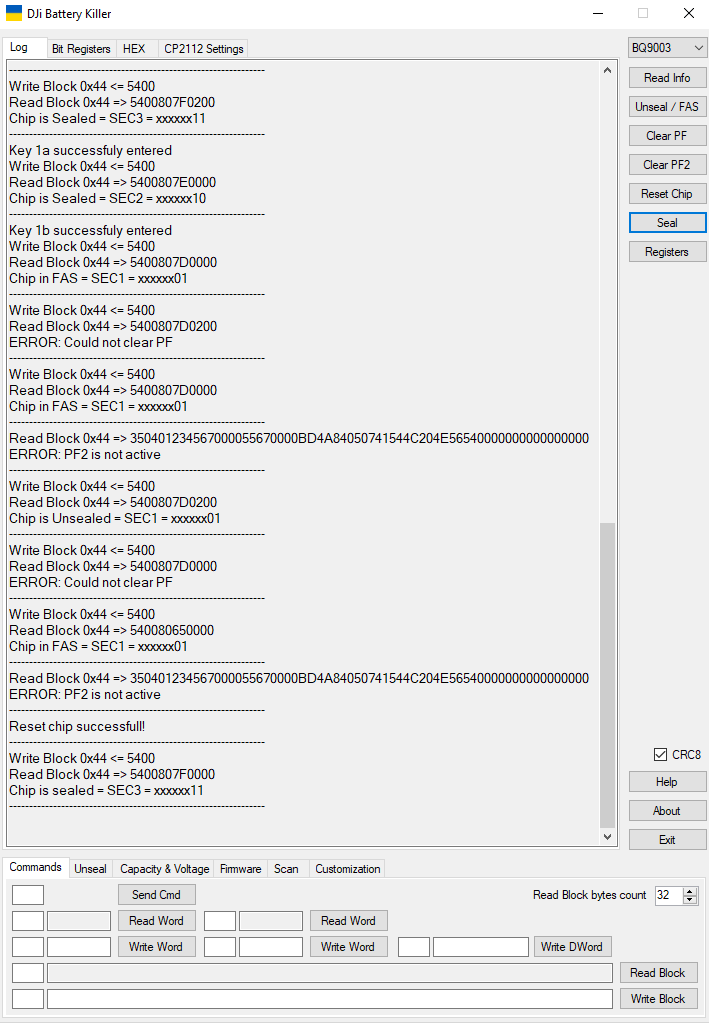
I have the software up and working and it can read, unseal, reset chip, and seal but it cannot clear PF or Clear PF2. Any ideas?
1 Like
i know the problem, i solved it with the tab below. do unseal there and full acces and Clear PF
1 Like
Hi Dears!
I’m new here.
Please, does anybody had already used the DJI Battery Killer in DJI FPV?
1 Like
Have a look at this, not sure if it will help though 
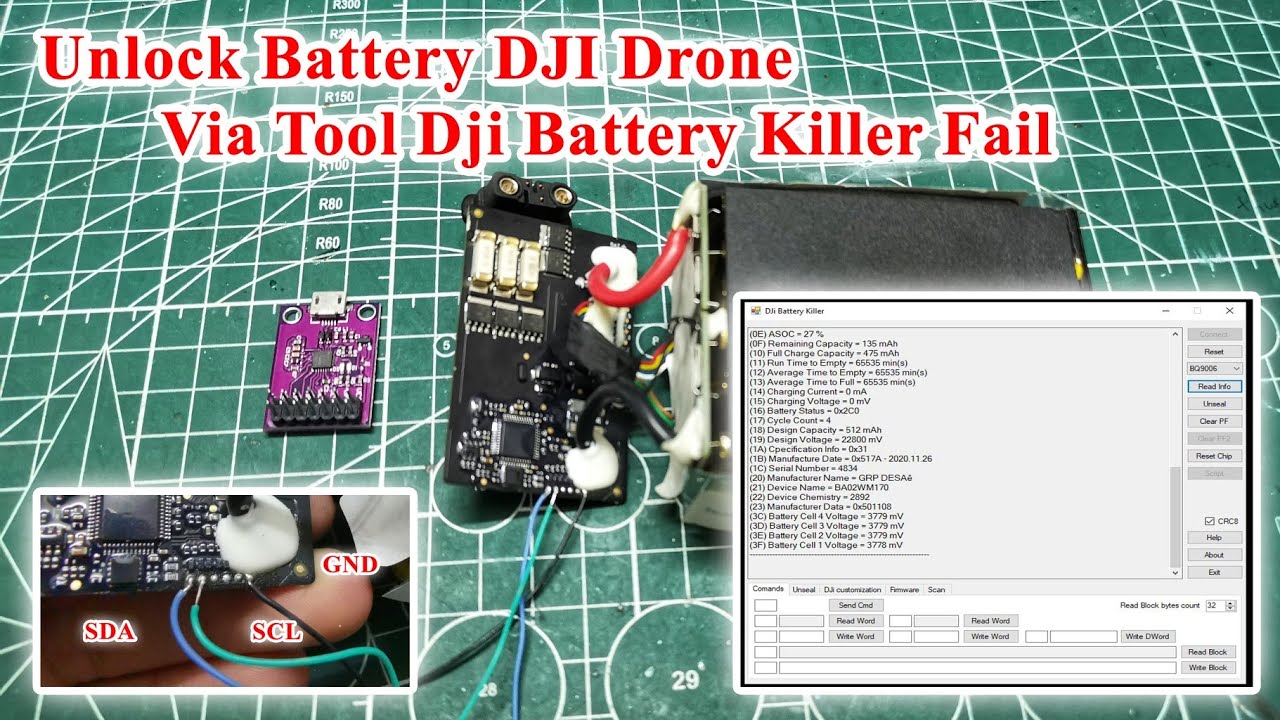
Thanks Sparky!
Unfortunatly IC BQ9006 looks not be supported yet
1 Like
I had noticed he was using the software from 2021.
Does anybody had already seen a more recent version?
I also didnt finda good link to download it.
Does anybody knows anyone?
i am using
DJi Battery Killer ver. 0.5 Beta 2
compiled 01.02.2022
Hello everyone,
I have a Mavic DJI Pro (1) that I bought in 2018, and I’ve only used it about 3 or 4 times. Recently, when I tried to charge the batteries, they all started blinking with a single light and then stopped. After doing a lot of research, I decided to buy the CP2112 debugging board and attempted to use the DJI Killer battery. I managed to connect to the debugging board, but whenever I connect the GRD, SDA, and SCL pins to the battery, I encounter the following error:
CP2112 HID USB to SMBus/I2C adapter successfully opened
CP2112 HID USB to SMBus/I2C adapter successfully configured
----------------------------------------------------------------
ERROR: Could not write Block to 0x44
----------------------------------------------------------------
ERROR: Could not perform SMBus read 0x00
I read that the SMBus error might be because the battery has no charge at all and can’t connect to the board. I then tried using a new battery that I recently purchased for my holidays, but it gives the same error. Out of curiosity, I also clicked the “read info” button without connecting the cables to the battery, and I still got the same error.
I’m starting to wonder if the issue might be with the cables connected to the debugging board. I only soldered the 3 pins I needed on the board, but I’m not very experienced with soldering. Is it possible to use the debugging board without soldering the connections and anyone has any ideia what can be my problem? I was using the version 01.02.2022 from the DJi Battery Killer
Post a picture of you connections to the board and battery
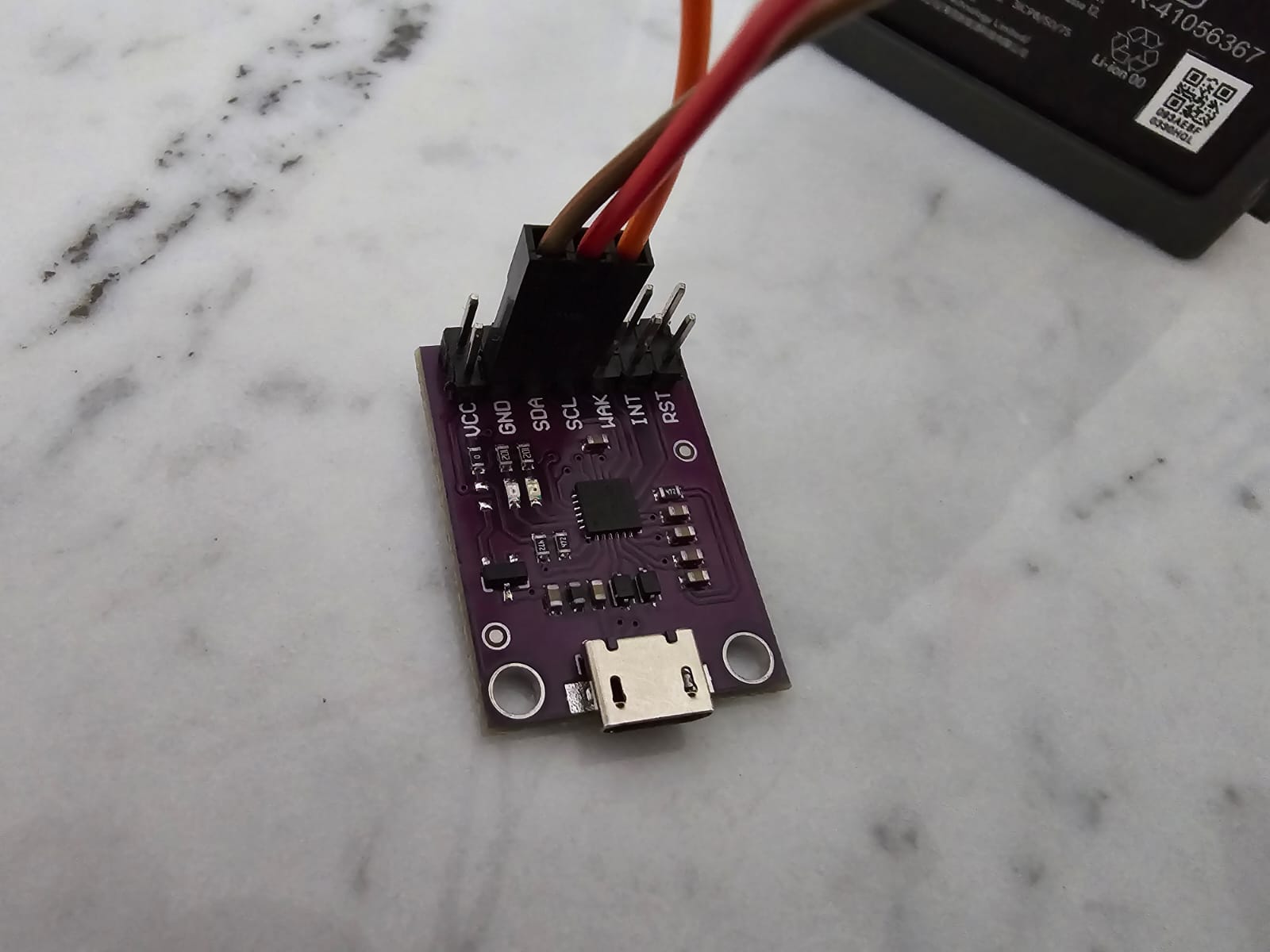
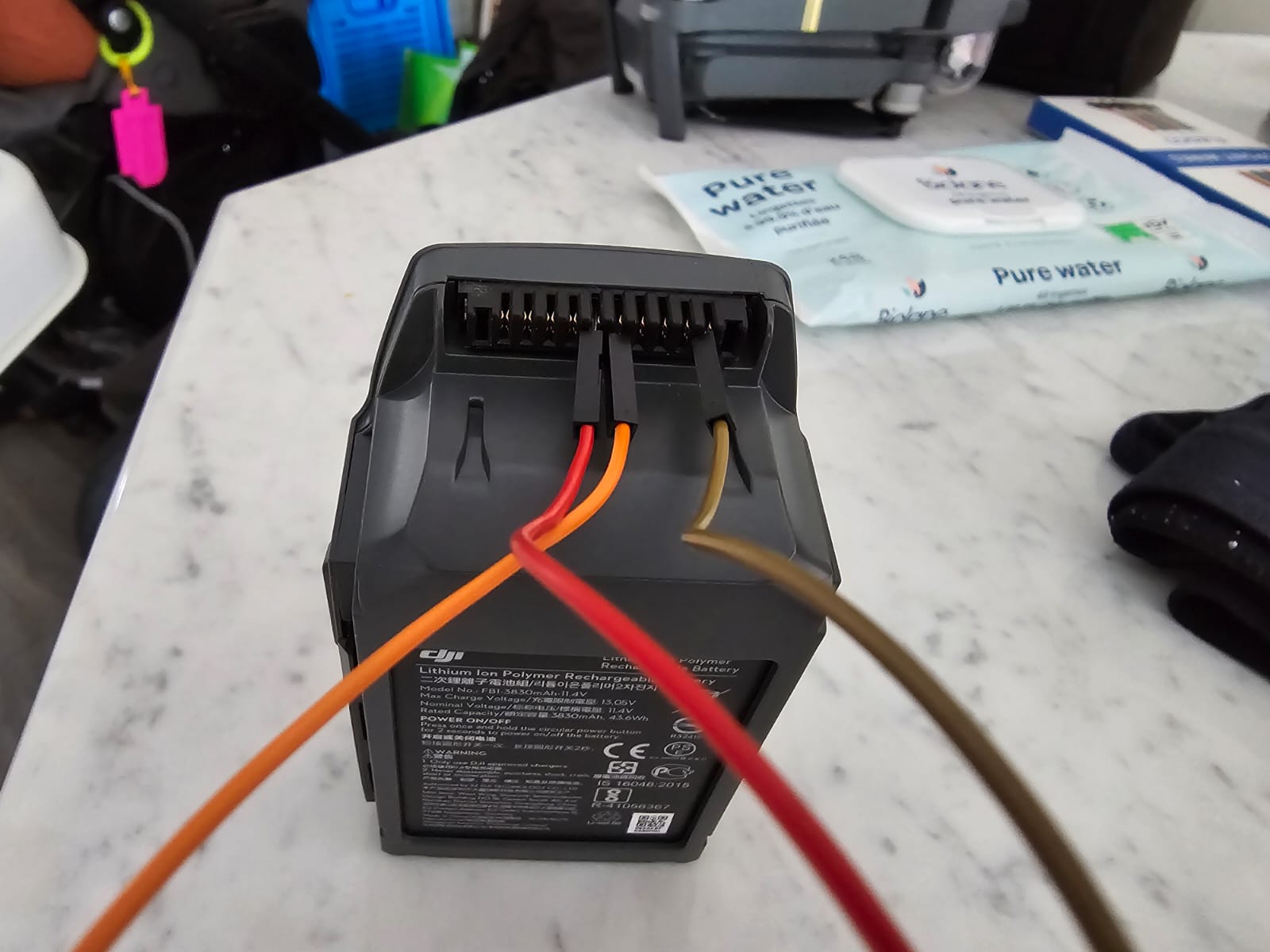
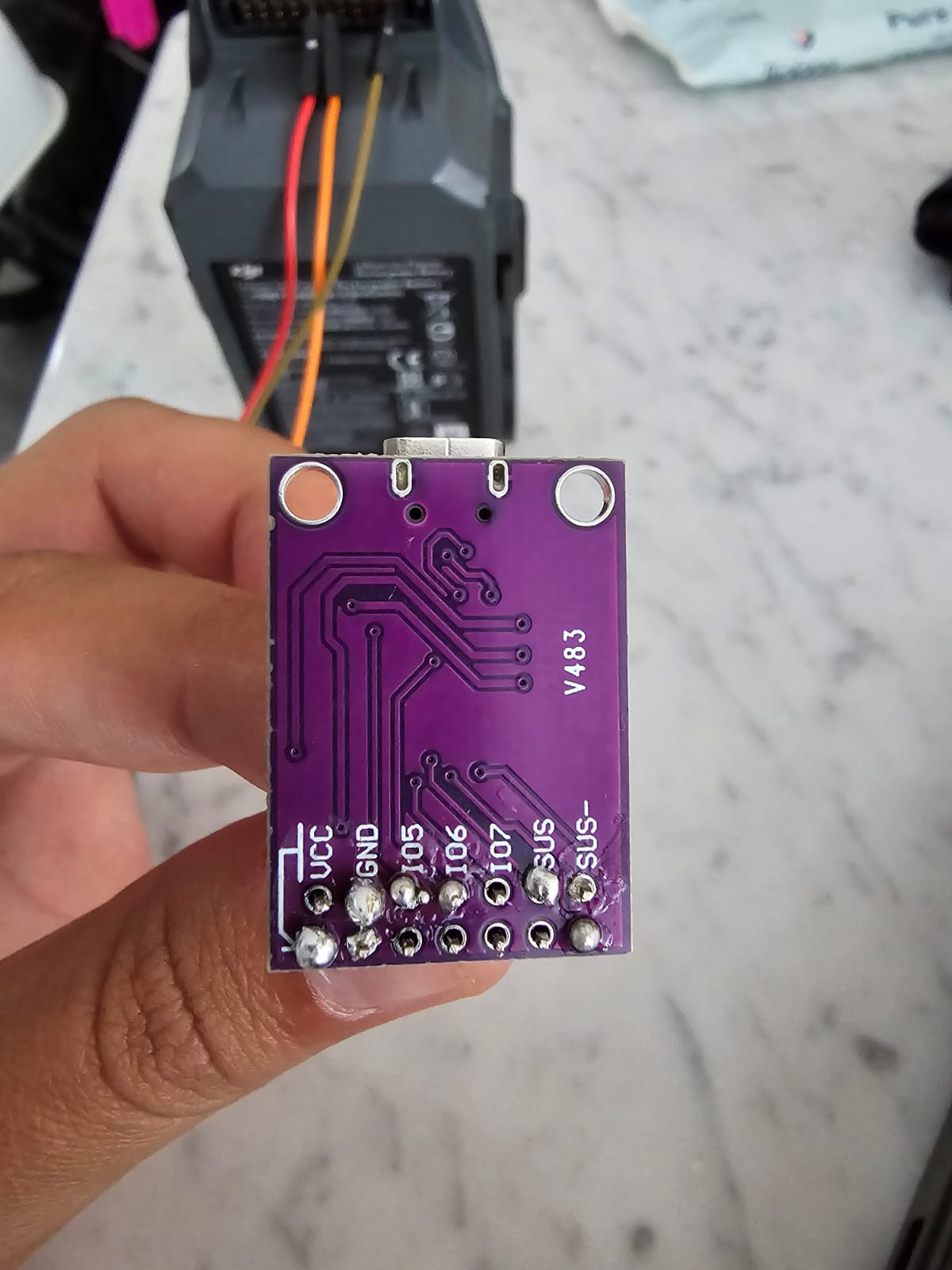
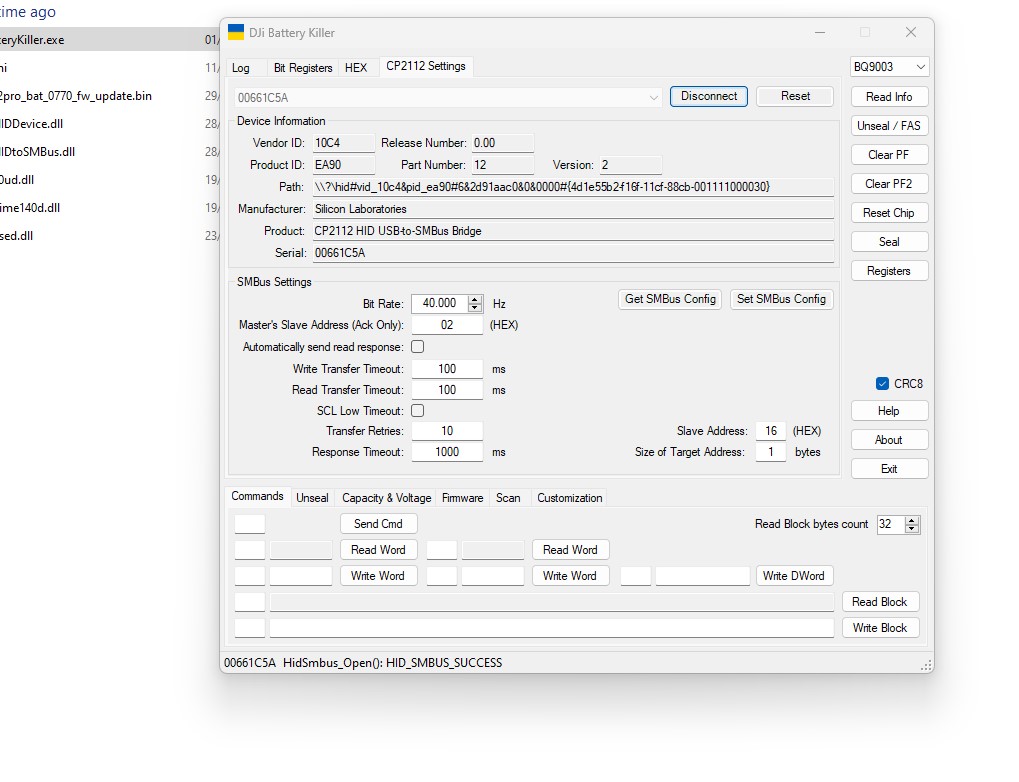
Looking at the first picture of the pin connections on the board it looks like they are on the rear pins
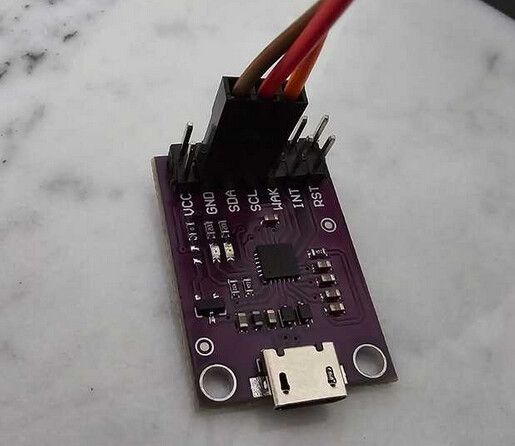
You need to use the front pins…GND SDA SCL
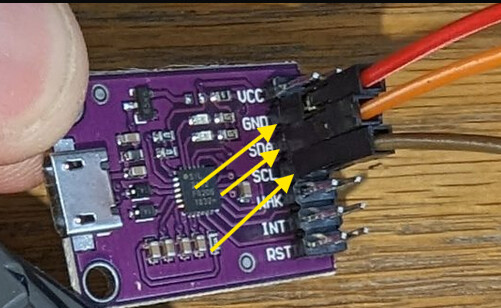
They are on the left. It was just the impression.
I also bought another cp1221 debugging board, that is why i asked if is there any way to execute the board without soldering the pins.