As more of us are discovering the ‘wonderful’ world of DJI Studio after getting our hands on an Avata 360, thought it might be an idea to have a general thread for some helpful help.
I’ll start with a question…
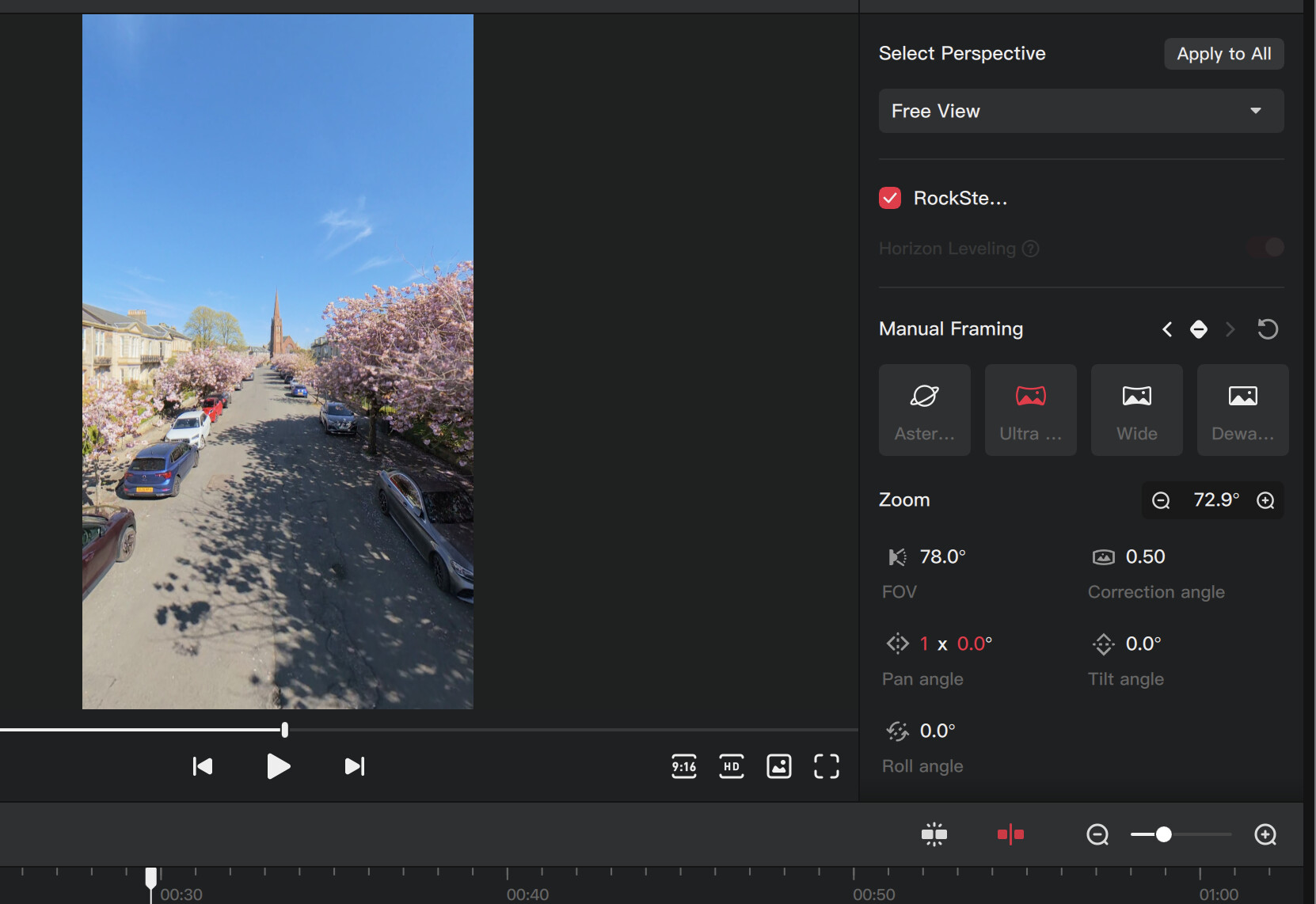
I’m editing a video where I want to manually pan 90º counter-clockwise, then a short time later, pan another 180º counter-clockwise, and a short time after than another 90º counter-clockwise to bring the view back to the front.
Got the first two movements okay, but instead of just moving that last 90º counter-clockwise, it’s defaulting to doing 270º clockwise to return to the front.
Anybody able to point me towards the way to control the direction of movement?
Ah, answered my own question… I typed the final pan angle as 360º, which automatically adjusted to “1 x 0.0º”, and that’s set the rotation to continue as counter-clockwise.
When your in-flight video recordings get split into 2 files, they cannot be merged into a single clip on the timeline to match the pan/zoom/tilt/roll settings between those 2 clips.
I exported the end of clip 1 and the start of clip 2 as a new panoramic file, brought it back into DJI Studio and was able to edit it as needed without any problem at that original join.
If anyone has found a way of reversing a clip let me know
I have a slow climbing shot that I’d like to turn into a reveal, I know I can export it then reverse in whatever, just be nice to keyframe it up and see how it looks in one easy step
I haven’t.
I looked at typing “-” in the Speed tab but it didn’t work.
But thats a windows version that disables the tracking option, so worth trying on the Mac version?
I couldn’t see a way in Insta360 Studio either.




 Getting to grips with it slowly, but every day is a learning day with this stuff