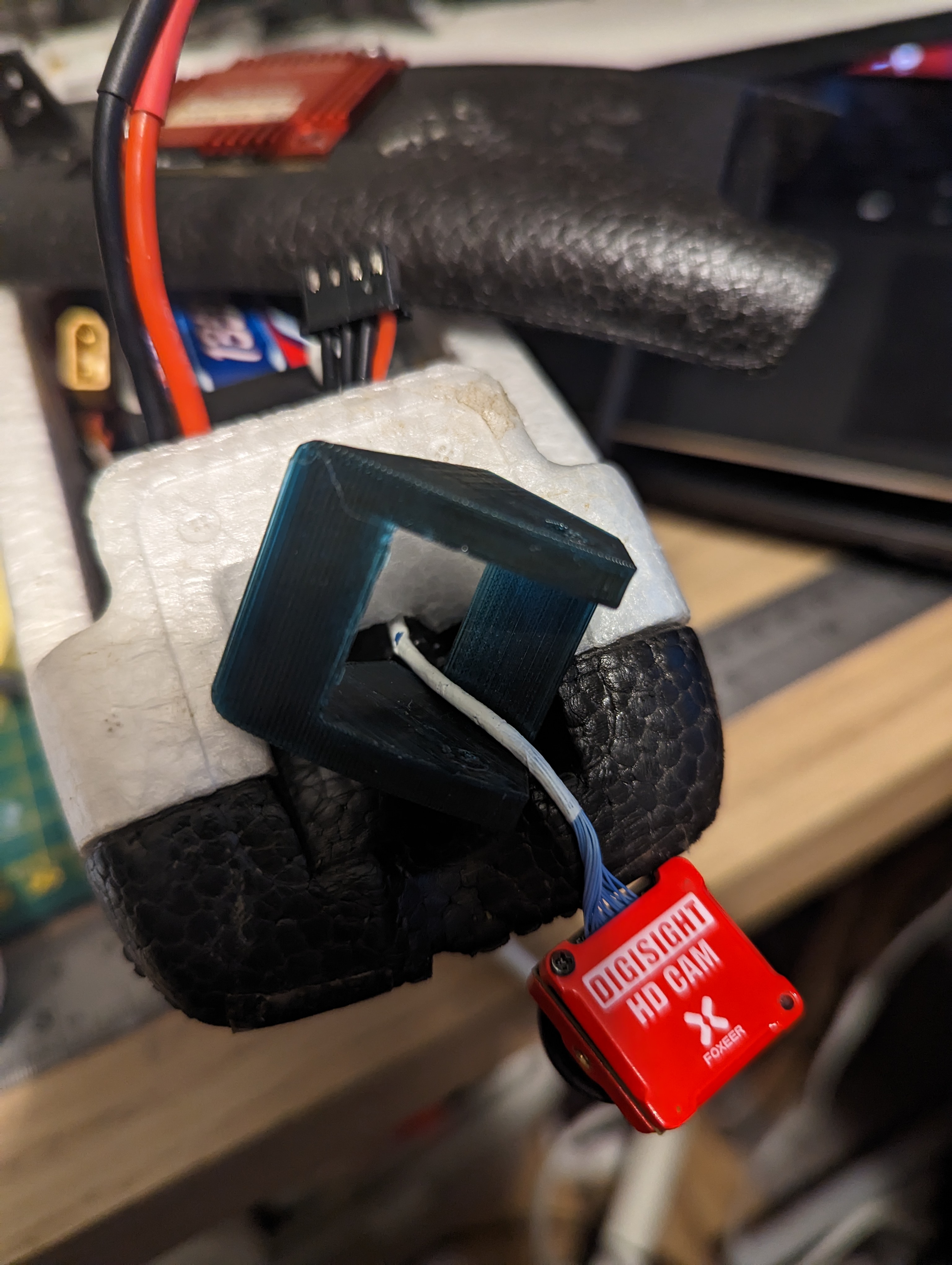
Someone please tell me can rotate the picture 180 degrees… Otherwise, meh…
The camera menu seems to not allow me to change anything other than through a number of profiles?
Someone please tell me can rotate the picture 180 degrees… Otherwise, meh…
The camera menu seems to not allow me to change anything other than through a number of profiles?
remove the camera and flip it 180 and put it back it 


There’s a Horizontal Flip on the Camera menu.
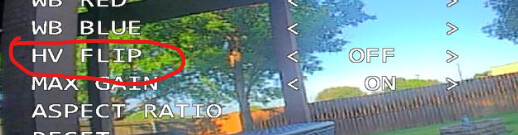
Though that’s the runcams… Hmm Foxeer Digisight… let me check the firmware source code
Ok… as is often the case the source is as clear as mud… That’s the setting. I see nothing special about setting it in the menu,
There is a runcam.c file that has it mentioned, but it’s not clear why.
I really wish this stuff had some documentation.
I think you may be flipping the camera upside down physically.
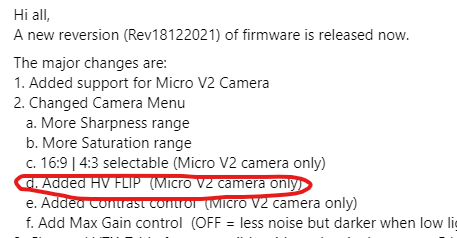
Cheers for the replies… Great… I can’t physically flip it due to the cable… ffs, n1
On the runcams you can flip the inner board and leave the cable output in the same place. Can you do that on the foxeer?
I’ll give it a go. All I can say. What a palavar hdzero has been. Though the OSD so much better than analogue. Should have just shove me spare vista in this
That looks like it will flip.
First time for anything is a palaver. 
Trying now mate. BTW does the VTX menu in iNav work like BF?
F’ing update cables from a VRX to a VTX? Who made this shit?!
I’ll send Karl (HDZero Karl) a link to a standard called “U” “S” “B”
Hmm got all 4 sscrews out and the board doesn’t want to detach from the cam body… I don’t wanna use too much pressure
Yes you can, but even easier is to unscrew the cover, rotate it 180 degrees and refit, hey presto cable slot also rotated.