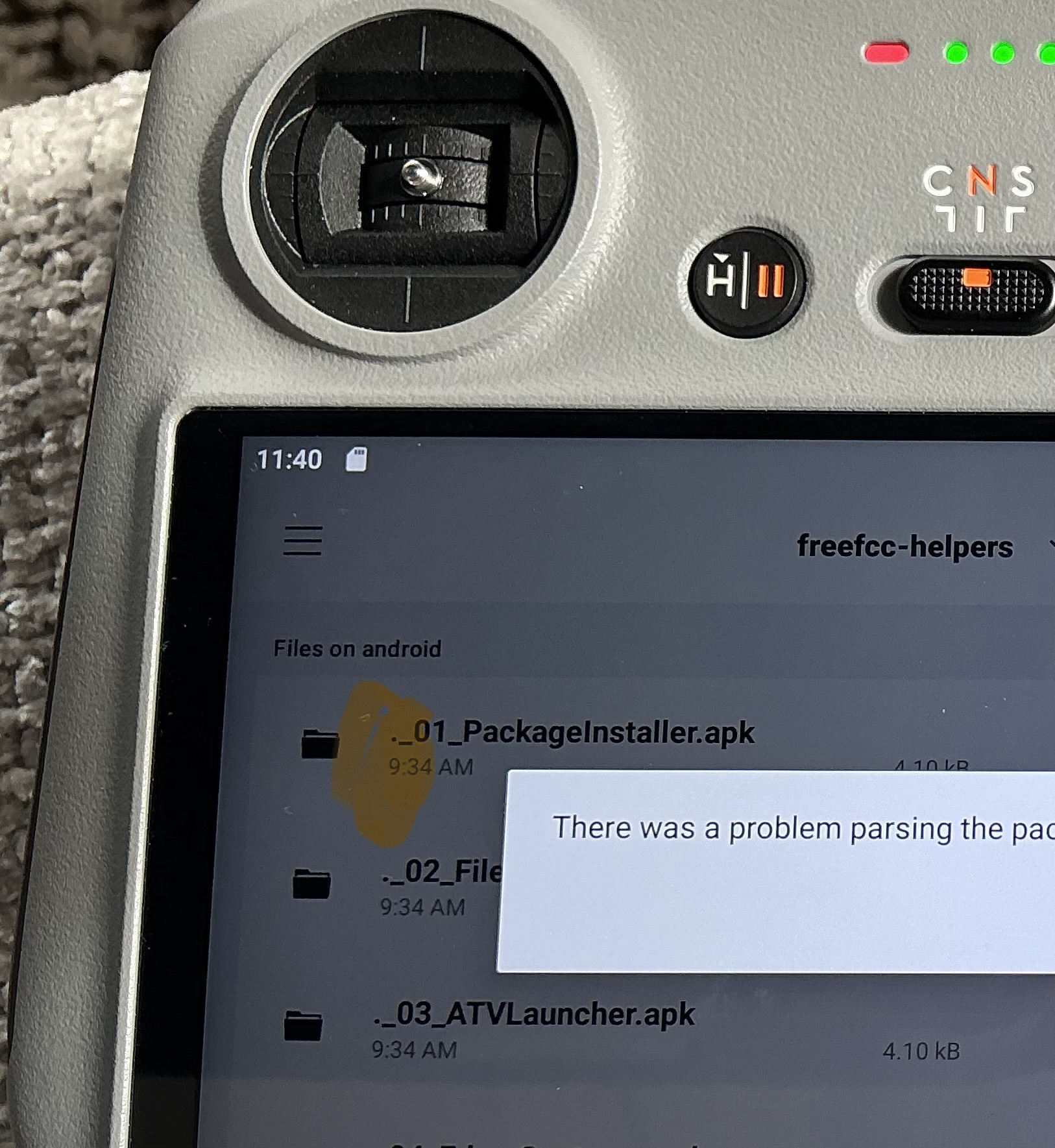
So I thought I would have a play after reading about this on Reddit
Click me to read it, Reddit previews don’t work nice on here
Reasonably easy install from the SD onto my RC2 (for use with the Avata 360), 4 ‘helper’ applications and the hack itself.
Tested working on my RC2 with the Avata 360 (although I have never had transmission issues with the O4+ on this drone)
Files and text instructions here
https://freefcc.duckdns.org/
Video (no sound though)
5 Likes
Ian5
21 July 2026 10:08
2
If I get around to it, I might try it with my Neo first.
1 Like
Its on the controller, so will work on any drone you have connected to it
Ian5
21 July 2026 10:15
4
I use different RC2’s for my neo and avata, so I thought that if I make a hash of it, I can still use the avata!
1 Like
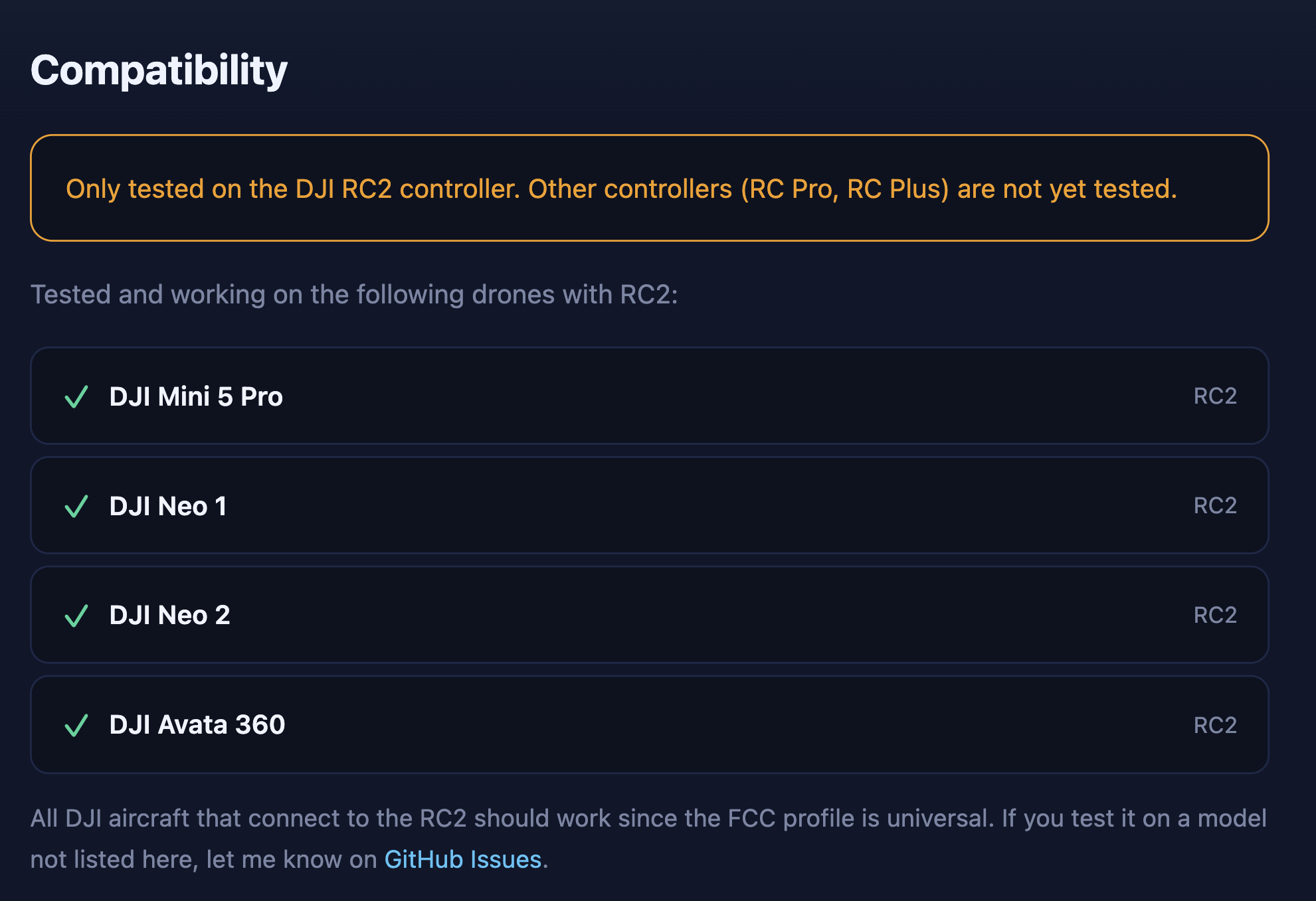
Found a better compatibility chart on GitHub
4 Likes
RC-N1 and RC-N2 all so covered with another app
Open-source FCC unlock for DJI USB-cabled controllers (RC-N1, RC-N2) + smart controllers. No server, no license, no tracking. Universal — works on Mini 3 / Mini 3 Pro / Mini 4 Pro / Air 3 / Mavic / Avata / Neo / FPV / Phantom 4.
Desktop installer for FreeFCC on DJI RC Pro 2 / RC Plus. Windows GUI app that installs FreeFCC over USB. No terminal, no adb to install.
1 Like
Could you do one of these for FPV Goggles. Just like you did to the RC controller? That would be nice
Free FCC unlock for DJI controllers. No server, no license, no tracking. Download: freefcc.duckdns.org
Works fine on my RC2 for no money.
Does anyone have the heklper app zip for this as the website does not appear to work now ?https://freefcc.duckdns.org/
A post was merged into an existing topic: Useful Downloads
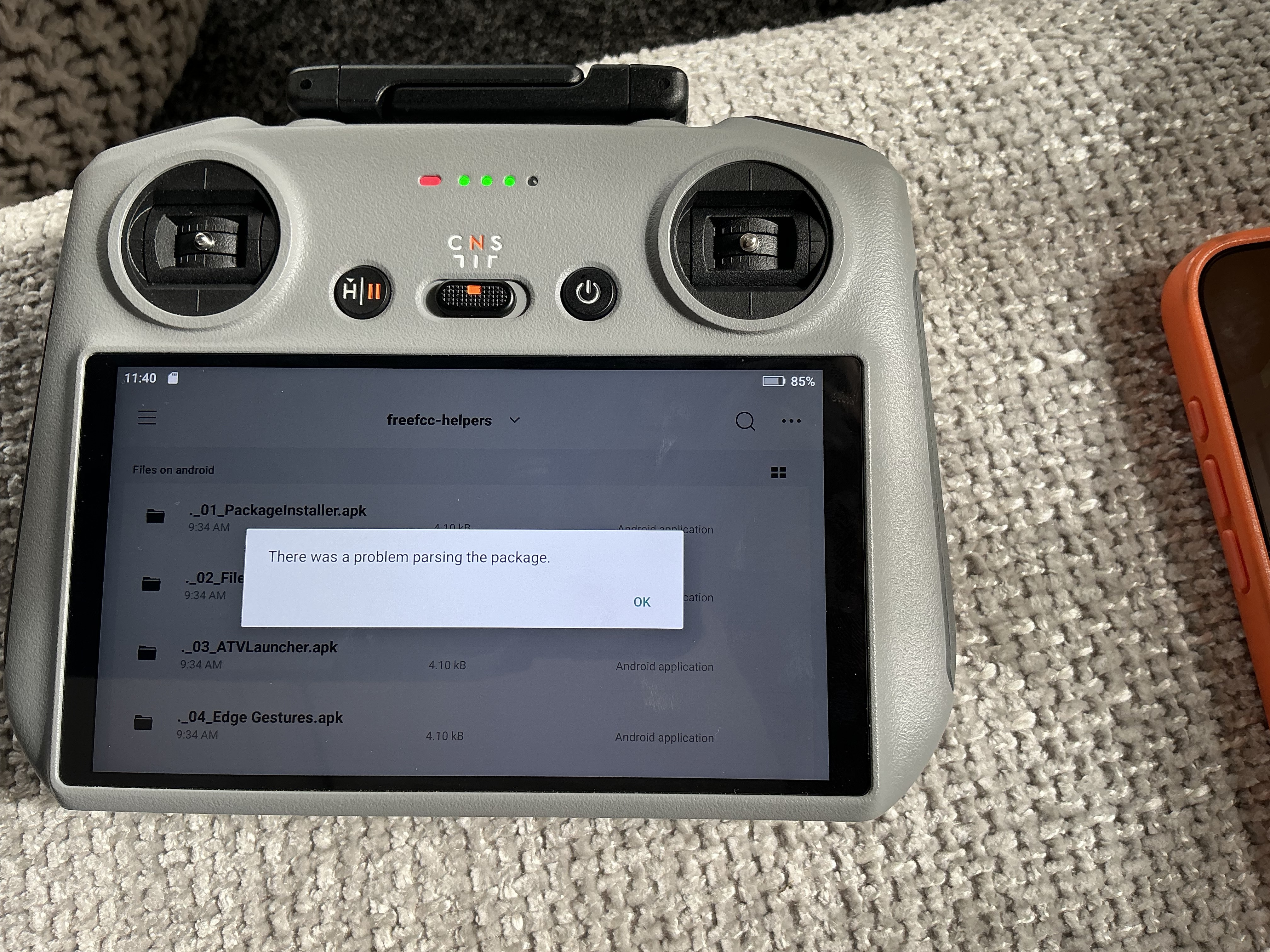
I’ve followed the instructions and the apps won’t install on my RC2, I getting the below error.
I’ve reformatted the SD card a 2nd time and it’s still the same.
I’m running the latest firmware on the RC2 and I’m using an Apple IPad to download the files, unzip and then copy / paste to the formatted SD card.
Anyone else had this issue?
Should I reset my RC2 to original factory settings?
Worked first time for me
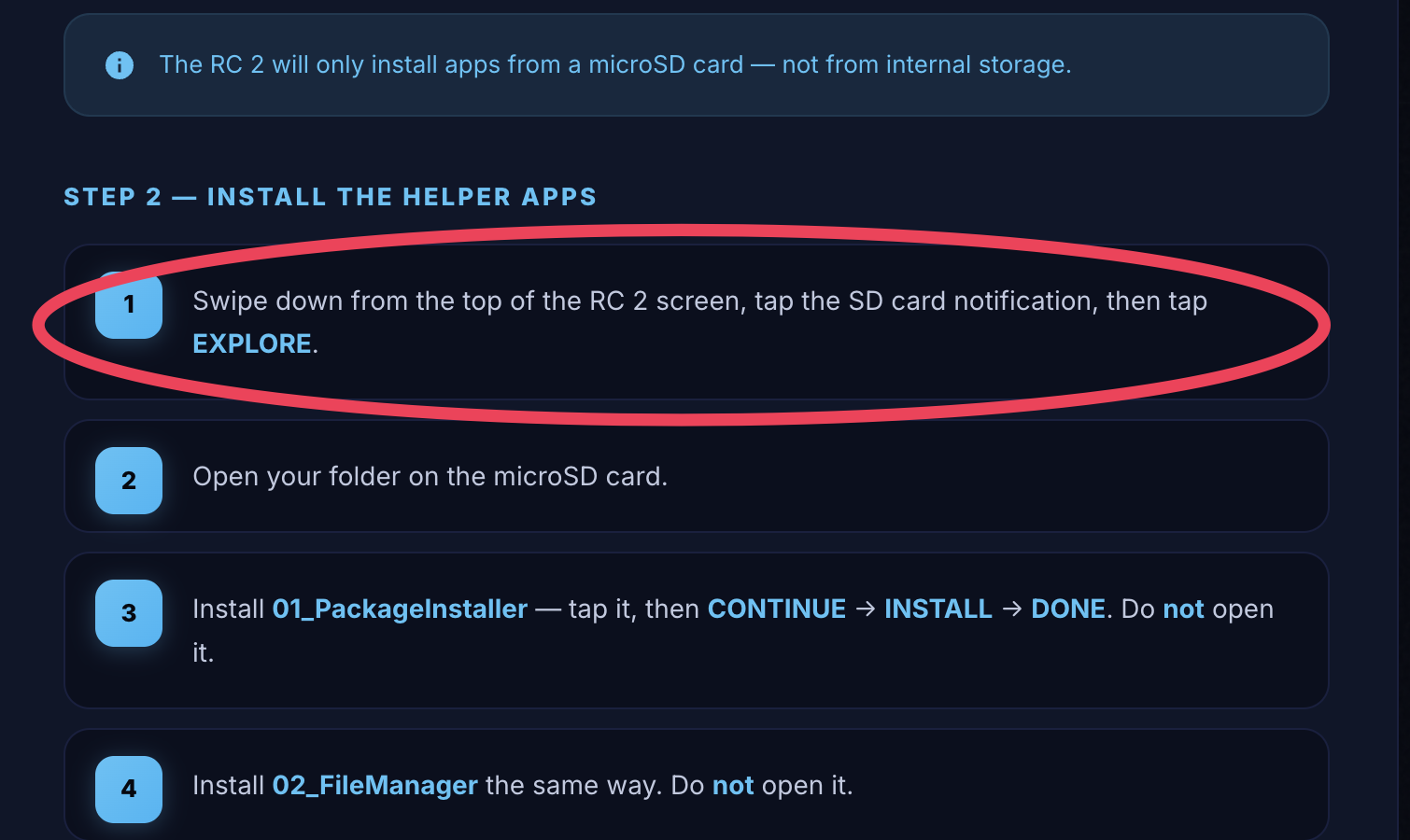
Are you certain you followed this bit to ‘explore’ the card
Think I’ve sorted it now.
I was selecting and trying to install the files that start with a “.” and not the ones below.
Not had chance to check it’s worked yet, had to take the dog to a vets appointment.
1 Like
Expensive business that
I’m not sure what difference it makes, may have to do a windmill run at the big meet if we can get a quiet moment over a smoke, O4+ is that good anyway
1 Like
sorry, late to the party.
I found a useful DJI controller and aircraft compatibility list and printed it as a *.pdf.
It covers RC-N1, RC-N2, RC-N3, DJI FPV 2, DJI FPV 3, DJI RC, RC-2, Smart Controller, RC Pro, RC Pro 2, and motion controllers Motion, RC Motion 2 and RC Motion 3
View on the original blog
Or download the fileDJI Controller Compatibility.pdf (2.2 MB)
I’m fairly new to this community and was wondering what this FCC mode entails, and particularly:
Does this invalidate any warranty or DJI Care Refresh?
What are the benefits to doing this to an RC 2?
Which systems or functions does this affect?
Does this relax/remove artificial limitations?
Any information regarding this would be very appreciated.
I have access to various DJI products, but I mainly use their Mini 5 Pro C0/UK0.
I read a bit about it already and this only seems to be relevant to the radio power output, increasing it to non EU standards.
Aaron:
Does this invalidate any warranty or DJI Care Refresh?
Lots of discussion about this all over the drone sites, consensus is not (how will they know?)
Aaron:
What are the benefits to doing this to an RC 2?
Increased power output, allowing stronger signal between the controller and drone.
Aaron:
Which systems or functions does this affect?
Just the transmission power (roughly, they reckon 2 to 4 times the power)
Aaron:
Does this relax/remove artificial limitations?
Which ones?
Correct, to note (and be a party pooper) there is legislation you need to be aware of
Wireless Telegraphy Act 2006 (see Section 45/46):https://www.legislation.gov.uk/ukpga/…