New to drones, and with the weather being better today got to fly my Neo 2. However after flying for a few minutes, and at a height of about 15 meters, just hovering, I realised it was not responding to the right stick on the controller. I also noticed prior to this that it was slowly gaining height, though It seemed to respond to the left stick and I was able to reduce the height. But I decided to hit the return to home button to get it back down, and thankfully it did. I took it out later and it worked perfectly. Any suggestions, is there a fault ? I have seen reference to interference, is this a problem with drones, and could that have caused this?
Hi… My first flight with the dji neo 2 was very hit and miss with it doing whatever it wanted when it wanted … I did a full calibration in the settings and checked for all updates and has been fine ever since hope this helps
@Colin27, it would be really useful if you could share the Airdata logs for this issue, it’ll help people provide you with a more detailed answer based on what actually happened.
If you’re not familiar with Airdata it’s an independent platform that allows you to aggregate your flight records and it also allows you to share logs with other people.
Here’s a guide on how to upload your flight logs to their web site / app:
Setting up Direct DJI Sync
Once your logs are visible in Airdata you can use this guide to share the log(s) in question:
Once you’ve created the share on the Airdata web site simply reply here and paste the URL, someone will then take a closer look for you.
Apparently you can get problems if you haven’t updated all of the batteries separately. You need to load the batteries in to the drone and check each battery is updated.
Cheers Pete
Sounds like you may be in Beginner Mode .. that limits speed, height and distance from you.
Step-by-Step Guide (Using the DJI Goggles):
- Complete Tutorial: Fly through the mandatory flight tutorial prompted in the goggles when you first use the Neo 2.
- Open Menu: After the tutorial, press the back button or access the main menu within the goggles.
- Find Settings: Navigate to the Status tab or menu option.
- Disable Mode: Find the Beginner Mode setting and select the option to disable it.
- Confirm (If Prompted): You might see a confirmation prompt; select “Confirm” or “Determine” to save your choice.
Thanks for the reply, however I am not using goggles, I intend to buy some at a later date, once I have more experience. Just using the RC-N3 controller that came in the package.
Hi Pete, thanks for the reply, I am new to all this, I didn’t know you had to update the batteries, not seen any mention of this before. I have done all the updates that have come up, so far, but I thought they were for the drone and controller.
You still may be in Beginner Mode .. this can be removed in the fly app, too.
I updated mine yesterday. Drone took a while. Removed battery and replaced then updated software again and it started at 40% when finished inserted last battery and started at 40% as well.
I always check batteries after updates as its not always mentioned 
Hello Colin, I have had quite a few drones but never updated batteries before.
Try having a look at this on YouTube. It’s a bloke called Justin Bainbridge he’s got some good tips.
All we need now is some good weather!
Cheers Pete
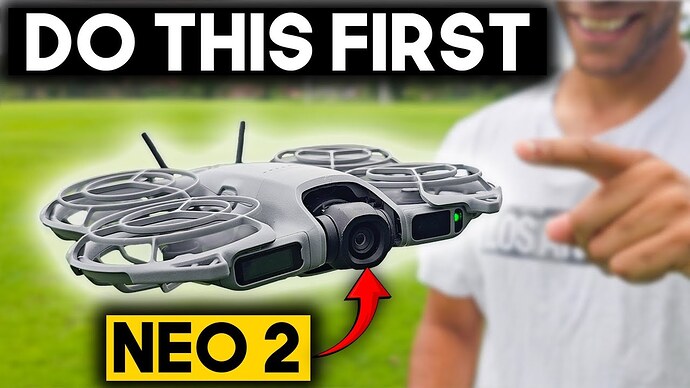
This is correct on the dji neo 2 the batterys need to be updated individually . Just drop battery in drone head to the app and it will say update if its required then move to the next battery simples hope this helps
Try calibrating compass, and keep away from power lines.
Do you keep the sticks on the controller or take them off each time? Has the storage case pushed the sticks and ‘set’ them off the zero mark?
I always took my sticks off but now have a controlleer case that protects the sticks if left on.
Thanks for all the replies I have received, all useful information. I knew the batteries were “intelligent” but just assumed that was to do with charging, not the operation of the drone its self. I have now re-done the update with each battery, and those that mentioned it were correct, in that two of the batteries required an update. I had been trying in the house, flying it in the bedroom. Nothing much to hit in there, and a soft landing if it crashed, and I had only used the one battery. On the day I had the problems, I changed the battery just for the sake if it, so it was a battery that hadn’t been on for an update. Just need some decent weather now to go and try it again.
Hi @Ferrag, it looks as though you’re quite new here 
Why not nip over to the Introductions page, and say hello properly and tell us a bit about yourself. 