I wouldn’t have to ask this question if I was dealing with a hand-held DSLR. When I was taking photos with my Canon EOS R, I was printing images up to A1, with really good detail in them. I could probably have went bigger, but was never asked to. I’m well aware of the difference between the full-frame sensor in the EOS R, and the 1/1.3 image sensor, but I’m just curious how big I could print an image from the Mini 3.
Being new to drones though, I’m not so sure. Im recording single frame images (no panoramas). The images are going to be displayed as part of an exhibition. Would a 10 x 12 at 300 Dpi be achievable? I really couldn’t afford to go any smaller than that.
I suppose I could search for a while on the internet, but thought I would ask here in case anyone else is / has done this before, and give me a quick answer. No rush, but I need to know last week 
I think you’ve almost answered your own question. Printing at 300dpi will give good image quality; how big you can go depends on how many pixels you have to play with. If you want a 10" x 12" print you’ll need an image 3000 pixels x 3600 pixels. I don’t know if the Mini 3 is 12MP or 48MP, but either way, you’re going to be fine at this size. You might get away with printing at 250dpi even, if your viewers are not going to be closer than about 1m, but I’d not go any less than this.
I print up to A2 from images taken with my Mini 3 Pro and Mini 4 Pro.
If you want to blow up images further you could try an AI program like Upscale. It can be remarkably effective.
I should have said Upscayl. There may be more recent programs.
Topaz upscale is decent ( I’ve tried it ) but don’t use it as I have no need really but is a good bit of kit a tad pricy 
Watch from about 16 minutes in:
Resolution isn’t as important as you think.
I’ve printed A3 from a mini 2 with no quality problems.
Having said that I would use Topaz Gigapixel AI to upscale mine if going very big.
Thanks Martin, that’s a really interesting video and makes a lot of sense.
I don’t know if it’s still the case - the tech has undoubtedly moved on a long way - but apparently there used to be an advantage in sharpness/quality to printing out an image to a certain dpi (and accepting the size it came out at) rather than specifying a particular print size, and having the computer/printer make compromises to try to reproduce fractions of dpi. Even this might only be observable under a loup though 
That depends on which program you use to print.
I use Lightroom which automatically rescales the print. It asks the printer how many Pixels Per Inch in wants and rescales the image. Photoshop does not do that, and it matters. If the image sent to the printer doesn’t have the PPI the printer prints at then you can get aliasing effects. I proved this by printing this image at different PPI values.
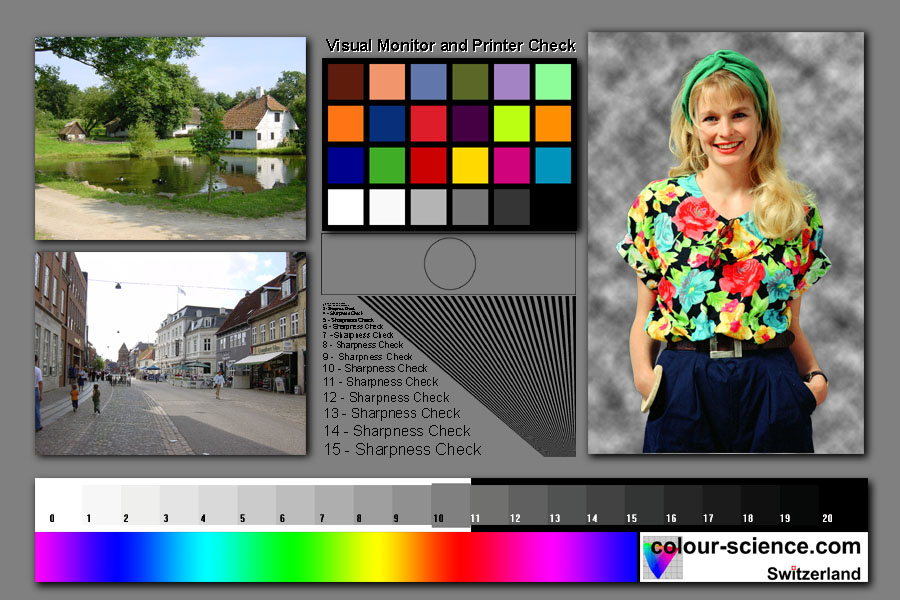
The radiating lines have no or minimal aliasing effects when printed at the printer’s PPI (in my case it’s and Epson P-800 and expects 360), any other setting and varying aliasing patterns appear.
Try this in your print program of choice and see what you get. It has a resolution set at 300PPI for a 3inch by 2inch print. If you have an older Epson printer like mine change the PPI.
I appreciate you can sometime go with less dpi if viewed at a distance, but I suspect people will want to get close to these, as the exhibition room is quite small - it’ll only hold about 10 - 12 images. Thanks for your response
I appreciate what your saying, but I’d prefer to keep the images as original as possible. I’m not a fan of Ai, but thanks anyhow
Martin, I’ve been taking photographs with DSLRs for over 35 years, so I really do appreciate things like resolution, dynamic range, chromatic abberation, lens distortion, luminosity, etc. The sensor on the EOS R is 30MP on a 36mm x 24mm, and I know I can go to poster prints with ease. I have a photo hanging in my study, of a tractor 220 yards from where I was standing, ploughing a field. I was using the RF 100 - 400 mm lens, and the image is so sharp, I can read the number plate on the tractor on the A1 enlargement.
The Mini 3, with its 12MP 7.66 mm x 5.98 mm sensor is going to be nowhere near the the same capability. The Mini 3 can boost the sensor to 48MP, (although I don’t think it records at 4k), but honestly I have seen no difference in the image quality. So, I agree, the MP doesn’t really matter, it’s the size of the sensor than makes a difference.
But that still doesn’t really tell me how big I can print, for an exhibition, (where I forgot to add that people will be viewing the images from about 1 metre away, so I think 300 dpi, or thereabouts, would be preferable). But I appreciate you tried to help. 
I’m 85%Scots, and 15% Norse, and tight as a duck’s bum.  If software isn’t free, it’s too expensive. I still use a Canon Photo Program I got free with a printer about 20 years ago. It has functions that are easier to use than some paid ones. And I use Photoshop Express, Darktable (for RAW) and GIMP, if needs be.
And whilst I have a photo printer, I only use it for printing holiday snaps for the wife’s scrapbook. All my images are professionally printed, so I could experiment, but that costs money , which is why I asked.
Shoot in RAW and process with a good editor - I use DxO Photolab v.8. Also consider one of the Topaz AI products.
The sensor on the EOS R is 30MP on a 36mm x 24mm, and I know I can go to poster prints with ease.
You’ve hit on my next favourite view that dynamic range is underrated. Your big sensor will give you fare more dynamic range. It will also open up the possibility of shooting in much lower light than a mini drone will cope with. It’s why I always bracket with the drone so I can squeeze a little more dynamic range out of it.
I don’t think anyone was thinking of printing to A1, but I believe that with care and modern AI scaling tools I could get a very good A2 print. I have made one from a 20Mp 1inch sensor which is superb.
Sensor size choice is a whole subject of it’s own, different sizes suit differing applications.
I get the close viewing at an exhibition, that’s usually the photographers, normal people tend not to get so close 
I’m shooting in RAW, and adjusting the photos in Darktable. Darktable maybe isn’t as user friendly as some, but it costs nothing
Yes, Martin. I’m well aware the huge differences between the DSLR and the drone, but I had no choice.
At the age of 52, I developed Fibromyalgia, and suffer from chronic fatigue, and chronic pain. I still work part-time to pay for things, but after working 4 hours in the morning, I regularly go to bed in the afternoon for a few hours, I’m exhausted. I can’t walk any distance without severe pain (followed by tiredness) so getting into the perfect spot with my camera is now impossible.
Hence the Mini 3 was purchased to answer the problem at hand. It’s not an EOS R, but it’s as good as I can afford right now, and still gives me a little independence (as well as a lot of enjoyment).
A little update for you Jen. I’ve enlarged the image I previous shared, of Armoy Round Tower / Church to 16" x 12" at 300 dpi, and it still looks pretty sharp 
Related to this discussion: AI Image Resizing
And the final result:
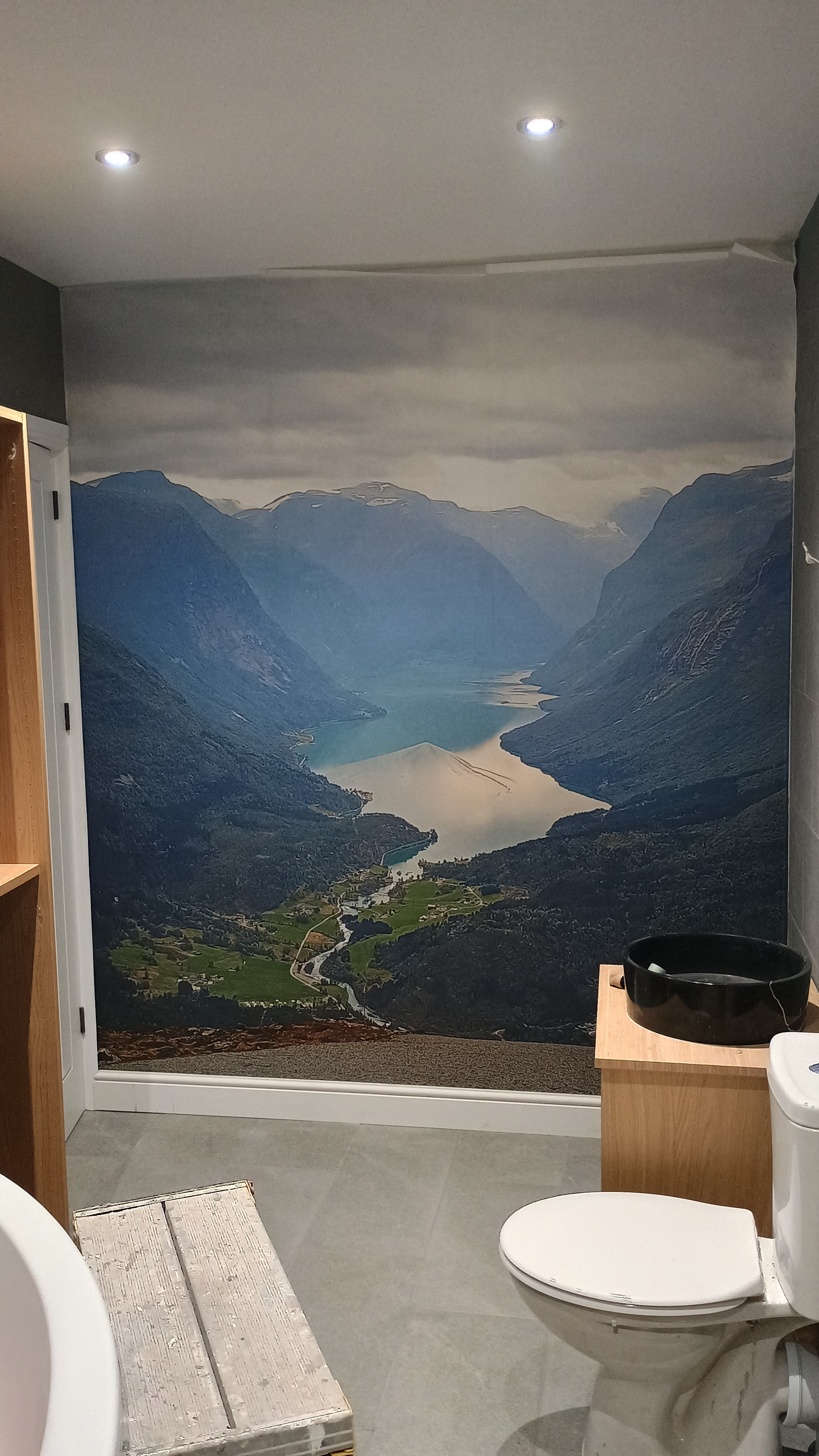
Of course, it looks exactly as you’d expect close up but for mobile phone snap to feature wall it’s mighty impressive.
It looks great.