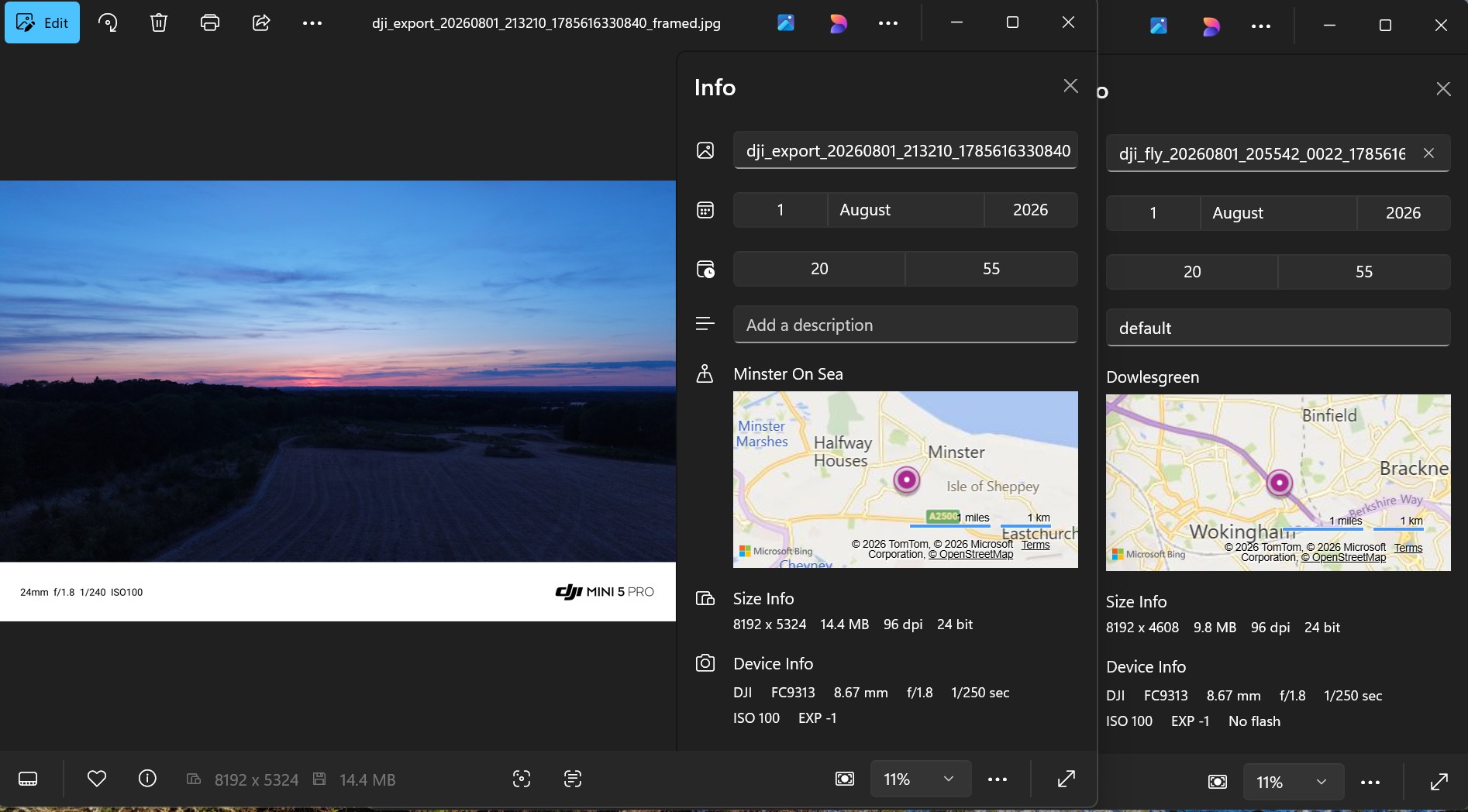
I had some fun this evening and part of it was trying to photograph the sunset. It screenshot below is the original and the export. It seems they are miles apart, why?
I didn’t disapperate…I promise 
This has happened to all of my framed photos taken tonight. Hmm…
What do the SD versions say?
(and is the 2nd one where you live?)
The location discrepancy happens because exporting a photo through the DJI Fly app often strips the high-precision drone GPS metadata and replaces it with the location of your mobile device or controller at the time of export.
Why the Exported Location Changed
- Controller GPS Overlay: The DJI RC 2 has its own internal GPS. When you export or download a photo to a phone or tablet via the app, the software can overwrite the drone’s coordinates with the controller’s current location.
- Geotagging Policies: Mobile operating systems (iOS and Android) often inject the local device’s location into newly saved images during app exports for privacy or system cataloguing reasons.
- Privacy Stripping: Some export settings automatically strip the original embedded metadata to protect the exact location where the drone was flying, substituting it with a generic region or cached position.
Thanks, Colin (@D0c.Col ) and @milkmanchris. I need to apologise for the way my post may have come across. My day at work was not-so-good, followed by a great evening’s flying. Discovering that most of my framed shots ended up on the Isle of Sheppy came as a bit of a shock.
Thank you both for replying.
Ian
1 Like
You can adjust the exif data if it bothers that much