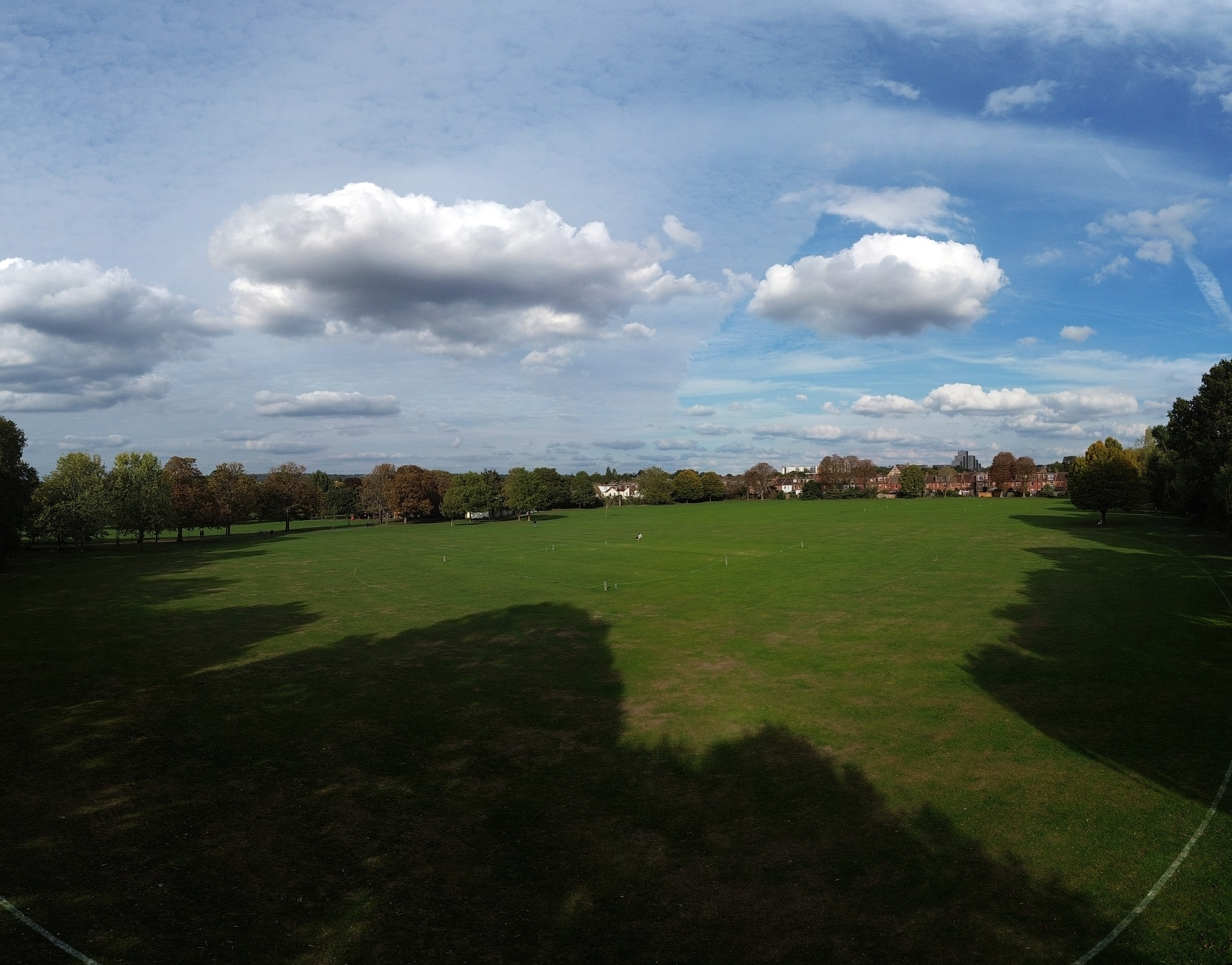
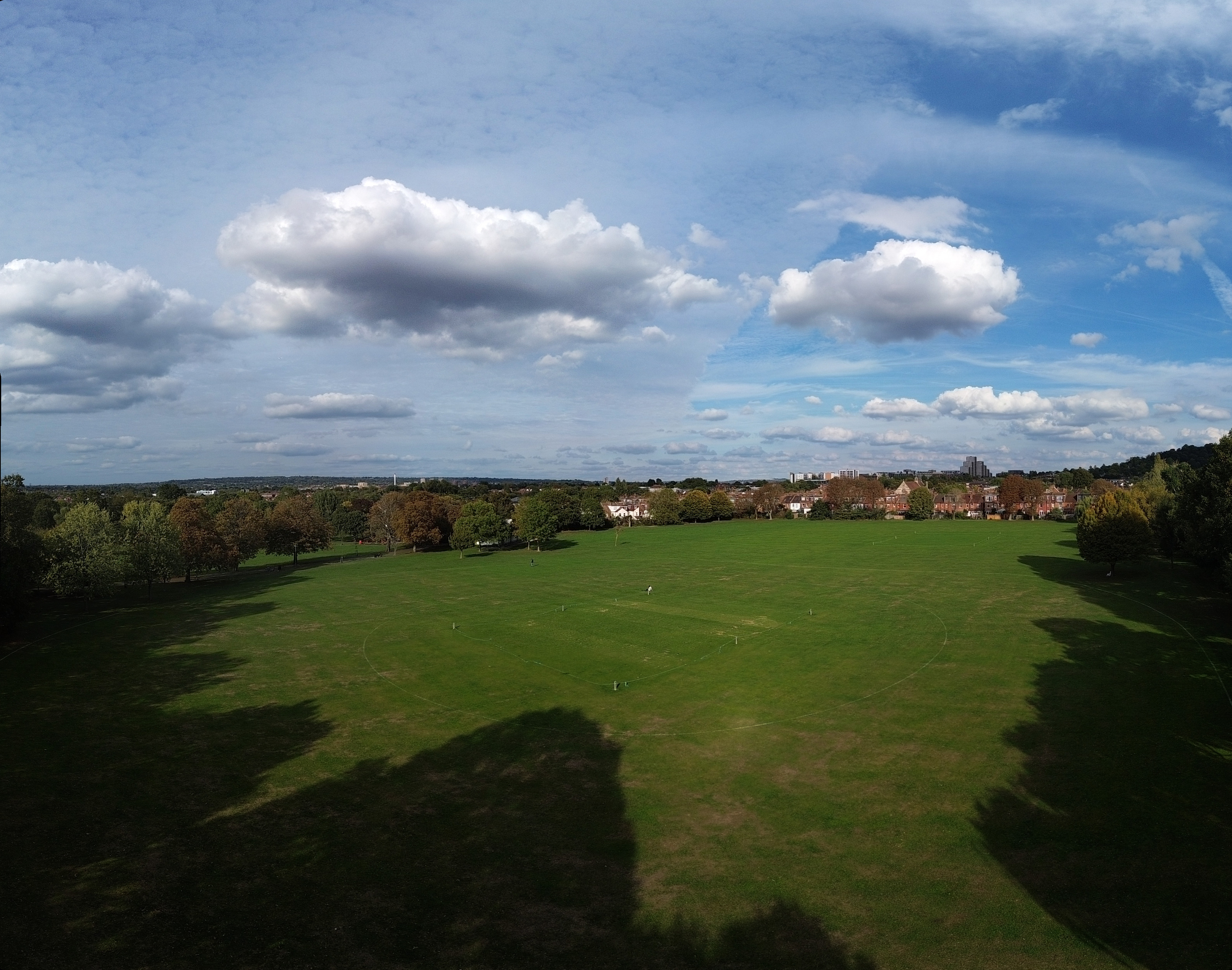
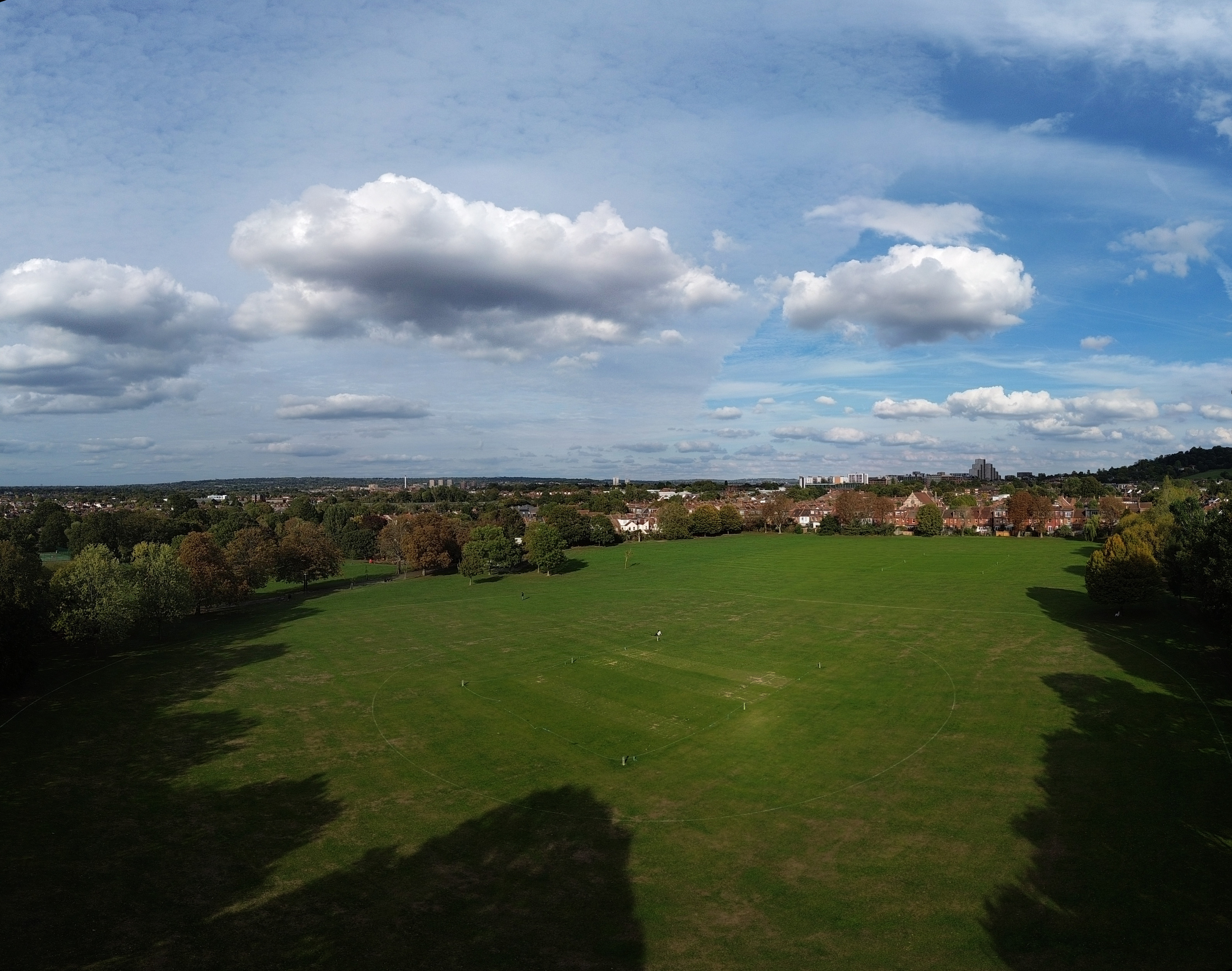
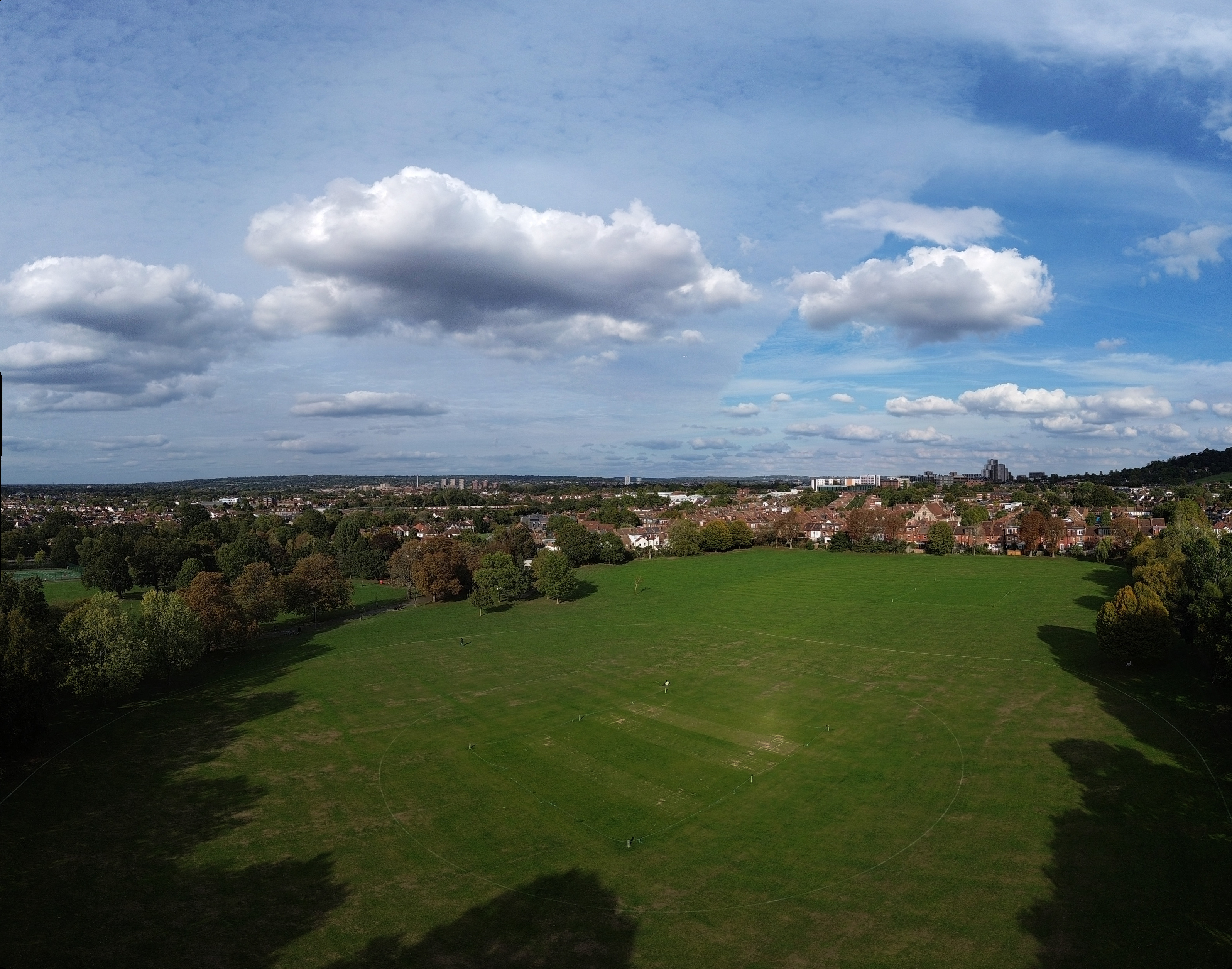
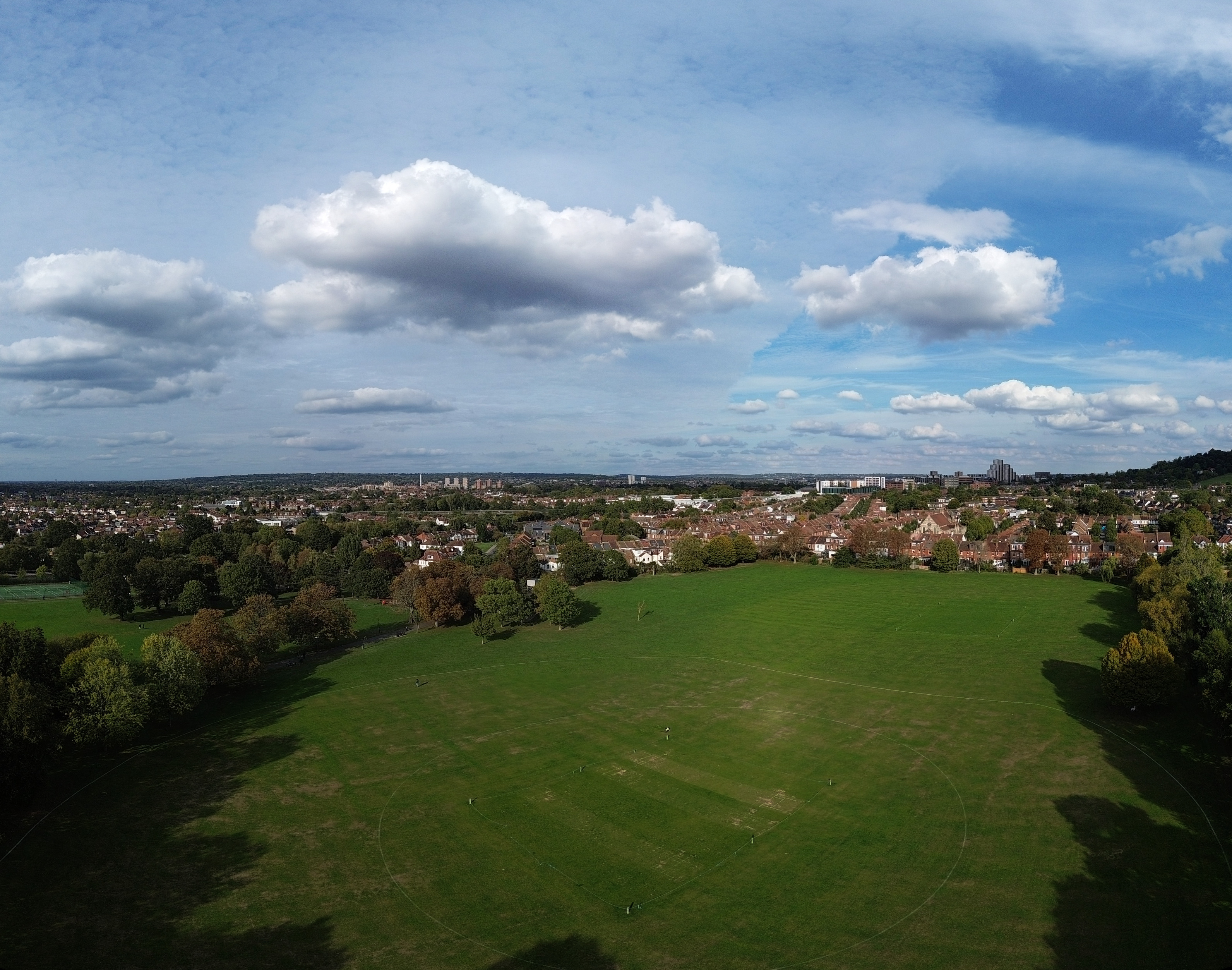
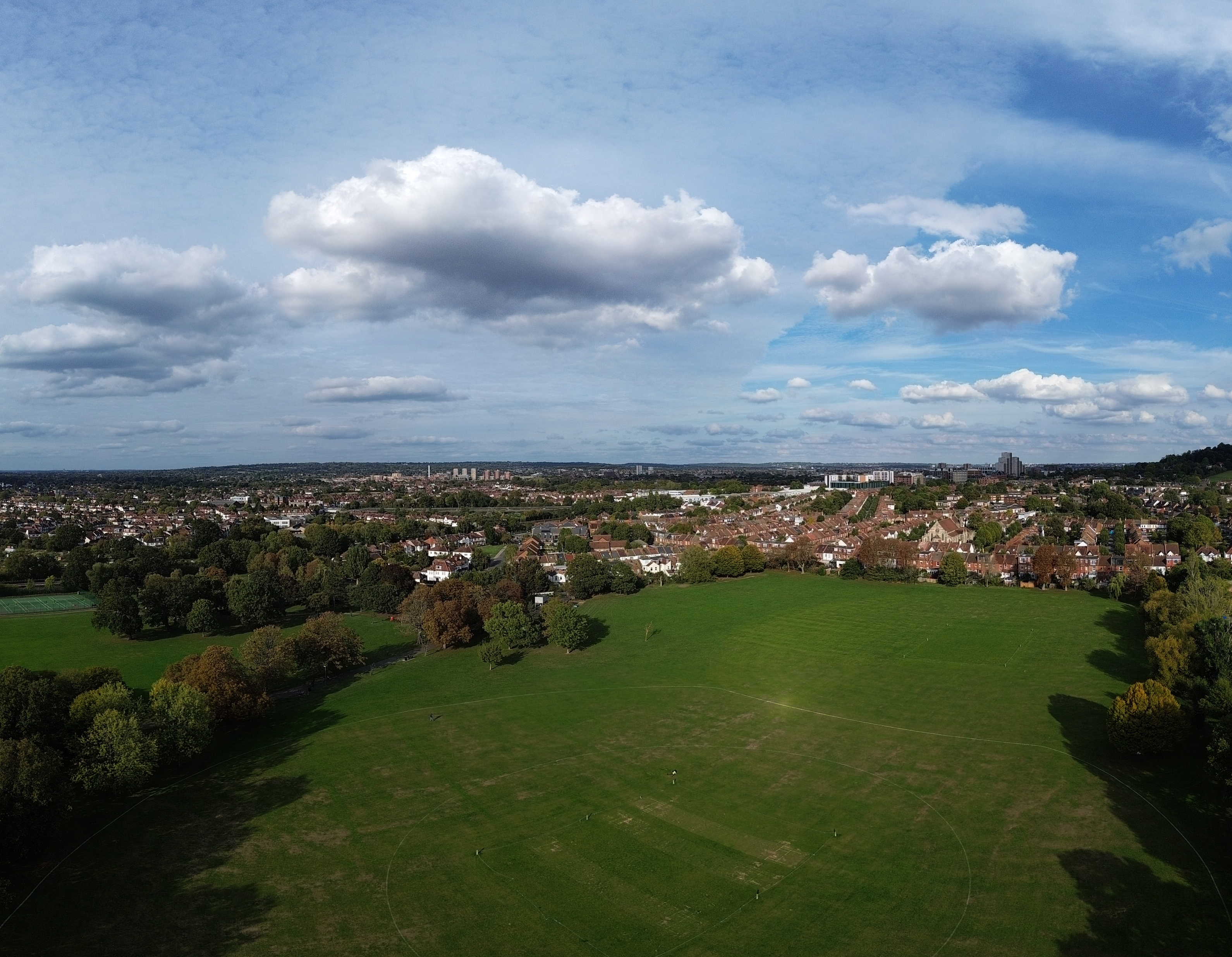
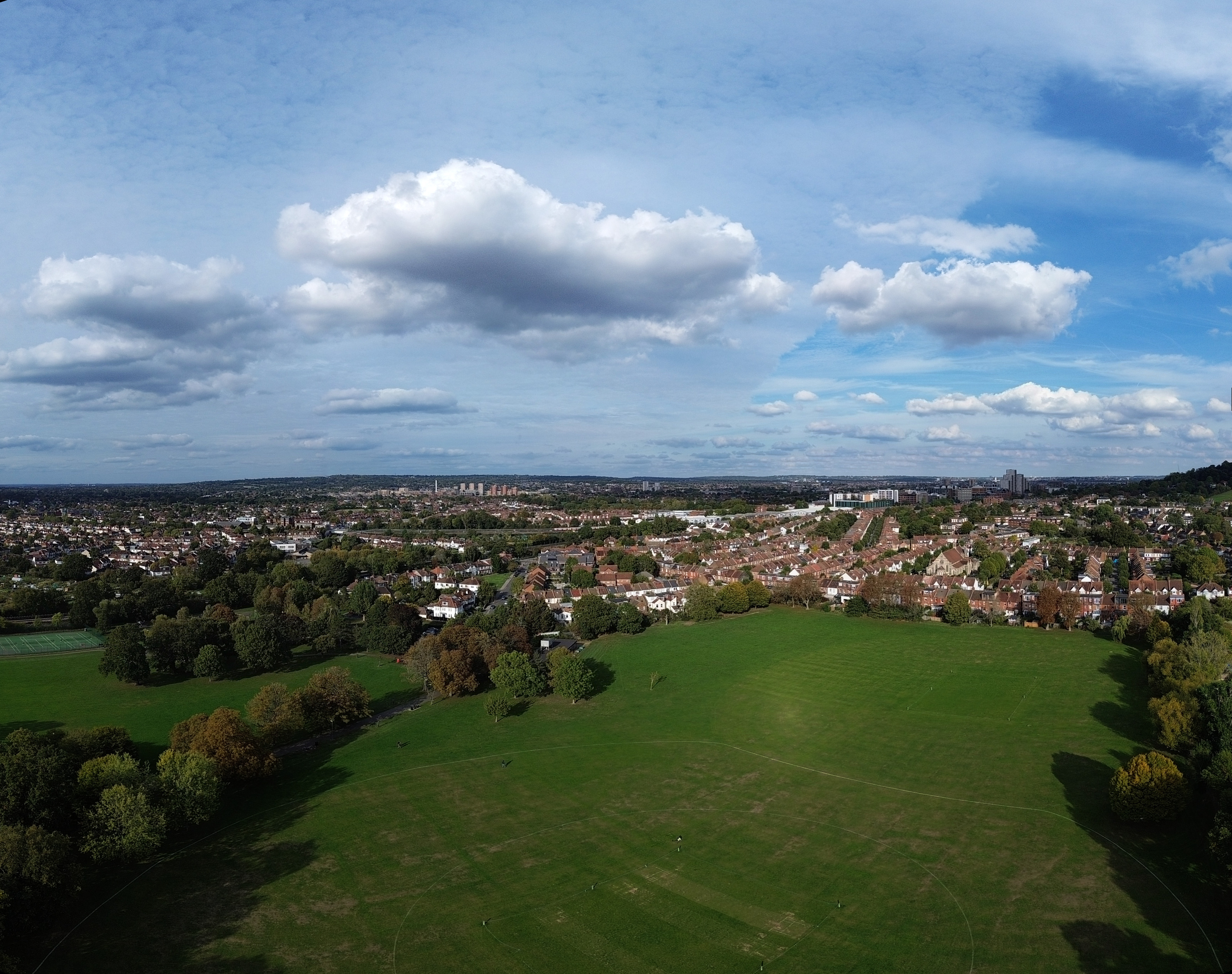
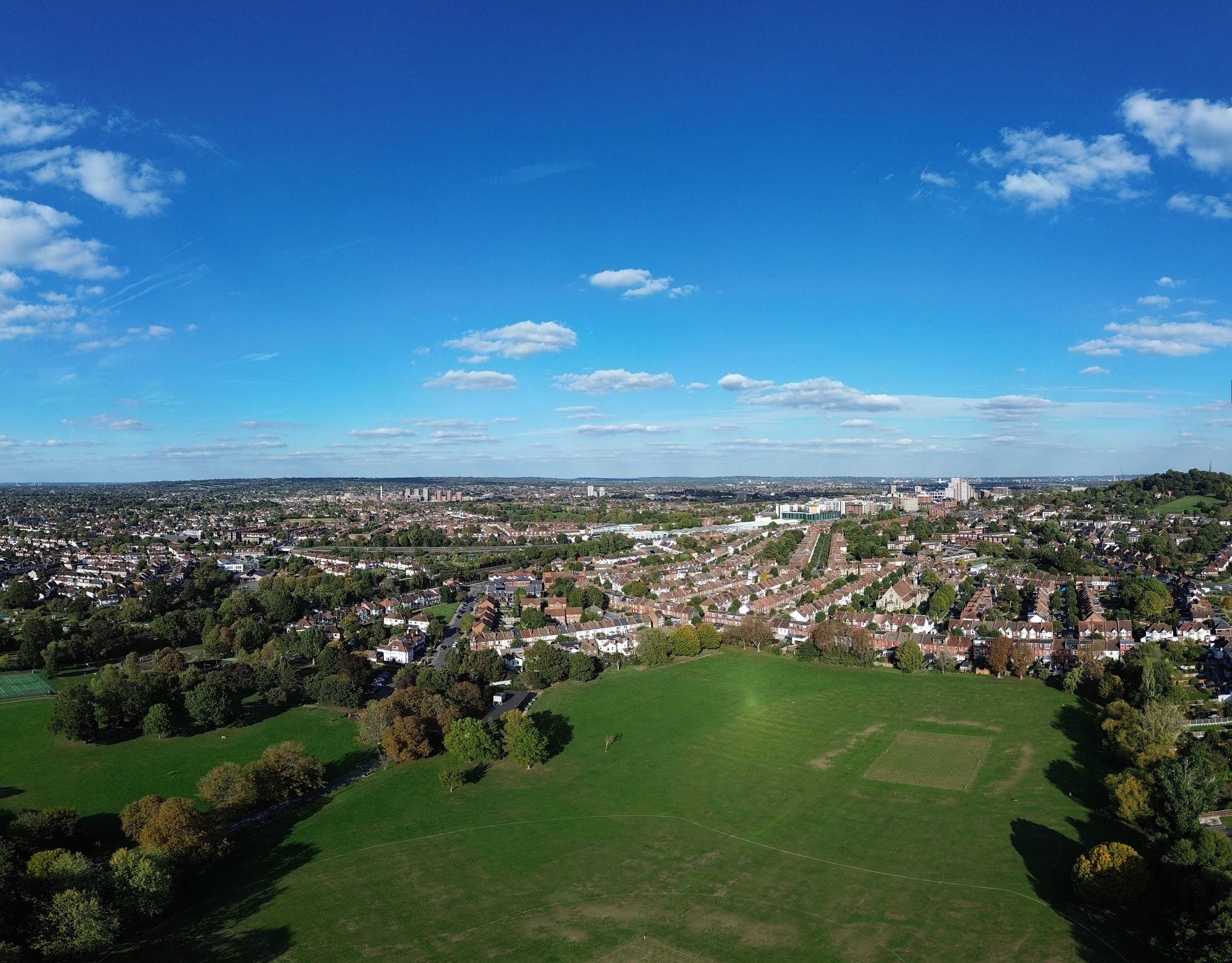
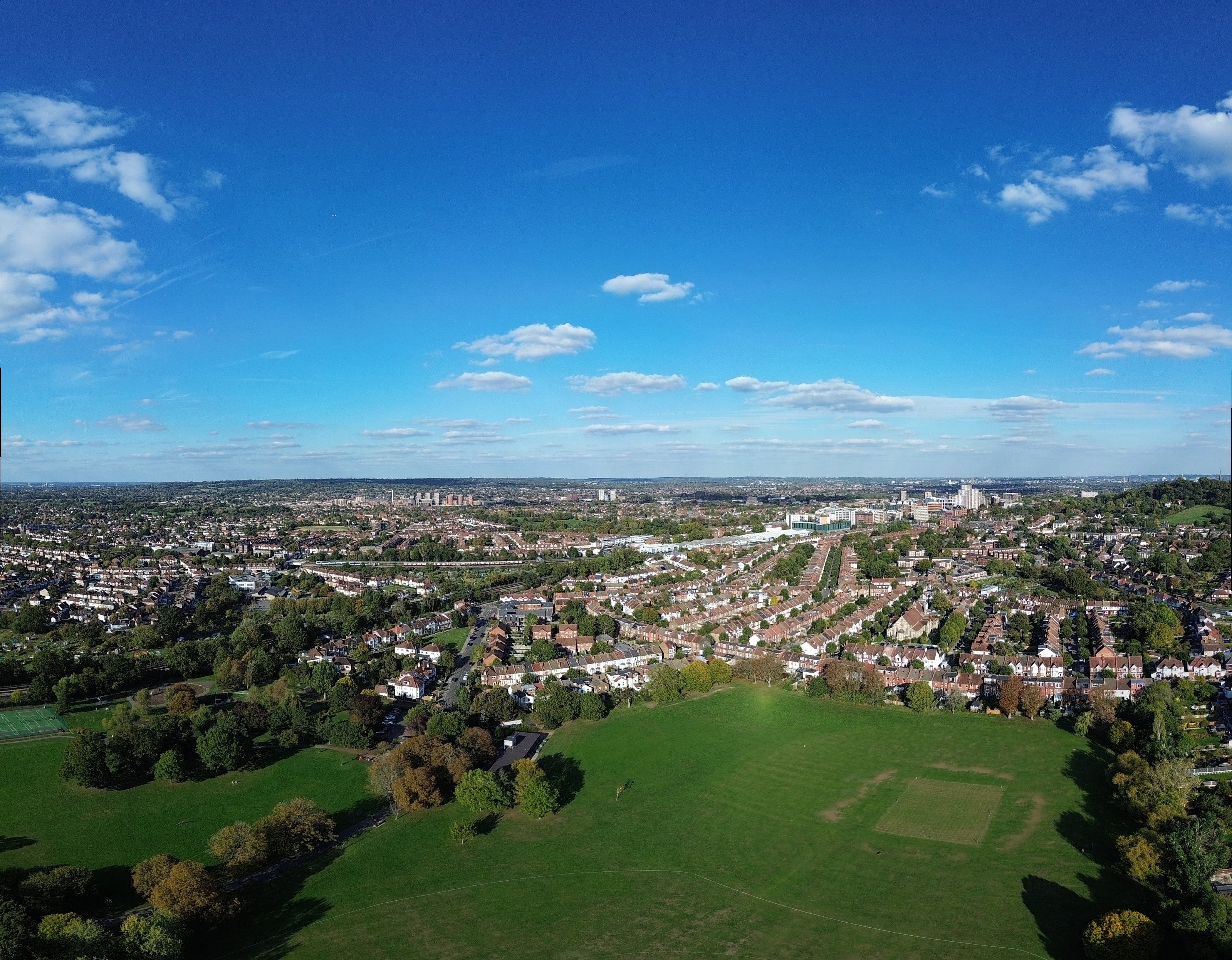
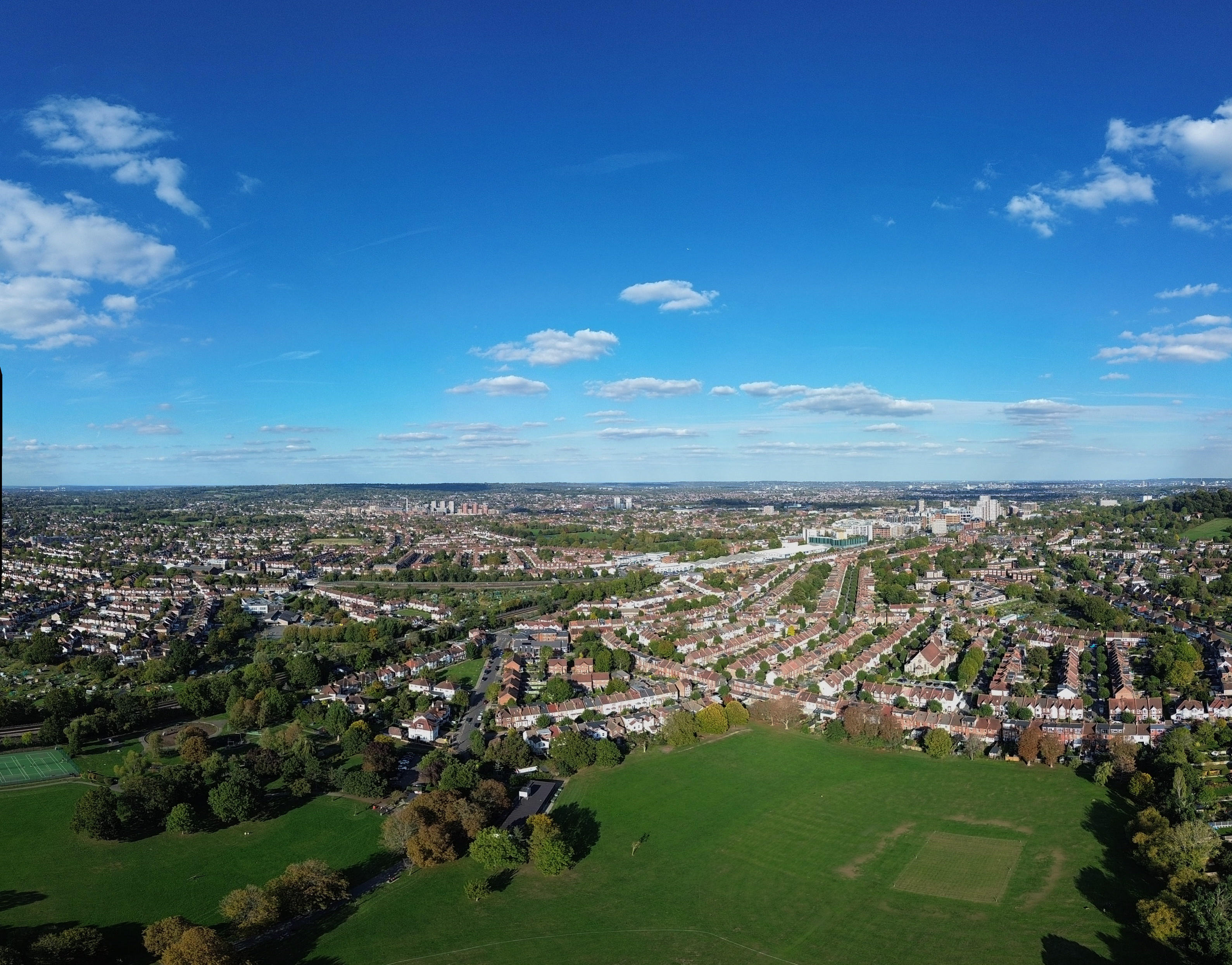
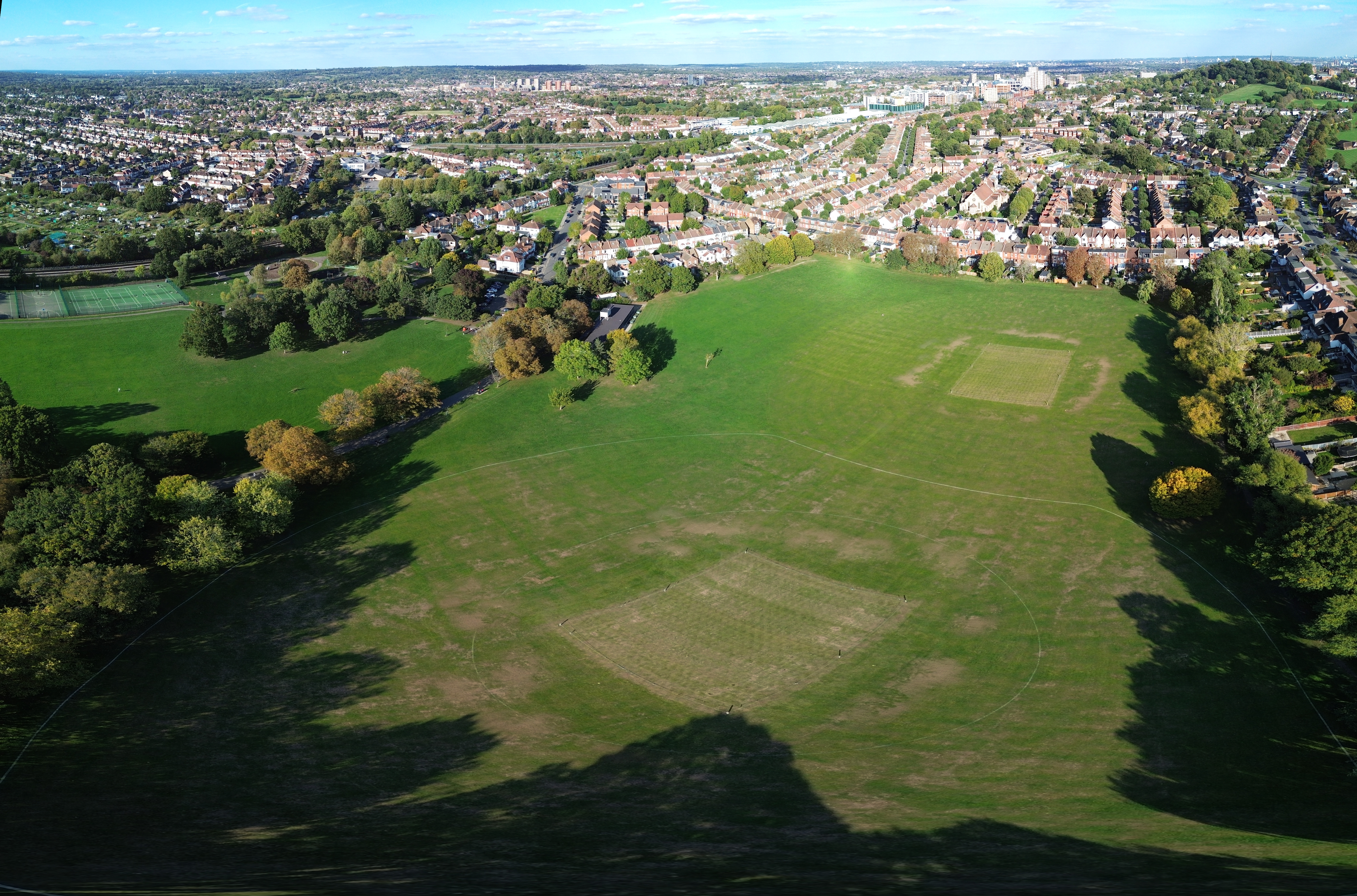
Here are a sequence of wide screen panoramas at different heights, taken at West Harrow Park (100 years old this year). I should probably gone even higher, but found it an interesting experiment.
The thing that comes out to me is the higher you go, the less foreground you have and the more background you get. So choice of height to some extent depends on what you wish to photograph. The position remained roughly the same through out.
Nice set… You can change the composition and placement of the horizon by altering the angle of the camera/gimbal, thus you can still focus on the same (more or less) spot in the foreground…
With the Mini 3, all panoramas are centered on the horizon, as far as I am aware. I could manually take a 3x3 set of images, but that would be harder work. However I take your point (@MDSteve ). If the weather holds, I will take some higher shots this afternoon and maybe try a manual 3x3 panorama.
I have been doing lots of waypoint flights with my mini 4 pro, usually between 50m and 70m high. The camera angle usually around -30 degrees.
Watching the videos on a large screen made me realise I could get a better result with different combinations of height and camera angle.
So I did a vertical waypoint series of photographs in order to see more easily how the different combinations compare.
It went something like 30m, take photos at -10, -20, -30 degrees, ascend to 40 m and repeat, then 50m etc (you get the picture!).
It gave me a good idea of what the camera will capture at various heights/angle when I create future waypoint routes, and hopefully more likely to capture what I actually intended to film in the first place.
So while height does clearly make a difference, for straight to the horizon, the difference to me between 60m to 120m is not so great, but does depend on what your intended subject is.
Anyhow, thanks for the comments and I hope you enjoyed the experiment.
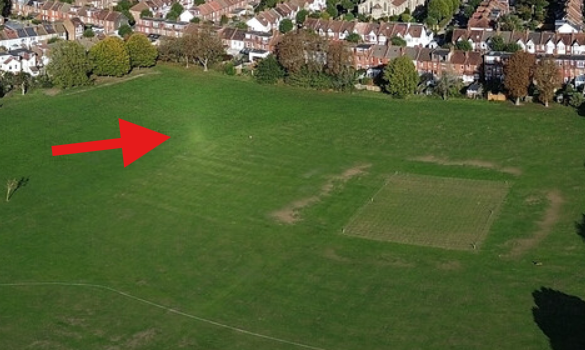
The bright spot marked by the red arrow appears on your other photos as well, but this one shows it quite well.
I get this on some videos as well, and I want to know what it is.
I thought it was on the lens, but it moves around on the ground, so I then thought it was a reflection from the drone!
I just don’t know, and thought if I knew what it was, I might be able to prevent it.
I am using a mini 4 pro with a cpl filter, but it happened on my previous mini 4 pro using a UV filter.
Any thoughts?
Super.
I’ll not be getting it for a few more months then…
I thought that it likely was but couldn’t find a pattern to it, and didn’t think I had 2 faulty drones.
Thanks for letting me know - you’ve put my mind at rest.
It is mentioned on here somewhere from a while back ( off the top of my head ) if I remember correctly sorta some times happens when the sun is behind the drone ish kinda thing & the sun is at a certain height, yeah don’t worry you have no problems with your drones
Thanks for the explanation which fits with the angle of the sun when I took the photos. As around 4pm, relatively low in the sky and behind the drone. I did initially wonder if a panorama stitching artifact, but definitely on the original shots.
Not sure there was much moisture in the air, but definitely grass, which is quite reflective. Anyhow, an illuminating discussion.
It would be easy to Photoshop (of in my case Affinity) away.
I knew there would be correct phrase, but if I had started a thread asking the question “whats that bright mark on the ground”, you’d have cancelled my membership.
When the Challenge comes around for Best Sun Glory photo, I know what to do now.
I love this Forum…