In the same boat - not long got an Air 3s and I have the first gen Neo - I did think about getting the Neo2 with goggles etc but think I might get the Avata 360 with the goggles that I can also use on the Neo for them fun flights.
The Avata 360 just brings a different dimension to the footage and I quite like that - will it get a lot of use - mmm that’s the tricky part - it may become a bit like my current first gen Avata and be something that is more a toy but then maybe it will be used a bit more due to the 360 element. Its a tricky one for sure but gut feeling is it will be a great second drone to have.
If you have the controller with a screen with the Mini 5 pro then I suggest you get the setup with the goggles and motion controller as you can reuse that controller with both the Mini 5 Pro and the Avata 360 ( you can also I belve use the goggles and motion controller with the Mini 5 pro too )
That’s the option I would go for as I have the controller with screen with the Air 3s so no need for two of them
ianinlondon said about the very valid point of the ability to mix and match footage from various DJI products. This being easily achievable and consistent in the editing phase.
I shall be trying that very soon, having just bought an Osmo 360.
Do I want one? Well I do already have goggles 3, RC motion 3 that I got with the Avata2 and an RC2 that i got with the mini 5 pro, and the remote controller 3 that i brought separately so it would be rude not to, wouldn’t it
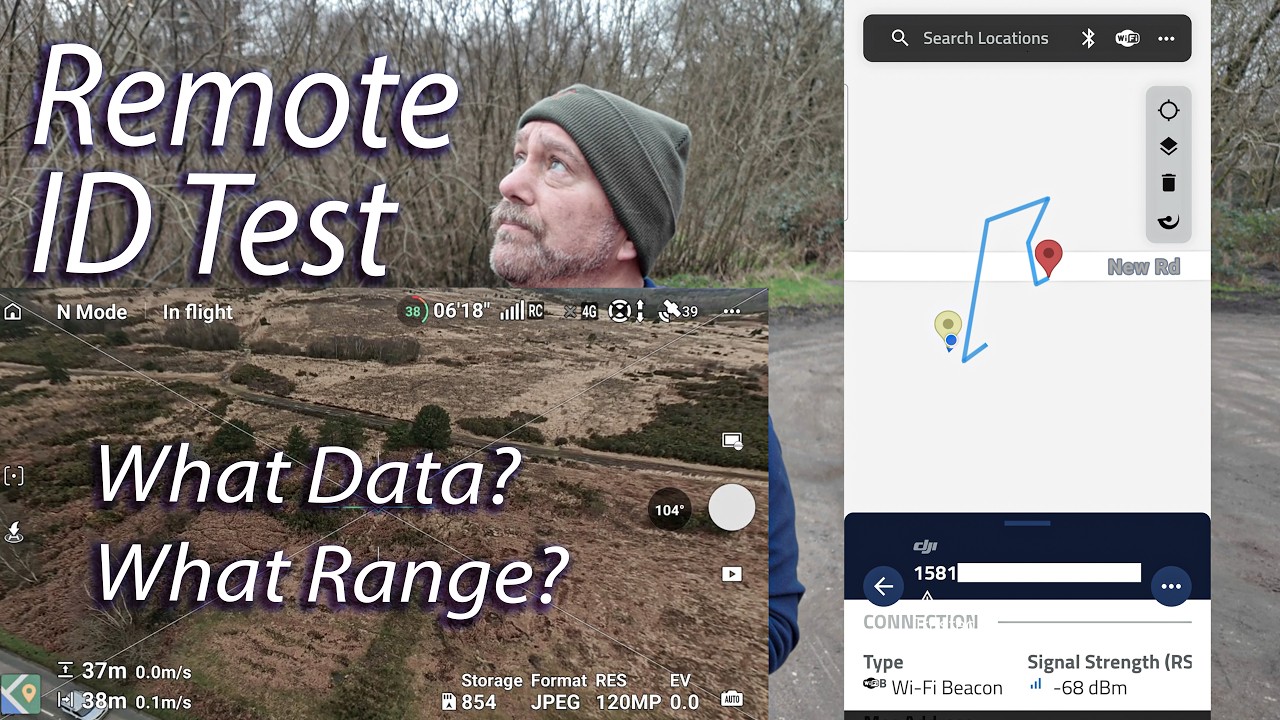
it does not need to be very close to you the pilot - when the drone is 500m+ away from the pilot it could be 5m away from someone with one of these app’s and they will see the drone on the app and the pilot - so the “Karen” app just needs to be close to the drone but that could be anywhere - so in real world it might not be as “crap” as it seems
It is a lot of info for sure - only time will tell if this will be a problem for pilots.
Sorry, I thought that would come out in a later video.
It’s not very good at being flown backwards into a strong wind but when I was doing my strong wind test I did try that and it wasn’t too bad.
This remote ID test was actually one of the first flights I made because I was so keen to see if it was genuinely transmitting RID data. I noticed that it was far faster flying forwards than it was backwards into a strong wind on that day.
Nothing to worry about here sir.
I had somehow managed to completely miss that the Antigravity A1 won’t fly backwards at all until it was mentioned in an Avata comparison last week. Had the fear that I was going to end up flying the 360 in to a corner and be stuck there forever!
So get’s home, Wife says is it an Avata 360 your waiting for?
yes oh love of my life why?
I just got a 20% code of very and i could order it there, cool i can cancel my order and you can buy it for me.
Her reply already have fuckface
True love, so now i’m up £162
Not sure if it would work but, with the Remote ID app, I don’t suppose you tried switching off mobile data and just using Wi-Fi alone (e.g. by turning on flight mode and then turning Wi-Fi back on)?
I believe switching everything else off works for markedly increasing the Neo 2’s range when flying it with your mobile phone over Wi-Fi, so I just wonder whether it would have the same effect on detecting Remote ID broadcasts (although I recognise one involves transmitting and receiving and the other is presumably just receiving).
I didn’t, but my thinking is that it’s the drone that’s transmitting, by wifi, and the phone that’s receiving a particular wifi signal… I wouldn’t have thought turning off the mobile data would have made any difference there?