Mine is still on 0800 and willl stay on it as I had good info about 0900
Yeah, unfortunately I got my drone off someone else and it had already been updated. I guess this needs more investigation … I shall report back if I get anywhere on 0900
1 Like
I use a RC-N1 with Dronetweaks 
Ahh I see. I’m on the DJI RC … my son has the RC-N3 on his Neo
1 Like
have you tried reflashing the firmware via DJI assistant?
then try again
after that I would try reinstalling the firmware following downloading it from
and using the drone hacks v1 tool to install the firmware
make sure you cycle the power on the drone following the firmware install before trying drone hacks again
The official extended batteries work as I am using one on the 0900 hack (well it’s 20.00.0800 after which is normal as explained in our wiki) but you do need to make sure it’s a normal /standard (not extended) official battery in it to install the hack. The unofficial (AliExpress “official” ones for instance which are nearly always fake, the cells are real but the BMS is not - both normal and extended) do not always work with the hacks and do not work trying to install the hacks, some of them don’t even work on the official 0900 firmware from DJI assistant (again normal fake and extended fake)
Just personally uninstalled the hacks. Went to DJI assistant, reflashed on there with their own 0900, went for a 20 mins test flight while connected to the t’interwebs, came back, went back to DH2 and reflashed the hacks fine. Took off again no issues.
It’s possible (not guaranteed I must add) @BigGee85 since you bought it 2nd hand that the battery is not official, do you have access to another? Or do they all do the same?
1 Like
Thanks for the reply, I have 4 batteries and I’ve gone through all off then during the process to no avail Driving me nuts lol
1 Like
One battery came with the drone the other 3 were from a bundle on eBay with charger listed as a genuine Fly More Bundle (charger/case etc)
1 Like
Mission Complete … Unfortunately still not working.
Apply the modification … popup to confirm it was complete. As usual didn’t auto restart so did it manually, once reconnected clicked on Modifications … displays the same page.
Remote confirms modification isn’t loaded.
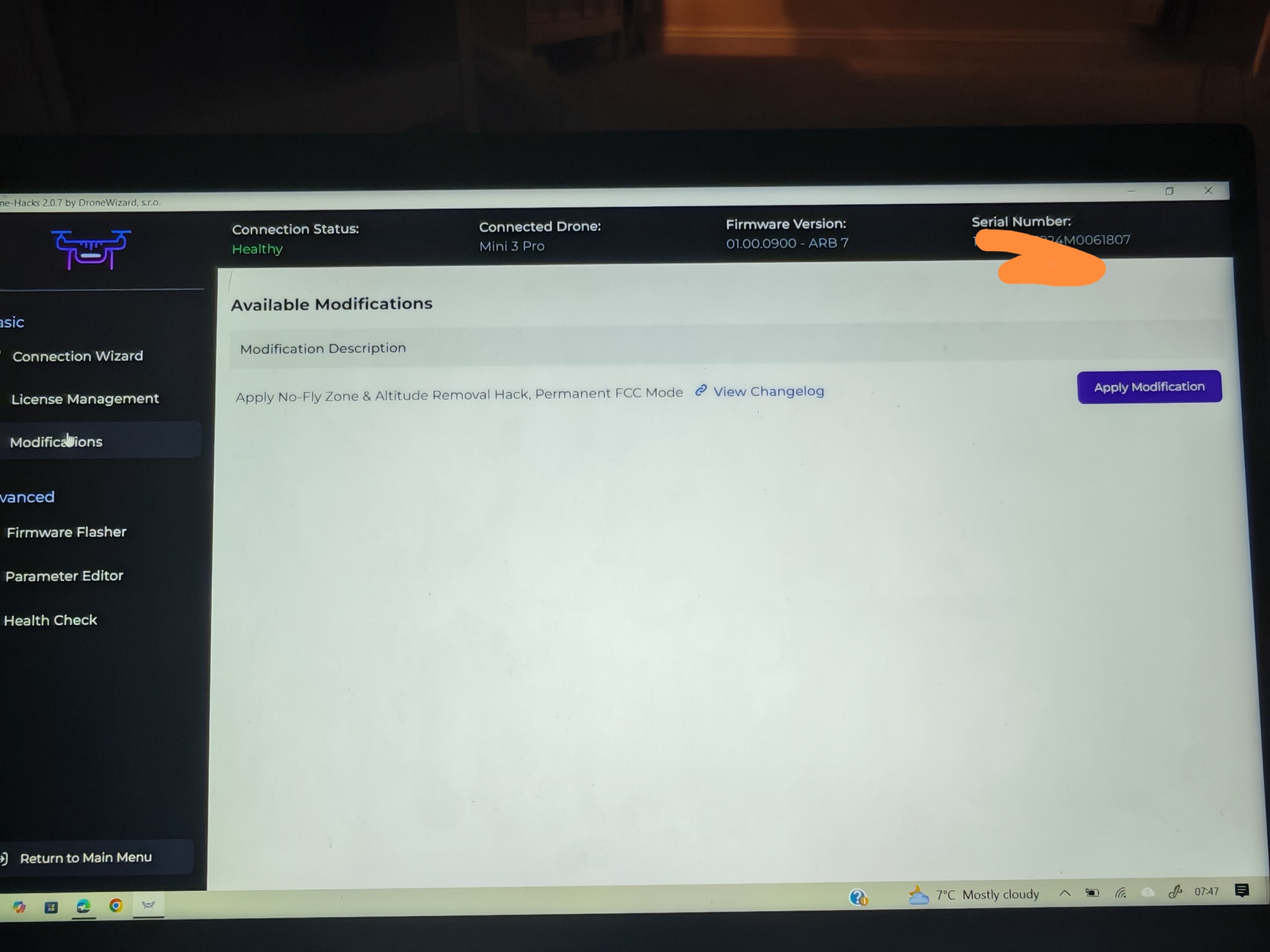
And that image and info from above was after flashing the official 0900 through DJI assistant? @BigGee85
how much time do you give it after it completes before you restart it manually?
(where are you located, roughly there may be someone able to to have a go themselves)
Certainly was
Located in Inverness - it says 30 Seconds I’ve given it 30 Secs / Instantly / 5 Mins / 20 mins … nothing lol
bit far for me (~liverpool), there are a couple of members shown on drone scene, but not sure if they are into drone hacks.
have you run the app as administrator or with administrator rights? (not sure if it’s required worth a shot)
I am out of ideas
Yeah done all that too, I have exhausted every avenue… trying to get a suitable time for the DH to VNC and see if there is something wrong.
that won’t work (installing previous version) as on load it just asks to install the new version or shuts down 
Any news, did it get sorted?
Unfortunately not, tickets been raised with the developer to see if they can locate an issue. I’ve kept trying but nothing lol
Any News?
Hi,
I’m having issues rolling back the firmware on my DJI Mini 2 SE. I’ve been using the v1.47 of the drone-hacks tool as the DJI Assistant 2 doesn’t support the version of firmware I’d like to have installed (V01.00.0360). I’m currently on 01.00.0410 and am getting the following errors -
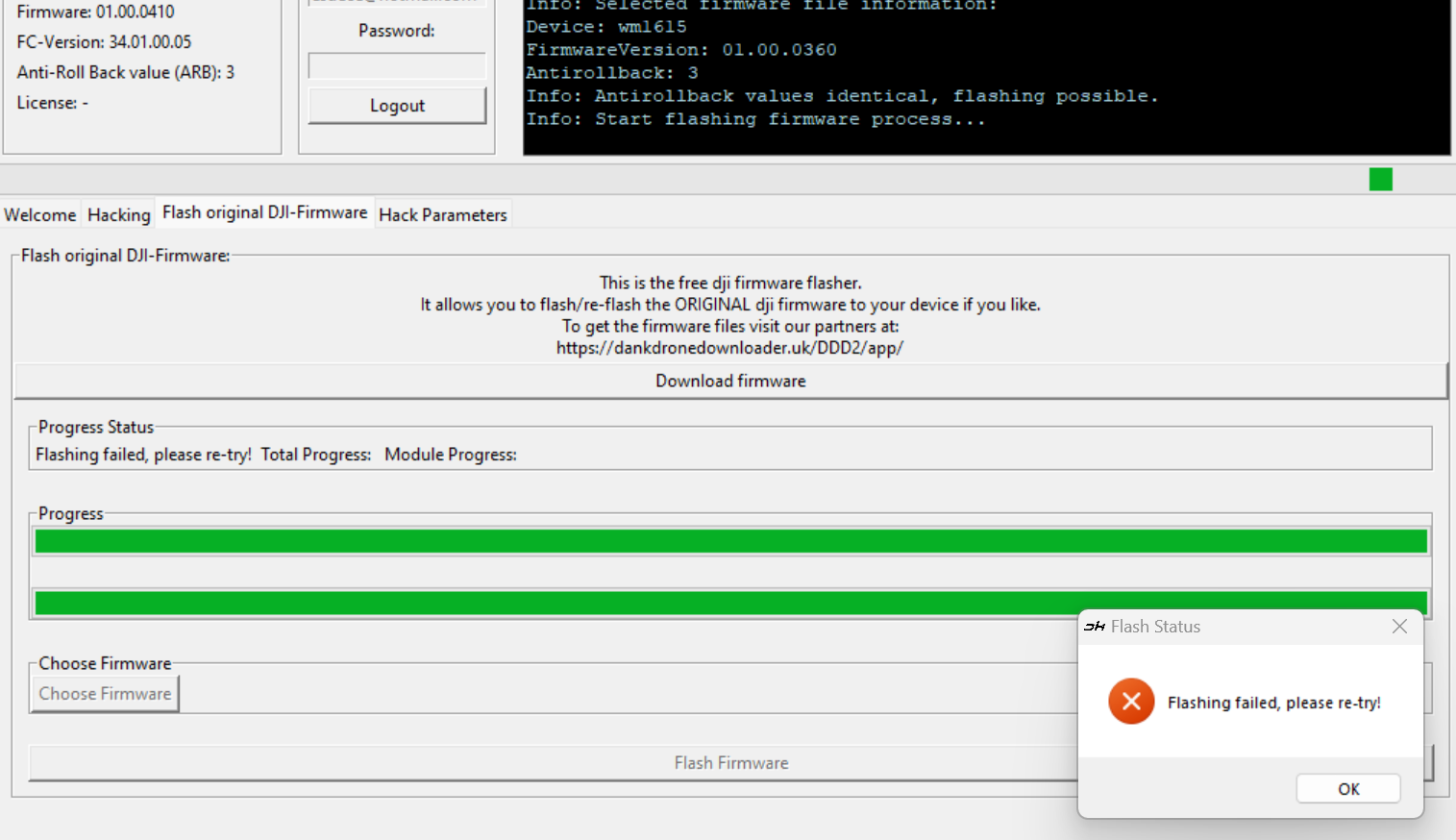
Does anyone have any advice on another way to do this or a work around for the error I’m receiving?
Thanks in advance!