Hi,
Quick short answer, I have access to Drone Scene on iPadOS and get prompted to AllowMotion & Orientation Access every time I start the app. I have looked everywhere and googles etc. Any idea which setting gets rid of this?
TIA, YT
Hi,
Quick short answer, I have access to Drone Scene on iPadOS and get prompted to AllowMotion & Orientation Access every time I start the app. I have looked everywhere and googles etc. Any idea which setting gets rid of this?
TIA, YT
Settings, accessibility, motion and turn off vehicle motion clues may help. 
Thanks I checked that it is already switched off…
Was not sure if it would help, not getting that message on my iPad Pro on ios26 anyway, admin my be able to help further 
thanks for suggesting it, I was thinking Drone Scene is the only place I see it for some reason
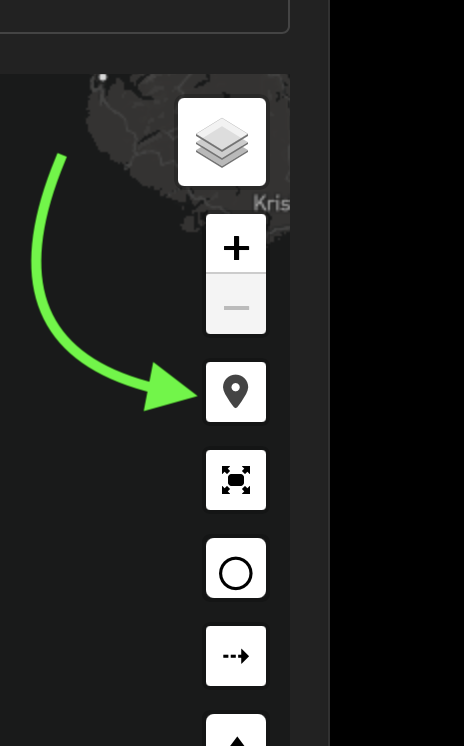
That permission request would normally only occur when you click on the geolocation button (for obvious reasons  ):
):
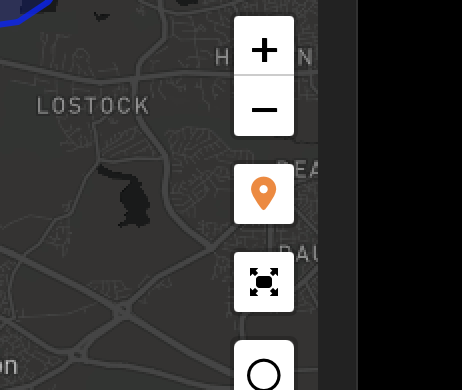
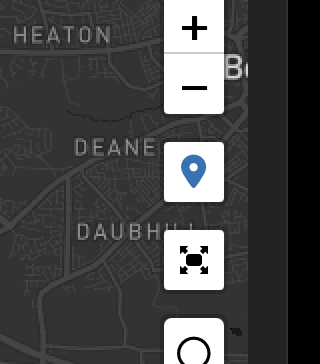
Please confirm it’s not orange or blue and not “on”?
Which version of iPadOS and which browser please @YT-Chester ?
It is when I click the geolocation button, and the icon will have gone orange. iPadOS 26.1
It’s doing what it’s supposed to be doing then
The app or iPadOS? Usually access would be granted once maybe and then be sticky. I try to get rid of pointless clicks in all apps with my UX head on.
I don’t have an iPadOS26 device to test or confirm on, but isn’t it a Safari “feature” that it only stores granted location access for that session, and not permanently? 
You could probably confirm that by looking around in your Safari settings to see if it has a list of web sites for which you’ve already granted (and saved) location access for?
If you’ve saved Drone Scene to your Home Screen in its PWA form, it’s very likely still being rendered by the Safari browser on your device so I’d expect the location access experience to be the same - again, a limitation or “feature” of Safari.
Sorry I don’t have v26 to test on so the above is largely theory, but a couple of things to test and confirm there
Are you able to change the settings or properties of any Home Screen saved items on v26 and have them target a browser / rendering experience other than Safari?
Your missing out if you your not using iPasOS 26, its full multitasking a real desktop replacement now. Background rendering for FCP for example so in the field you can capture Drone footage, edit, render and deliver from a road warrior setup 
It occurs from a tab in safari and as a PWA, at first I wondered if my PWA had captured state so recreated it and. its still there. I have hunted around in all the settings and can’t get rid of it. I can’t see any way of changing setting for a PWA its treated as a bookmark.
btw its not location that is a separate setting and that can be changed, its motion & orientation, not sure why Drone Scene would want to use that but it seems to make a call to it. I don’t have any other app doing it.
thinking out aloud…. motion & orientation could be portrait/landscape to allow the screen to be rendered in the correct way….. maybe….
This maybe worth a read
To stop Safari on your iPad (iOS 26) from repeatedly asking for
location or orientationaccess, you can adjust the website settings in the Settings app.
Stop Location Prompts
The default setting in Safari is to ask for permission every time a website requests your location. To stop this:
This will prevent all websites from showing the location request pop-up by automatically denying access, though some sites might lose location-based functionality.
Still living the mare that is MacOS 26 so holding back.
Although todays 26.1 has improved it
Thanks, location has been done and don’t get a prompt for that. This is Motion & Orientation.
Your path to the settings you mentioned looks like pre iPadOS 26 as the sequence doen’t match. Worth updating to the latest iPadOS… its good.
Stop Motion & Orientation Prompts
If you are referring to prompts for “motion and orientation” data (used by some web apps, especially games or interactive sites, to detect how you move the device):
After changing these settings, you should no longer receive repeated prompts in Safari. A simple restart of the iPad may also help if the issue persists due to a temporary software bug.
Its the latest 26.1 released last night
It only happens at first launch of the site. When I click the icon it continues to go to the location as it display the request. The code behind the button is asking for Motion & Orientation. I use a lot of mapping apps and its only here. that I see his request. I click it and continue but I like to reduce clicks.
Can’t find a setting anywhere, I can see previously it may have existed but it doesn’t anymore from what I can see.
interesting if your not getting it there must be a setting that is creating the need to make the request…. it might not be as obvious as the name though….
iPasOS 26 is great the 26.1 tweak to tint notifications means i am happy there is a lot to like in 26…