I was looking for a way to add a second screen to my setup and was considering a cheap Android tablet, but they are all around 300-500 nits of brightness. That’s just not going to be seen on a sunny day.
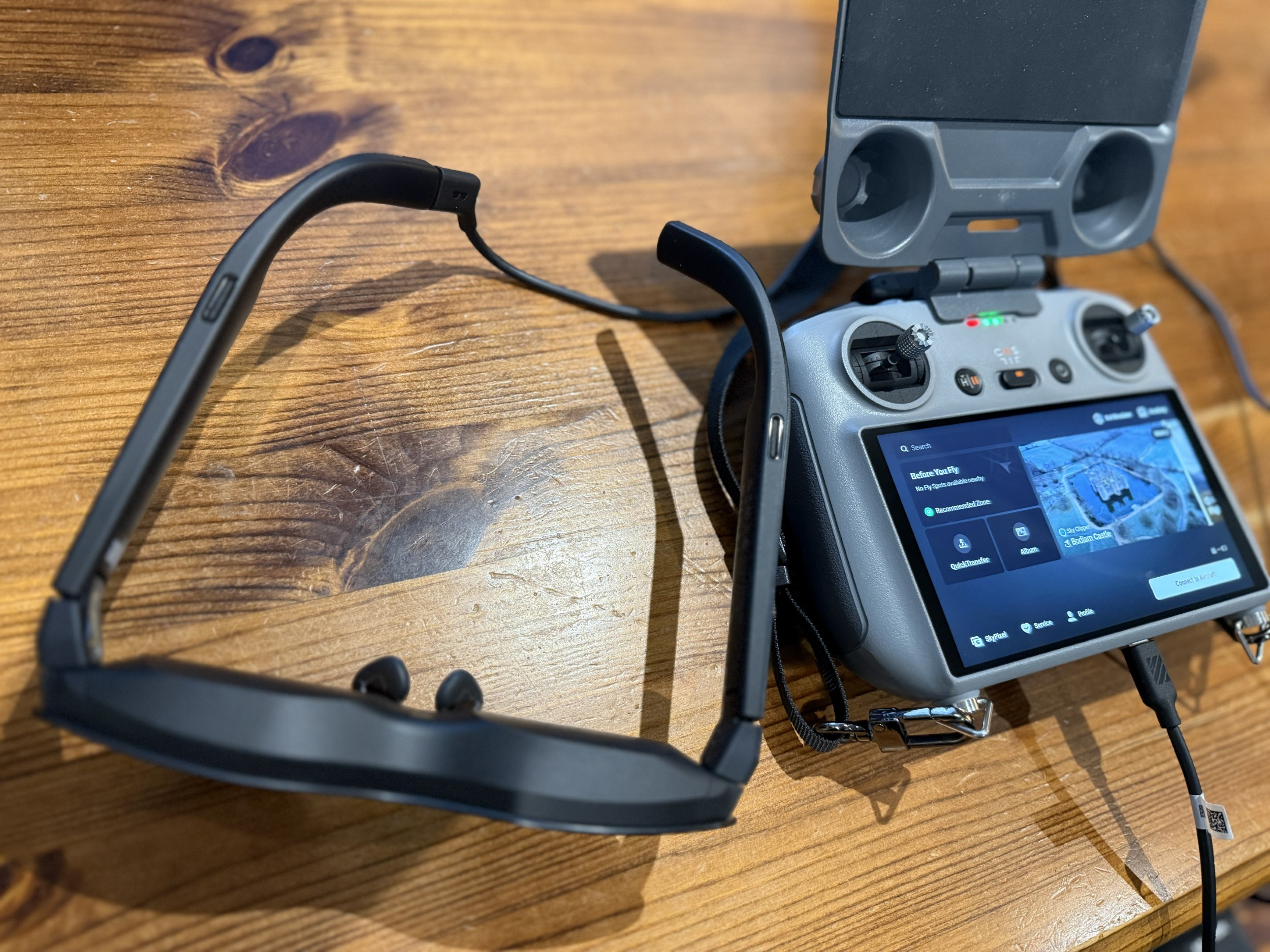
Just purchased these bad boys - the Rayneo Air 4 Pro. They plug into the USB C on the RC2 controller and are on in a couple of seconds. They draw their power from the RC2, so have no battery - this means they weigh just 76g! At 1200 nits (and also with supplied blackout cover) they provide a very clear 1080p 201" screen. There’s no lag, and the picture was pin-sharp
Obviously, you cannot (legally) fly with them, as even though you can see around the outside of the screen you couldn’t really maintain VLOS, but to allow friends and family to enjoy the experience they are amazing!
I’ve not yet tested them with my RC-N3 controller, but will do so at some point.
Although it’s not excellent, I recorded a little video with my phone to try to give an idea of what you see through the lens. Doesn’t really do it justice!
For £250 you can’t go wrong. (And they work with PC/Android/iOS/PS5/Switch, and anything with a USB-C that support display output).
Here’s a link to the official merchant, but I got mine from Amazon: https://uk.rayneo.com/products/rayneo-air-4-pro-ar-glasses. They also do a little adaptor for about £20 that allows you to charge the device they are being powered by. I’d stick a small power bank in my pocket so that the RC2 remains charged. I’ve not had them long enough to see what drain they’d place on the controller, but I’d imagine it’d be around 15-25%.
You probably viewed it as I edited my post. You can buy them direct from RayNeo, or the same price from Amazon. They have a dedicated RayNeo store: Amazon.co.uk
cracking review - almost want some myself - not that I feel I have much use for them but man they do seem cool. If I was traveling more ( plane / train ) I think these would be a bit of a no brainer and to use them with the drone too is just epic.
Nice review, do they have the capability for a prescription lens?
Last year I purchased the XREAL Air 2 Pro glasses for the same reason, sunny viewing and also had a set of prescription lenses made. They work well, but are a bit clumsy in use and I rarely use them.
Martin - something I can’t seem to see that maybe you can answer on these - can you use bluetooth headphones / earphones for sound for video - I know they have built in ones but they are open ear and on a plane I love my noise canceling ones.
Yes. A template with clear glass is provided in the box. If you scroll through the images on the Rayneo product page (link above) you’ll see them. I am short sighted, but it was actually clearer to look at this screen without glasses than it was looking at my 13" laptop with reading glasses (+2 strength)
No problem. That being said, I think they are very reasonable for the price and in their market segment. Xreal seem to be a leader in this field, and the nearest comparable glasses are about £90 more.
The RayNeos are £250 currently, and you can justify it to ‘the bank’ (read: missus )by saying that they can be used on holiday/planes/trains, etc.
I have I have the xreal air 2 pro and can connect to the DJI RC and RC 2 so see why anything should change.
I like the price of these especially when I paid over £600 with the beam pro but until I upgrade my phone these will be limited use as you need a android phone that has DP support wired video output.
There was a mention of FPV and another mentioned No lag, from experience I loved my xreal flying DjI drones for videos and pictures and general flying but when it comes to FPV they are great for open spaces or say a track through wooded area where you keeping at speed centralised but if you decide to go through small gaps like under chairs through gaps between tree branches forget it as that is really when you actually realise you have lag and ever quickly brake divert or you will just crash.
Absolutely, but a lot of the time I fly solo, so wouldn’t want to use them. While the lens is a little transparent, it’s probably only about 10%. In the short video I posted, you can see the RC2 green charging lights shining through a little, but you certainly wouldn’t see a drone 90 metres up and 200 metres away!
But yes, for an FPV experience they would be great! It’s not a ‘true DJI’ FPV experience though, as you are still flying it in the more traditional way, rather than using the two other FPV controllers that DJI offer.
I had a pair in my Amazon basket. Taken them out! Bit of a sucker for this goggle and VR glasses lark. I have my Meta Quest 3 goggles linked to DJI fly app via my Tripletek tablet. It’s some experience. Immersive doesn’t come close.

 )by saying that they can be used on holiday/planes/trains, etc.