I could understand it being hard for you to justify (yet) another AR purchase, but I don’t think you can compare the two, due to weight and simplicity. Even the DJI N3 goggles are 536g - several times the weight of these.
What I like about these is that they don’t require any charging or firmware updates. True plug and play, and on in a couple of seconds. (Apologies if this causes you to put them right back in your basket )
I bought my XReal 2 Pro last summer for the convenience of the lightweight and quick deployment while scooting from one farm field to another filming the harvest for a farmer friend. The glasses have become my go to now for cinematic style of flying.
Martin yes you would think that I use my xreal glasses and you just have unbelievable clarity and everything is right in front of your eyes without the sun glare you get on controllers screens.
I had been looking at the DJI goggles but they do not work with the Mini 5 pro and I spotted a short on YT. I love the RCpro 2, the Rayneo will be a nice addition to the experience plus able to share a flight. I can see these being useful for a few things.
Just tried them with the Mavic 3 and they work with that RC too
Been seeing lots of positive reviews for these in the last week or so. I have the RC Pro 2, but don’t rule them out with that in mind. These AR glasses can provide a clean feed from the RC Pro 2 if HDMI out is set correctly, which means clients can see uninterrupted visuals with none of the Fly app overlays.
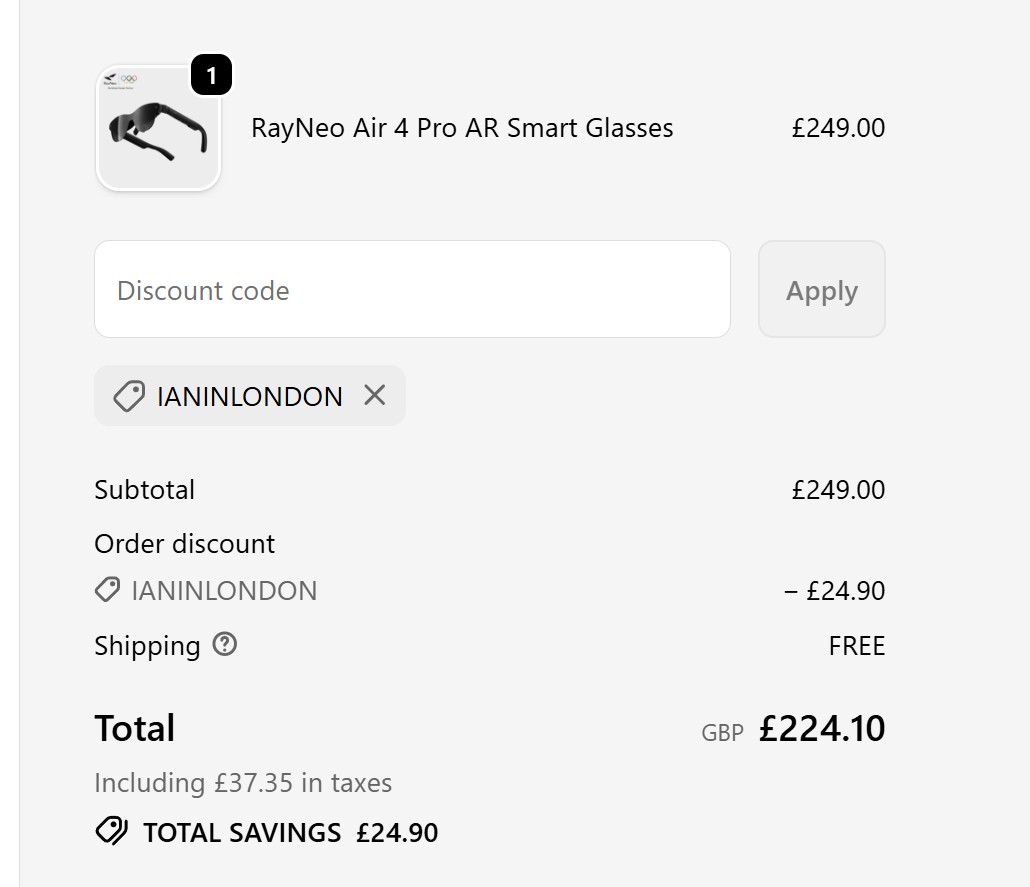
Also, if buying from the UK Rayneo site, you can use code ‘INFORMALTECH’ for a further 10% off, making them £224.10 delivered
Just to update - I’ve never tested the outputs on my RC Pro 2 as yet, but just did so using my portable monitor. For reasons unknown, the actual HDMI output won’t sent a signal to my portable monitor and I can’t yet find an answer as to why. My original RC Pro definitely did with the same cable.
Thankfully, the USB-C output on the RC Pro 2 does send a signal and also recognises the options of either Screen Mirroring or Liveview Only (under Transmission > HDMI Output settings). Oddly though, whereas the RC 2 USB-C output would also power my external monitor, the same output of the RC Pro 2 doesn’t seem to output enough power so I have to use a power bank to power up the monitor.
Again, I can’t find answers to either of these quirks for now, so I’d be interested if anyone has any advice
Just tested the RC Pro 2 HDMI output on my TV with a different HDMI > HDMI cable (the one for the portable monitor is HDMI to Mini HDMI) and it works fine, so at least I know the output works thankfully.
Maybe the signal / power output of the RC Pro 2 have changed but I’m hoping it’s enough to power the Rayneo’s when they arrive. Jake Sloan definitely powered his from the RC Pro 2 in his YT video, so fingers crossed.
Wondering on this point. The whole point of VLOS is to see the wider airspace around your drone. Do these let you do that as they’re not an all-encomapssing mask…
I wouldn’t fly with these (if I were alone). I bought them purely for clients, and when I fly with friends or family. The first client last weekend was absolutely blown away by the experience.
While you can see through the lens when nothing is being projected, it’s about 70% opaque - add the reflection of the screen over it and there’s no way you are going to clearly see the drone and surrounding area. You could wear them slightly lower down your nose and see outside of them, but it’s pretty tiresome on the eyes to keep refocusing.
That being said, I did wear them for a short time when flying with a friend (who therefore acted as a spotter while I was wearing them) and the experience is far better than looking at the controller screen. You can see so much more detail, so I can imagine for framing shots it’s ideal. It will be especially useful for clients to ensure that they get the shots they want, as they’ll see them in real time.
Cheers for that. The old vlos question comes up so painfully frequently, especially with the rubbish about looking down at camera settings on screen means you’re not truly watching the drone.
Thinking about taking a look at these… Cheers for the insight
@ianinlondon I’ve just purchased these just to test as it’s a good price and thanks to @RedZeppelin for the discount code worked another £25 saved.
Ian I have the Xreal air 2 pro and with these you have by which I touch on the glasses arm 3 light settings dark dim or natural, dim and natural you have VLOS and unbelievable still view the whole DJI fly screen at the same time, if anything unlike looking down at your phone/tablet or a RC with screen then looking back up then trying to re focus relocate for a dot in the sky from takeoff to landing you have screen and drone always in shot, you still have awareness of what’s around you so no need for spotter. Dark is completely black background watch movie or anything that your android phone would do or still fly without VLOS
I would genuinely not feel like I would be maintaining VLOS by using these glasses. They are great, don’t get me wrong, but they are so immersive it would distract me from paying attention to the drone. If you were flying low/backwards there would be more of a risk of collision.
But the image is very, very good! I do not regret buying them at all - just wanted to share my experience and feeling about the potential risks of using them.
As ever, you have to do what you feel is right as the person in control. I see these glasses along the lines of the dashboard data projected on your windscreen on some cars. Yes it can be distracting but it also means you don’t take your eyes off the road… Guess I need to get myself a pair
I have been looking at this and it seems not all HDMI cables are the same, I have ordered a HDMI to USB-C as I notices that a lot of cables are USB-C to HDMI. It did not work so having to return it. Is there one that works with the RC pro 2?
Like I say, it’s a bit strange in that the HDMI cable I had that worked with original RC Pro refuses to work with the RC Pro 2 and the same external monitor. Not a big deal - a regular USB-C to USB-C data cable works from the RC Pro 2 to the portable monitor (albeit the monitor needs a separate power source when it didn’t with the RC Pro), but obviously, the device you’re sending to needs the same input.
For both the incoming RayNeo glasses and the portable monitor, I’ll just be using USB-C from the RC Pro 2 in future. The HDMI out works to my TV, but I don’t see many use cases for that in my workflow.
I’ve been in touch with Rayneo; I’m buying a pair of the Air 4 Pro glasses myself to test and review.
They’ve set up a 10% discount code of ’ ianinlondon ’ for me which not only gets you the 10% discount but also gets me a small referral commission too, which is nice as I’m getting them to review them
Maybe they’ll be a good addition to the Avata 360…
They’re currently £379 on Amazon but £249 direct from RayNeo UK and then £224 with the ’ ianinlondon ’ discount code.
 )
)
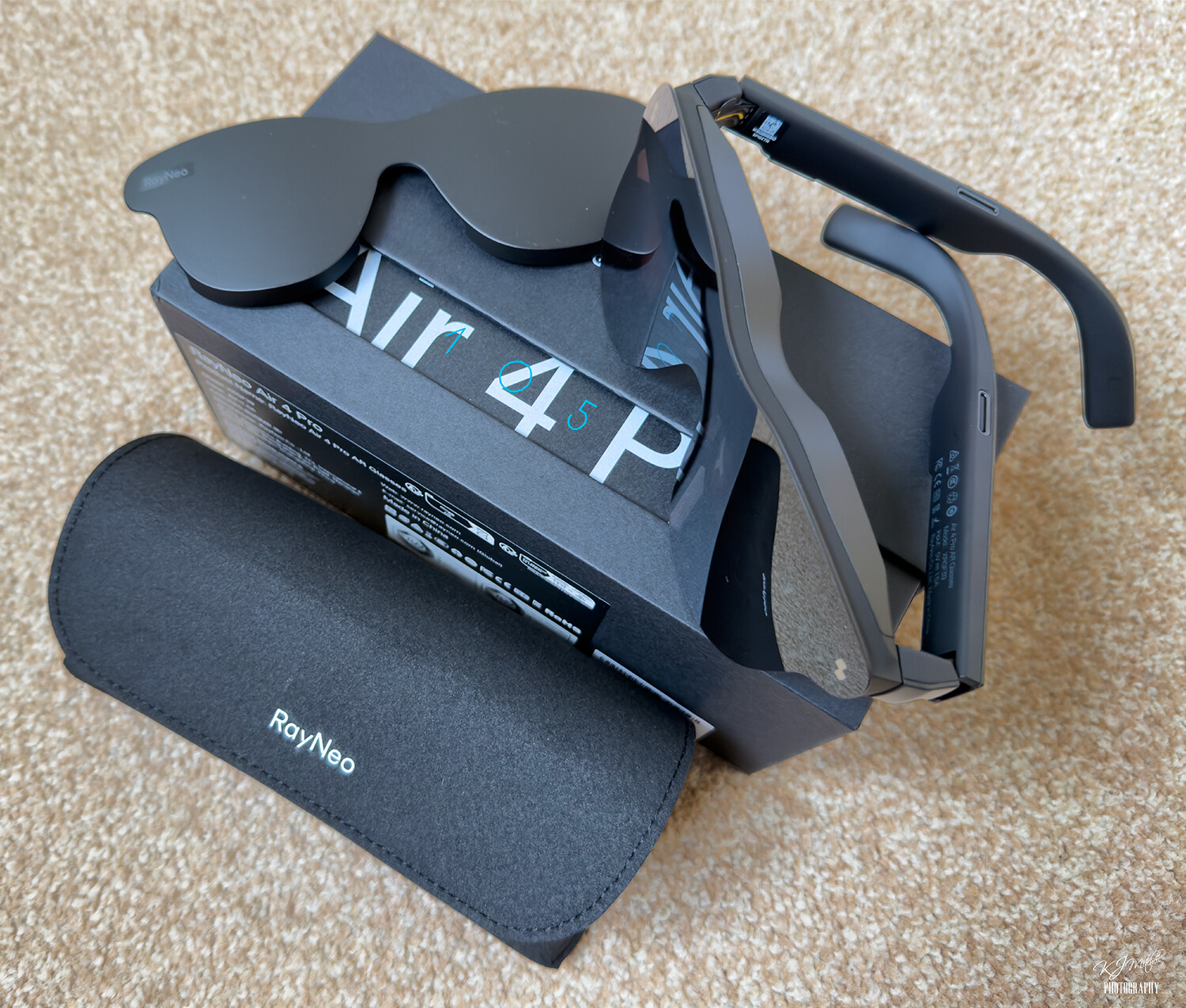
 I use my xreal glasses and you just have unbelievable clarity and everything is right in front of your eyes without the sun glare you get on controllers screens.