Hi sorry to have to ask this question , i just took my drone out & drained the battery which I never usually do , it struggled speed wise to get back to me because of the wind I guess , it came up gimbal over load , would this be due to the critically low battery , it’s the only thing I can think of , YT is telling me how to fix gimbal which isn’t the case , any thoughts welcome , I’ve had it pop up motors overload when battery has been low before but not gimbal , the battery was so low it landed it’s self just a few metres from me  , many many thanks
Just took it on another flight fully charged battery & message has gone and gimbal works fine , I think the critical low battery was the problem.
Probably a function of both the low battery and high wind 
1 Like
Thanks john , I did kind of think the combination of both , that was just an educated guess tho , having only ever seen the error message for the motors when the batteries have been low , only ever twice in a year that I’ve owned it , last night when it was critically low is that message I got but I think that’s right , or hope , many thanks for your response well appreciated . 
Do you use the AirData app for storing flight logs ??
If you do, have a look at the data to see when you got the gimbal overload message then go into the battery info section and see if there was “spike” at the same time - that would probably confirm it was a combination of low battery level and wind level - just out of interest as it seems to be fixed now 
I do have the air data app , thanks john btw , I only really use it for checking weather etc , can I sync that actual flight log ? I’ve done this once before I think but can’t remember how I done it sorry , I remember doing it for the motors & sharing what I saw with Chris I think , I’ll see if I can sync the data if I can remember how to do it , once again Thankyou for getting back to me
Go into AirData after syncing the flight log. Open the flight log and select General then the Notifications tab along the top. You can then open the HD Fight Player. Scroll down through the data and you should find the point where the “Gimbal Overload” message was made. You can now check all the other parameters recorded at the same time i.e. Battery Percentage, Volts, Cell 1, Cell 2 etc. You can then go into the Power tab and check out what the battery was doing in detail at the time the gimbal warning was made.
Finally - you can go into the Weather tab and select Wind Map - you can then match the wind speed to the time of the gimbal warning.
Big thanks I’ll let you know the outcome , thank you for your time
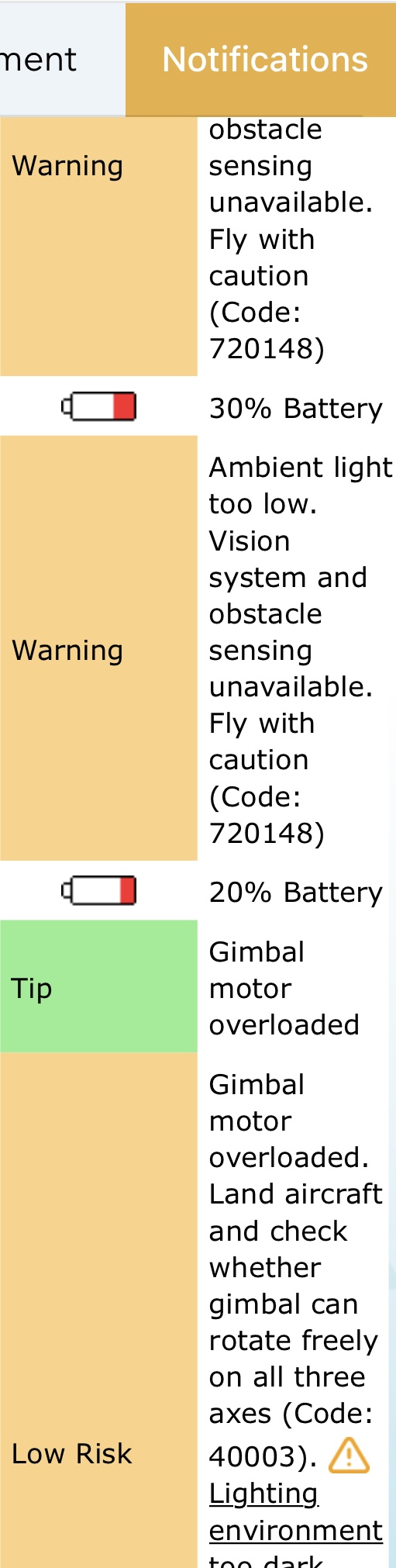
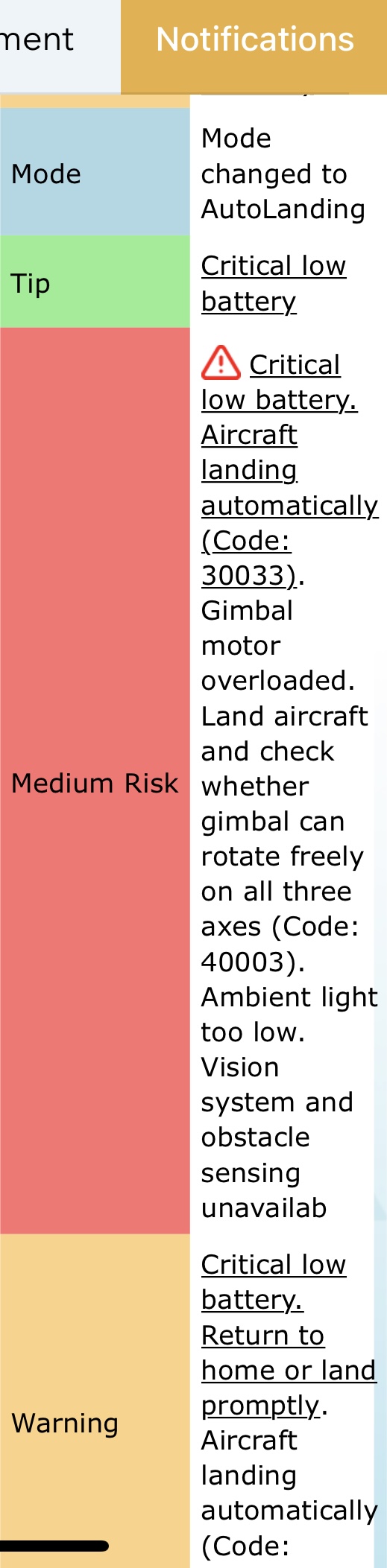
Hmmm don’t really understand it tbh but that’s what I got , clever gadget Airdata , bit spooked by how much it knows  lol , the battery and other things all said fine or in the green but I’ll have to go to college to understand that , I kinda get some of it but not all
  many thanks
Just share the Airdata log it’s easier (not screenshot)
1 Like
As Chris says - share the AirData log - we can all have a look then to see if we can put the puzzle together
1 Like
Ok I’m very sorry to ask how do I do that
Thanyou
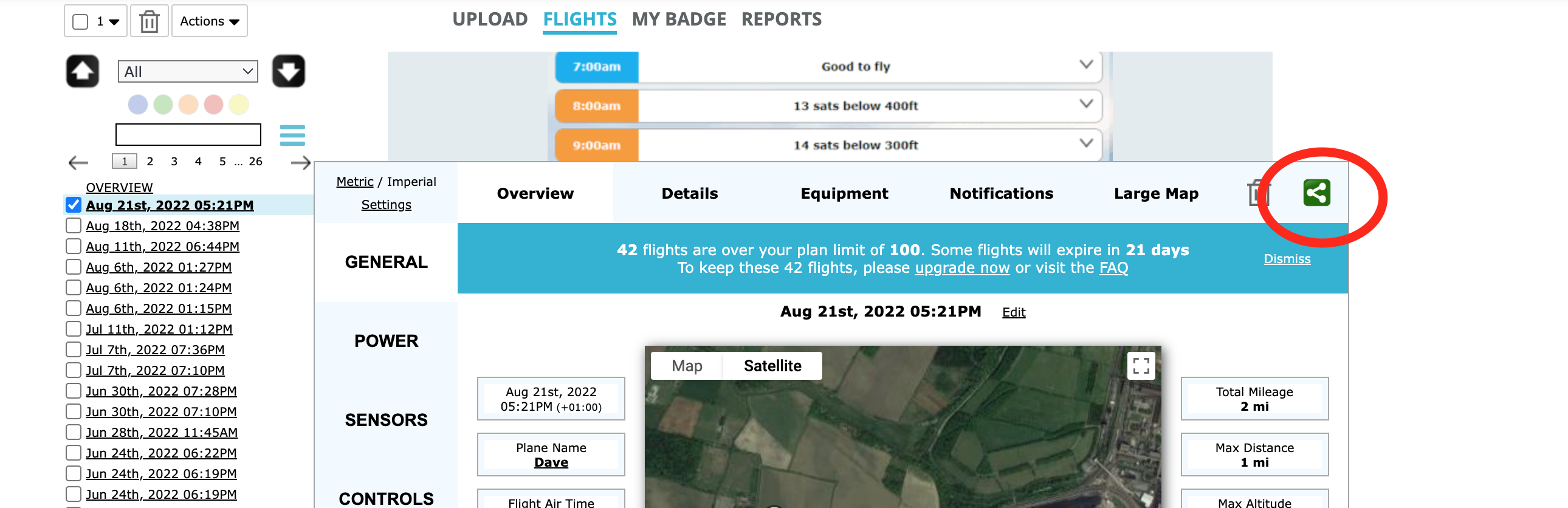
Ah ok thanks Chris I have to log in on desktop it can’t be done from my phone app am I correct
Cheers
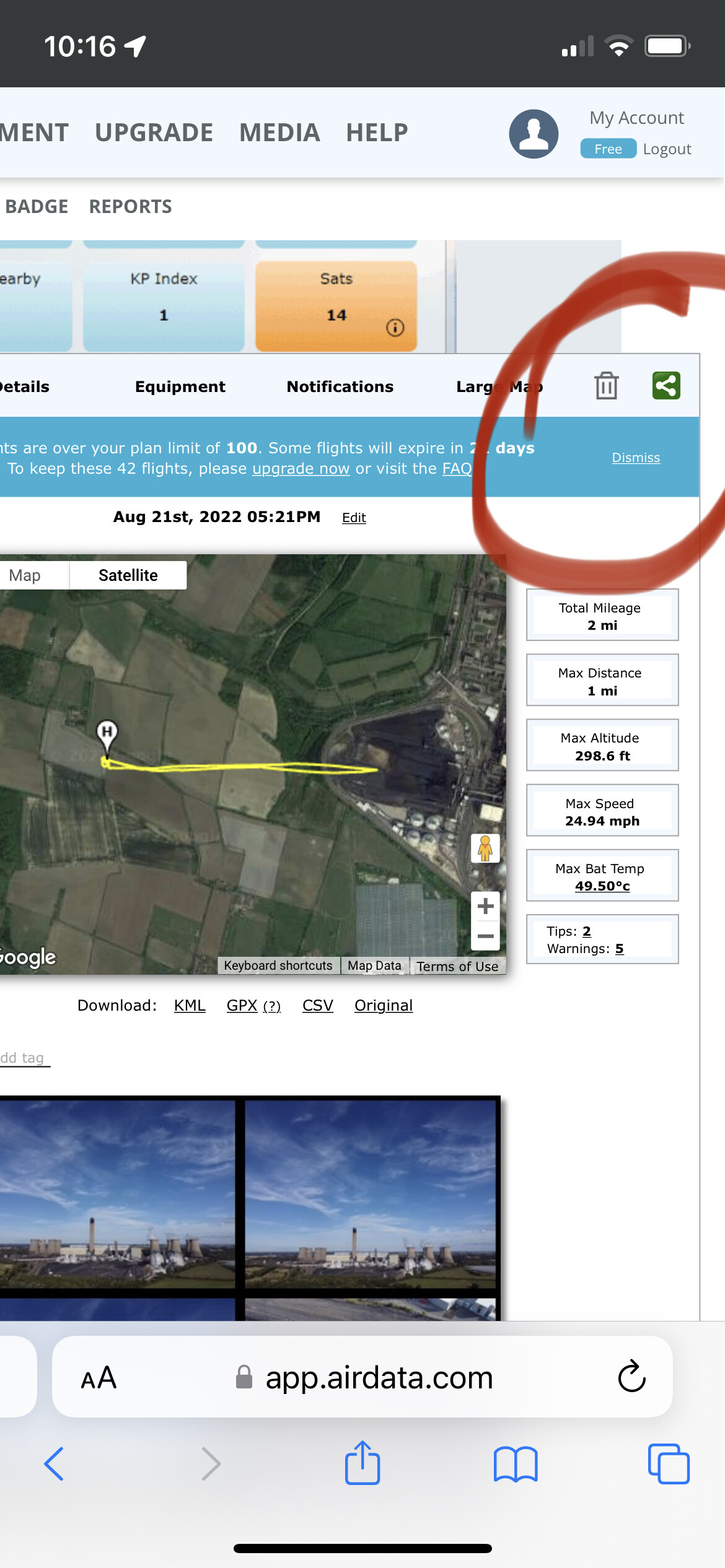
Phone is OK if you log into AirData via a web browser - if you use the app (on iOS) there doesn’t appear to be a method for sharing logs
Didn’t even know there was one, I think my use of it predates the app so always had a web shortcut like what I use for here ;o)
They’ve got a ‘sync’ app and a data access app too
Used the Sync app for a long time (although there is no need now)
I think that’s the one , I deleted by accident  ffs
ffs