Hi everyone
Hope this is not a silly question… I do have a plonker badge after all!!
Tried to fly the mini 2 in Aldbury the other day.
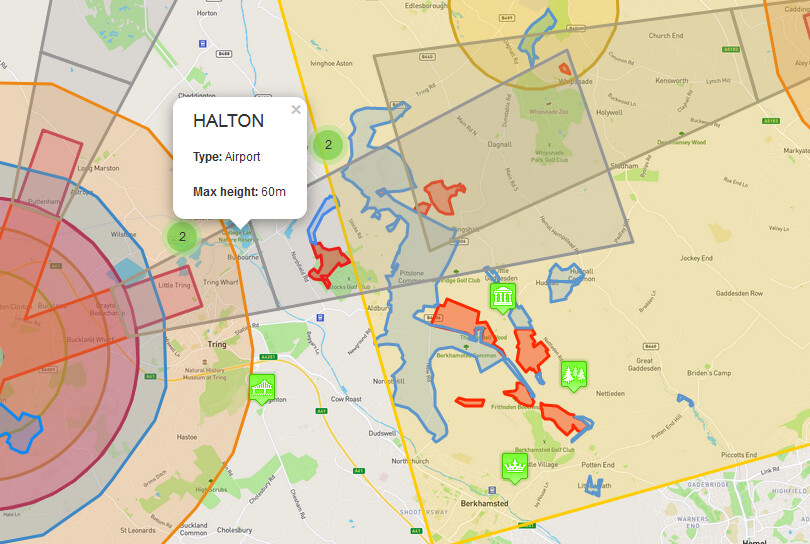
I checked first on dronescene as you do and as you can see all looks fine apart from the school which is down the road from where I tried to fly. I was automatically restricted by the drone and app and I was unable to fly higher than 30m or further than 50m. I landed and decided not to continue.
Why do you think this was the case ?
Hey Mick,
Could it be that you might be in beginners mode? Or that you have limited the max flight high and distance?
I did that on my first drone, then of course forgot about it. I also did the same with my newer drone, so…
I hope this helps.
2 Likes
Definitely sounds like this one 
2 Likes
yeah the 30m/50m limit is because you haven’t run through the training/beginners guide training in the DJI app
Okay cheers - I’ll have a look but I don’t think this is the case as I have flown it a lot and never had this problem.
I’ll see if I can source the flight log …
Or…
Do you have anything attached? Prop guards? Additional weight?
I’m sure the mini restricts itself under certain conditions 
Maybe a screenshot of the setup of your drone?
Okay just had a look back at the flight - I had a message come up at the very beginning of the flight “aircraft in warning zone (class D airspace) fly with caution” and then later "max altitude reached(altitude limit 30m) - why would this not show up on dronescene and why would this area be class d airspace?
Not that I particularly want to fly there just a bit confused!
It does - if you have the Class D layer checked.
But we can fundamentally ignore Class D.
The warning is from DJI, who do their own idea of what we need to be warned about.
Have a read of (a rather long) thread that includes explanations of the significant difference between DJI’s Geo Zones and UK legislated Air Space and restrictions.
The latter is what we have to abide by to be legal, but the former may make it difficult to fly a DJI drone in a location that one can legally fly.
The two do not match in location/size/nature of restriction - and it’s important to understand the differences.
See this thread : Can you fly? DJI NFZs v UK FRZs and other Air Space
Thanks very much for that Dave - a lot clearer now. So if DJI feels the need to stop us flying they can do whether or not it’s legal.
I’ll definitely check the class D layer even if we can ignore it in case I stand there wondering why my drone doesn’t take to the sky!!
Agreed, half the country is Class D 
Yes, they have that power over your equipment
DJI won’t stop you because of Class D - just a warning.
But there are significant differences between the DJI areas where you can’t fly or take off or both, and the UK legal restruitions.
1 Like
Yeah although they did stop me that time…
Not for Class D they didn’t…
Did you fly into one of these nearby DJI-restricted areas?
Take a look at this specific post to see how things differ between the two in a random area of the UK, and this specific post in that thread to see how the two vary around one airport.
It’s important to understand the difference - you could easily fly a DJI drone where it’s illegal.
1 Like
No - because this limitation …
… is nothing to do with their No Fly Zones. This is a beginner mode (or similar setting) as already suggested. You’d get that in the middle of the Sahara Desert. 
1 Like
Yes I flew(or tried to) in Aldbury town itself
Ah, Halton, somehow cant stop thinking about CSgas, ironing and running a lot. 
1 Like
No this is definitely not the case! I have flown since without changing settings - i was unable to go any higher
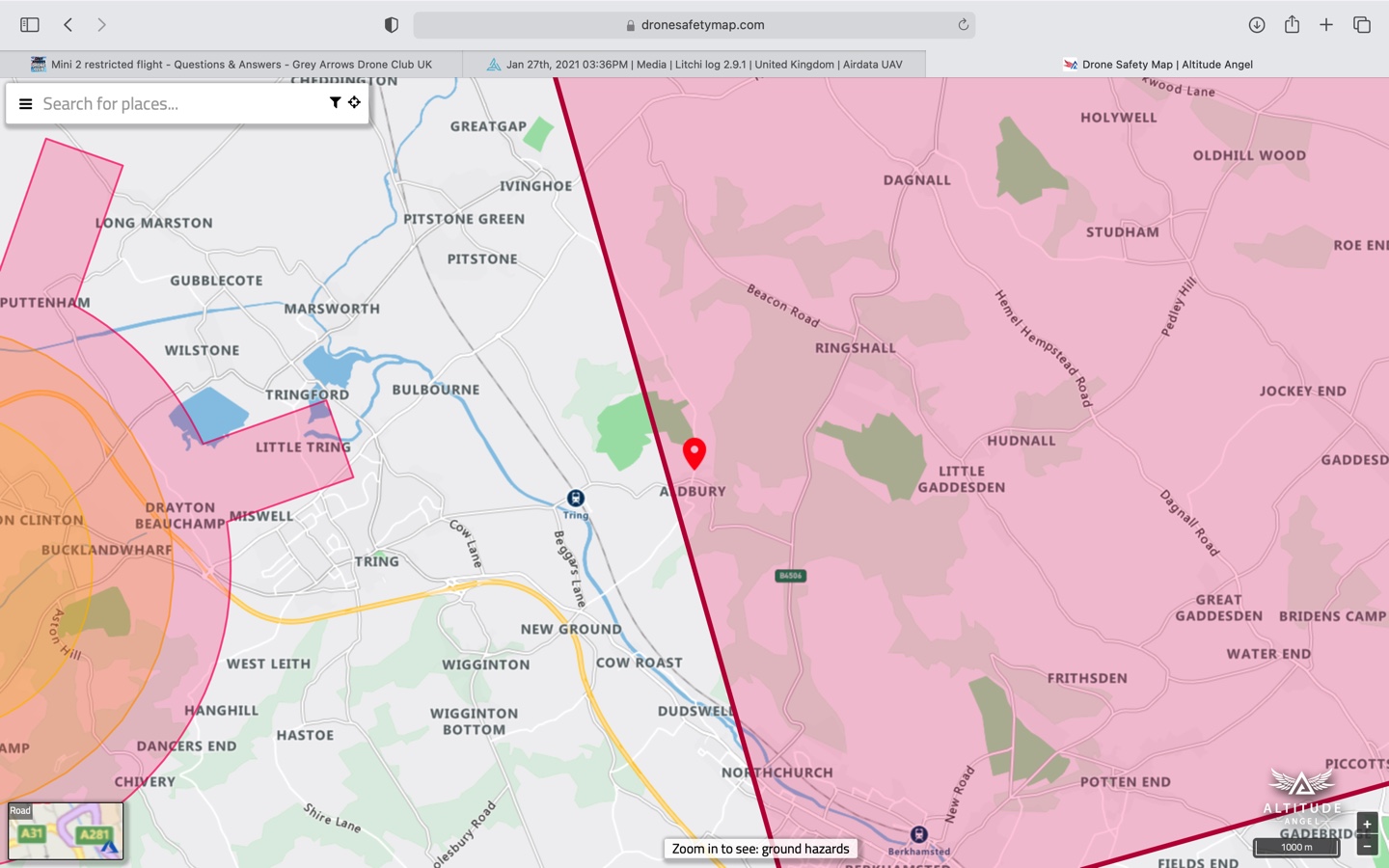
drone safety map shows red
Drone safety map shows red in line with luton flight path
that why 30 m