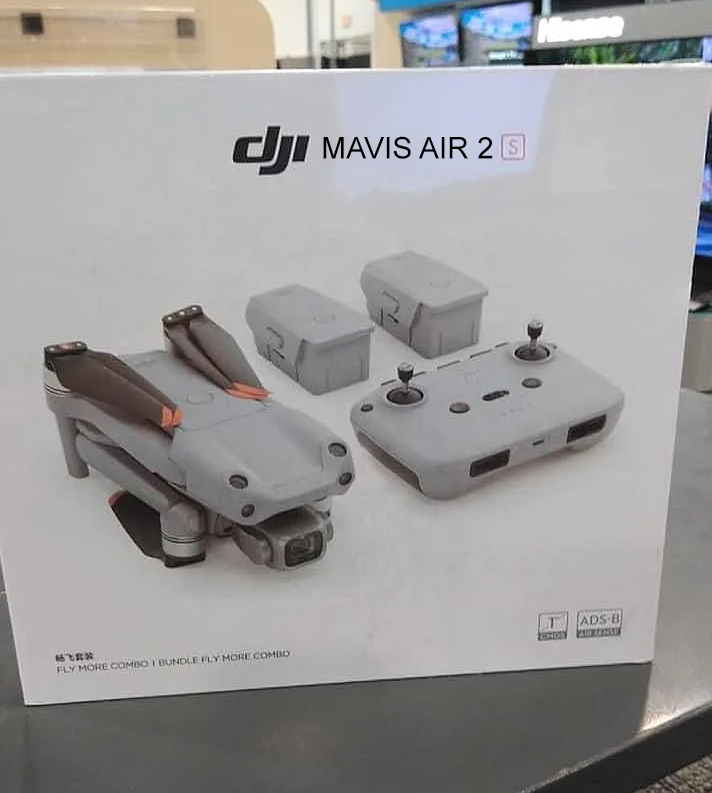
I had a most confusing discussion with DJI support this morning and have the distinct feeling that you learned folks will know more about it than them.
Here goes.
I have a Mavic 2 Zoom but am strongly considering getting a Mavis Air 2S to go with it. I use an iPad 4 Mini as the interface for the app as I prefer the bigger screen and a dedicated device for flying.
From looking at reviews of the Mavic Air 2S I can see that it uses the DJI Fly app where as my Zoom uses the DJI GO4 app. My question was, “can these two apps coexist on a single device without clashing”.
DJI Support started by telling me that the Air 2S could use the DJI GO4 app. Then they changed to say that only the DJI Fly app would work, but that it was not supported on an iPad Mini4. They proved this by supplying the list of officially supported devices. Which also listed the iPad Mini 4!
The answer to this might be a deal breaker because of my pre-stated preference for a larger screen and a dedicated flying device. The only phones with larger screens tend to be at the higher end of the market and I’m just not going to spend that kind of money given what I am (potentially) going to spend on the Air 2S Flymore Combo.
The obvious next course would be to just try installing the Fly app and see if it works. But wanted to get your feedback before trying this and maybe destabilizing my GO4 app.
I’d recommend upgrading to an iPad Mini 5 to run the Fly app - I found a year ago that my Mini 4 was struggling to run it, so upgraded to the 5 and have no problems
Yes, I have both on my Android phone and tablet, work fine. As I have the Mini 2 and M2P. I did have one minor issue, where the flight data wasn’t syncing across apps, but after a bit of fiddling, it now works flawlessly.
That’s an interesting comment, thanks. I had not thought of that. I got my iPad Mini 4 from a well known auction site for about 100quid because it had a duff battery. Fortunately I have some experience with replacement so popped a new battery in and was good to go. I will look and see if I can see anything similar for an iPad Mini 5. As I say, it’s a dedicated device and only Drone related apps get installed. I NEVER update the iOS as a precaution.
DJI apps and AirData. Basically, the Go4 app was only showing the M2P data, and the Fly app was only showing the Mini 2 data. Whereas they both should show the same data. And to compound the problem, AirData was only showing a bit of both! Full story here
LOL, that’s a corker, and a great example of not typing whilst rushing to get into your next Teams meeting (ME). I didn’t even realize. Your Photoshop skills are a little more advanced than mine, but I guess it beats getting a DJI MIllie-2?


 ). Thanks very much for the speedy reply.