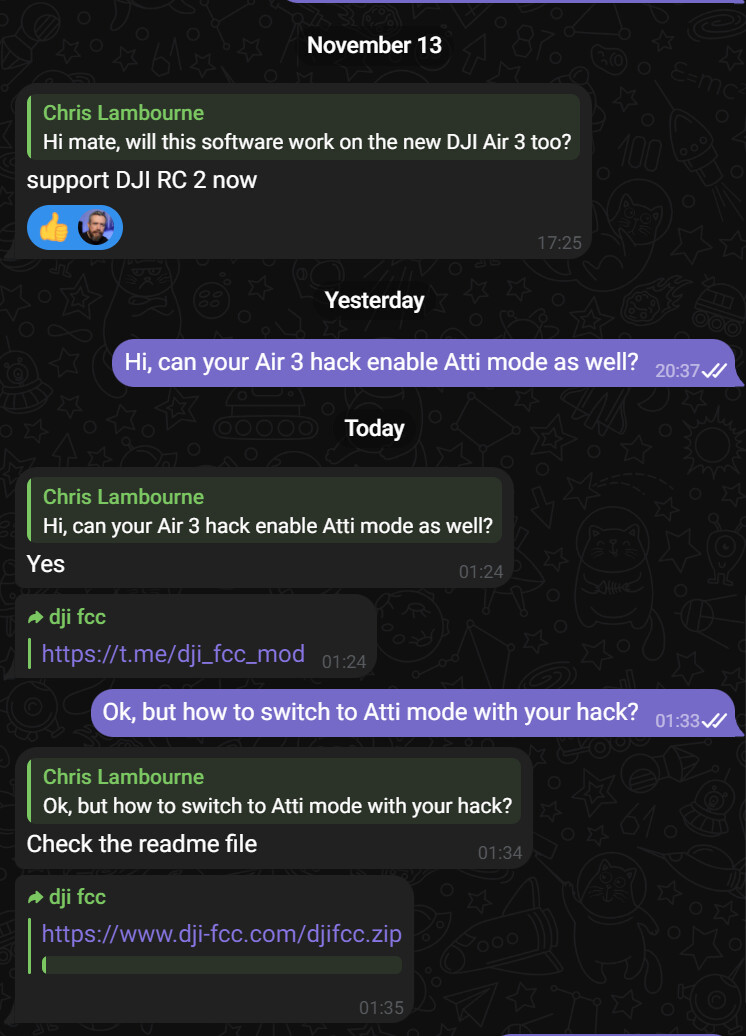
The FCC hack doesn’t enable Atti
Oh what you mean is 
With Sincoders controller hack it gives you the option of many things and one is Atti mode
I did ask Chris is he was using Sincoders hack
The FCC hack doesn’t enable Atti
Oh what you mean is
With Sincoders controller hack it gives you the option of many things and one is Atti mode
I did ask Chris is he was using Sincoders hack
I know
Yes
I should have worded it more clearly but I thought those who knew, knew
Yes as you know it, my bad for not being more specific, what you said is what I meant, not the fcc the list of other things as you’ve rightly said 
I know you did, is when I mentioned to him that maybe the new patch for the RC2 ( maybe ) it will have the Atti option as before for recent patches & or it may work as should, if not then obviously or I presume DJI have done something to stop this, just a guess .
Yes, the new RC2 hack alllows the user to turn Atti mode on and off, as mentioned last night.
And if you’re still not sure, Sincoder confirmed it does on Telegram lastnight.
And to be crystal clear Wayne - I am not sure that this will fix my issue. But it serves as process of ellimination. Let me explain …
Yesterday, I said … it is either a fault with my drone … or something that they have changed with the Air 3.
Then you said … it could be because I’m using a 6 year hack off the tinternet that wasn’t even written for this drone.
So by getting Sincoder’s new RC2 hack, this rules your theory out.
I am 90% sure that after I apply this new hack, I will still face the same issue.
Not sure that’s true as he’s probably using the same way
My point is the newer drones have different hardware and software
I give up.
Merry Christmas Wayne.
Same old same old 
The UPS label has just arrived for returning the DJI Air 3 to Netherlands.
So today I’ll have to apply new Sincoder hack, go and test to see if this fixes the issue …
Really need to go Christmas present shopping at some point 
Awww thanks sincoder. Send my best wishes back 
Plenty of time yet. When is it?
So I removed the DH Atti mode hack this morning, so that it was back to factory default.
I then applied Sincoder’s RC2 hack, which allows you to turn on and off functionality directly on the RC2, by editing the Device Name.
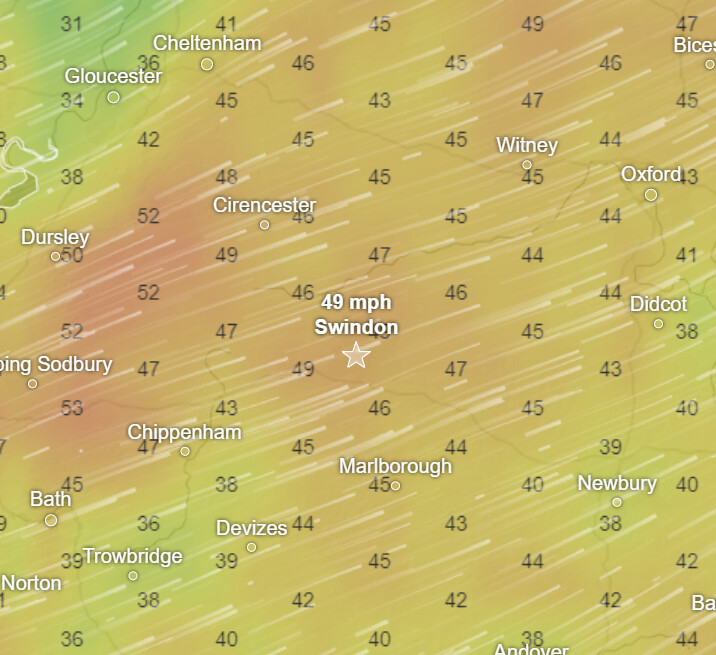
I then took it out to Moulden Hill and tested the new Atti mode hack by typing ‘atti on’.
Unfortunately, the results are exactly the as with the DH hack
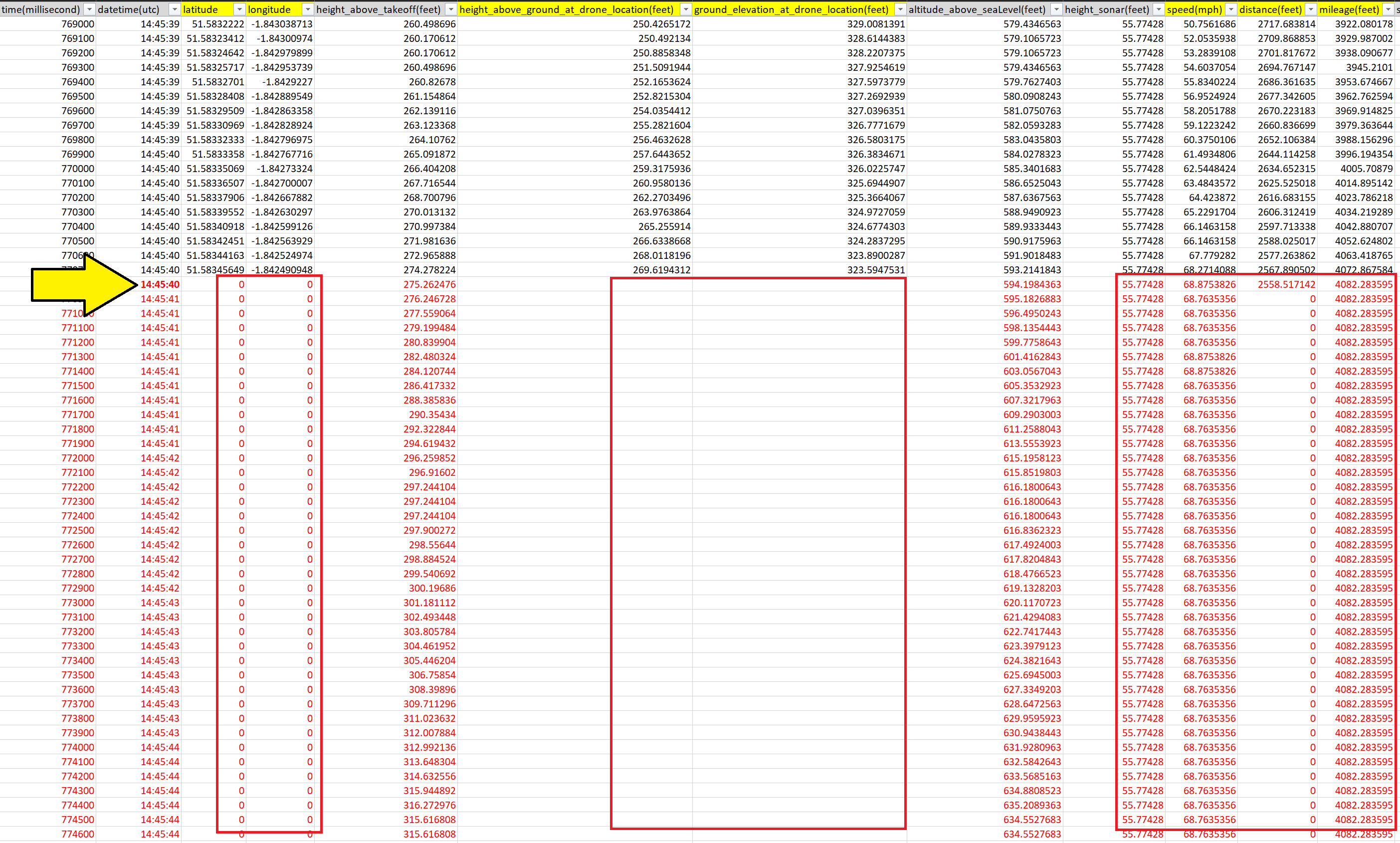
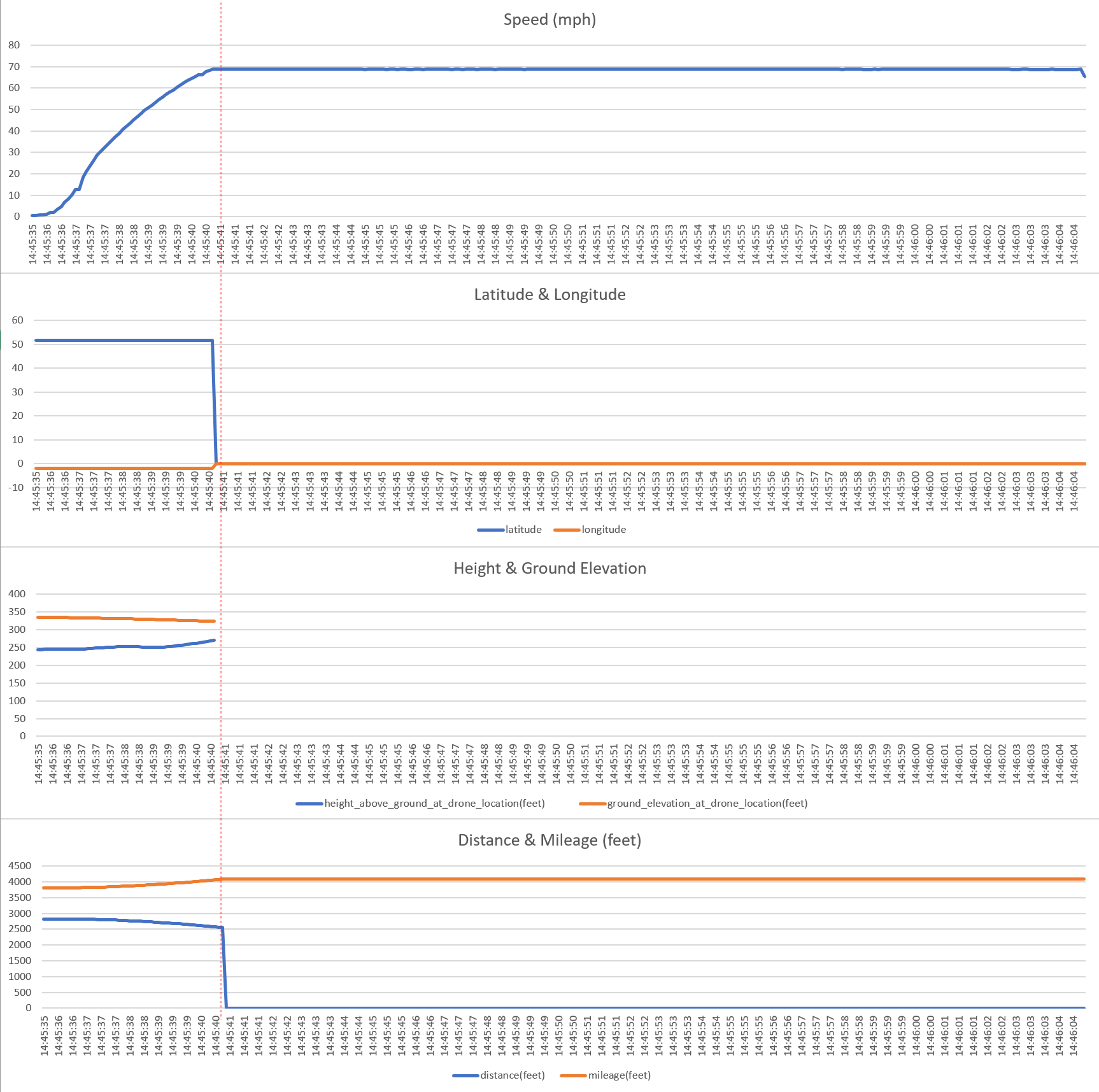
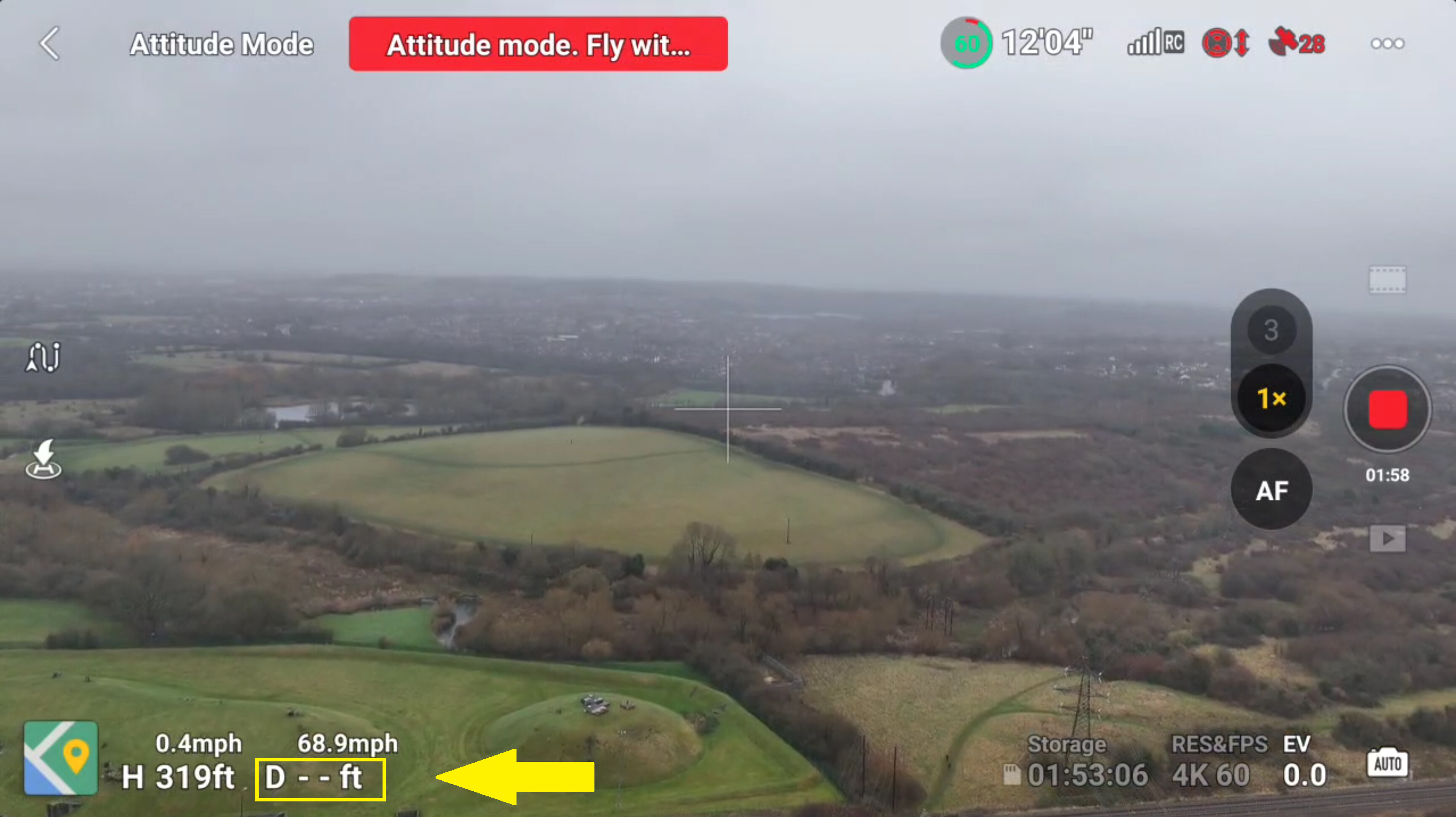
The Air 3 accelerates right up to 68.9 mph and then it’s limited from going any faster. And at exactly at that point, a lot of the sensory data vanishes or freezes - both in the logs and on the RC2 screen.
So neither the DH hack or Sincoder’s RC2 hack works properly in Atti mode on the DJI Air 3. The only positive part of this is that I have ruled out it’s not the hacks thats causing this ‘limiter’ issue. Either there is something wrong with my Air 3, or DJI have done something to these new drones that cause this behaviour. Either way, I am sending it back after Christmas (after resetting the controller to factory settings).
Im thinking this Chris.
Anything else in the parameters to play with ?
Yes, I am starting to believe this too. If that is the case, I am sure DJI will tell me “there is nothing wrong with your Air 3, it is working as designed” … or something along those lines. This will confirm they done something to these next gen drones.
Which parameters? In Sincoder’s RC2 hack? Yes, there’s quite a bit in there. I put it into Manual mode earlier, that was fun.
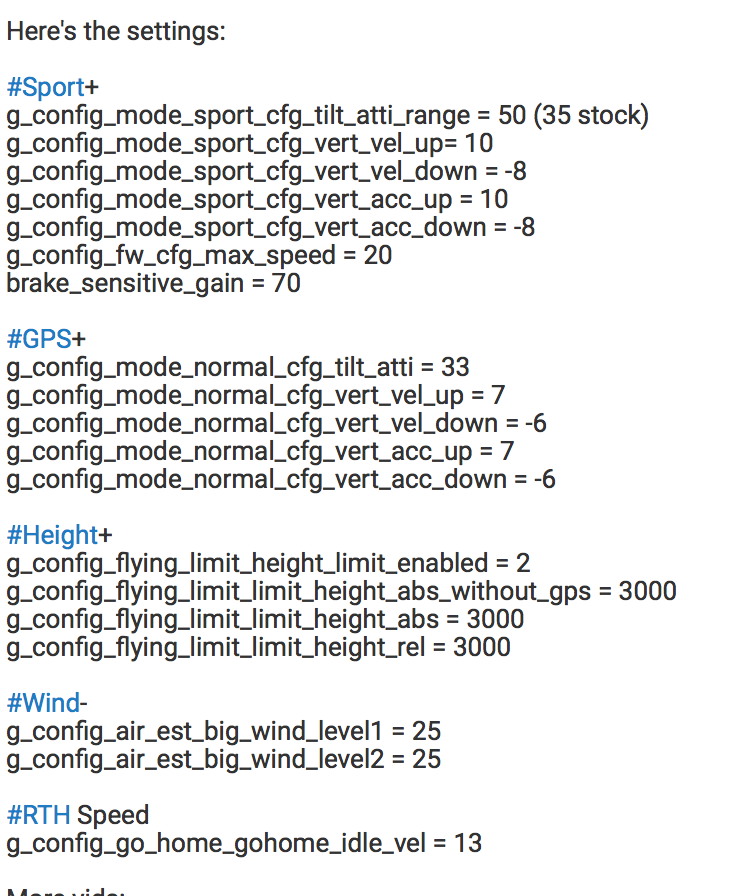
g_config_mode_sport_cfg_tilt_atti_range Maximum tilt(tilt=speed) 45
But will this be the fix? 
That’s the DH hack. I think Chris was on about the new Sincoder hack.
| Command | Description |
|---|---|
| 5.8 on/off | Enable/disable force 5.8GHz, disable 2.4GHz |
| aled on/off | Turn on/off auxiliary LED |
| atti on/off | Turn on/off ATTI mode |
| CC US/CN/JP/RU/HK | Set drone country code |
| droneid on/off | Turn on/off DroneID |
| flog off | Delete all drone flight logs |
| force_fcc on/off | Enable/disable force fcc |
| gps on/off | Enable/disable drone GPS |
| landing on/off | Enable/disable force landing |
| led on/off | Turn on/off drone led |
| manu on/off | Turn on/off Manual mode |
| offline on/off | Enable/disable offline mode, DJI Fly app can not use network |
| photo 1/1.5/2/3…10 | Enable the automatic photo taking function and set the frequency |
| vled on/off | Enable led on/off when record |
| vps on/off | Turn on/off all vison sensors |
| wp filename.kmz | Load DJI waypoints kmz file from SD card then execute the mission |
Yeah, I was looking at the other parameters, it might be worth trying to change sports mode to Atti mode and then changing the max tilt angle to say 50
I’ve played with tilt in the past and didn’t see any noticeable difference.
Yeah, these are simillar to how the Advanced Parameters section of DH works. Selecting each one tweaking, then writing back to the drone. That’s what I’ve been doing for the past 3 years, until last night, when I was told off by Wayne
Sincoders are a lot less granular, but are easy to change in the field. They are also on the RC, not the drone.
I am just doing my neighbourly thing