Yeah well it’s the same place I bought my radio from and he feels it should be on accst V2 EU LBT I guess that’s why he’s recommended this reciever?
If your going down this road and you are getting your mate to desolider the reciever, why not get him to solder a servo plug to it and you can flash it yourself
you have nothing to lose as you could always buy the other one frrom Hobbyrc anyway
I posted above how to do the flashing
This is the lastest firmware that should work
XM+_ACCST_2.1.2_LBT.frk
Hi mate, cheers for your advice but as I am new and not very technical I would find easier to just get someone to reflash for me or I will just buy a new receiver with correct firmware I think that’s the easier, safer and quickest thing for me to do. And less stressful lol
2 Likes
this quickly becomes an illness… 
3 Likes
Or I put that in the spares drawer with all the other spares I have amassed over the last few months 
Shit I need a bigger drawer😬
1 Like
Hi @SirGunner and guys, sorry for being longer than I said I had to actually wait until Thursday for the guy who I said was going to help, also I did say he was my friend but he wasn’t he was just someone who has an office near where I work, however he said he couldn’t do until Thursday and after sending pics he said 60 quid is what he would charge which I thought was extortionate to say the least, so after thinking for a day I contacted another guy who was able to do it for me today on my lunch break in 5 mins and charged me ten pounds! So I’m glad I shopped around to say the least. So I have now got my new reciever installed with what I assumed to be the right firmware match as per hobbyrc instructions. I have come home and tried to bind and I believe or feel I may have managed to get them bound however my next question is, due to me trying the throttle and things and nothing working still I am lost again. Is there something else I need to do before the controller will actually make it go? Such as betaflight perhaps?
The green light on the receiver now sits solid when my radio is more than a meter away but when it’s within one meter it goes back to flashing yellow and red I believe. So this leads me to think that the two are bind together.
Any advice would be very much appreciated
Cheers
1 Like
Use this video as a guide, don’t follow it to the letter as your quad is different to the one hes working with but the fundamentals are the same. You should pay attention to the modes tab setup and the receiver tab setup as this is going to be the same on what ever betaflight quad you are working with be it a tiny whoop or full 5inch freestyle drone.

Hope this helps. Also if I was you I would probably sub his channel as well as check out the rest of his videos if you want to know anything about FPV he probably already has a video for it 
1 Like
Yeah cheers mate It just finding the time to sit and find then watch all these videos isn’t it haha.
I will have to spend the next few days trying to figure it out. As I say I believe I have now sorted the above issues with miss matched firmware and I can now bind so just wondering is it normal for the drone to still not move it’s motors once I have bind it?
if it hasn’t been configured in betaflight yes that is normal.
with it being a bind and fly most of it will be setup but your choice of modes and channel mapping will be different on every radio (controller) so you will still need to setup your channel mapping and modes (modes are telling betaflight witch switch on your radio (controller) does what function)
you’ll need an Arm motors switch and a flight modes switch as a bare minimum. then your other switches can be configured for things like pit mode on a switch or flip over after crash (turtle mode) but its all personal preference.
the video I posted above will explain how to setup your channel mapping and modes correctly
1 Like
Ok, blimey it sounds like the binding was intact the easy part. Or at least that’s how it sounds but it’s all so complicated and confusing but I’m sure I will learn and pick that up. I feel I’ve learnt pretty quick so far, mainly thanks to you guys on here. I will be forever grateful to you all.
Also I am planning on going away on the 8th Aug and I’m really hoping to try and get all the rest of the setting up process done, do you think this is looking at all likely or can these next steps take some time still? And as I work I only have an hour or so each evening really.
Other than that I will follow that video and see how I get on with betaflight tomorrow.
Cheers mate.
It’s likely that Aux1 (Channel 5) is already mapped to Arm in BF and Aux2 (Channel 6) is already set to some Flight modes in BF. If this is the case you also need to set Channel 5 in your TX to a 2 position switch and Channel 6 to a 3 position switch in the Mixes screen on OpenTX/EdgeTX.
If flight modes are not configured, you probably want Angle mode as the first or default FM as it’s most forgiving and maybe Horizon and Acro Trainer as the others, but starting with baby steps on Angle is probably best.
A good explanation of flight modes can be found at https://oscarliang.com/betaflight-modes/#angle-horizon-acro
Thanks for your advice. However that did all go way over my head, especially early in the morning lol.
Also that link didn’t work either but I will take a look for it in Joshua YouTube videos.
I’ll let you know how it goes later.
Is this your radio?
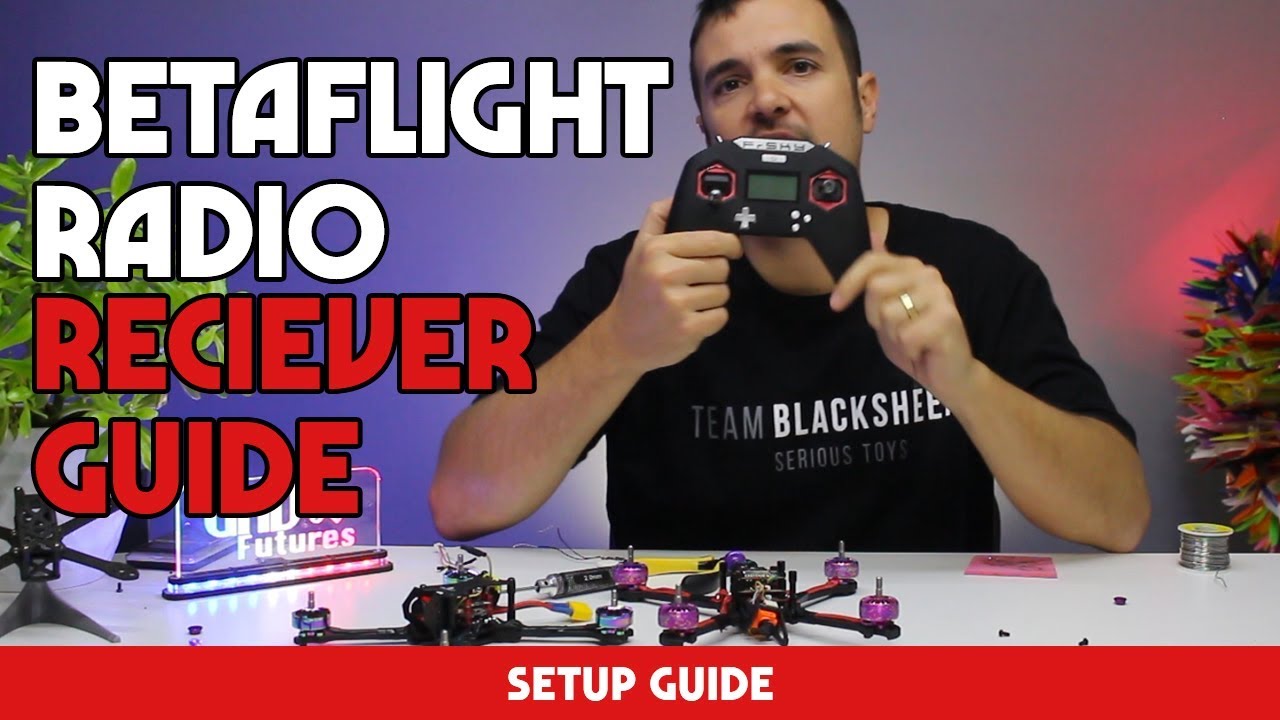
Lots of guides on getting the modes, and switches and sticks setup to betaflight. Just get configurator on your PC, connect drone to PC (USB should do if RX works without battery), from about 10 mins in that video above seems good. Probably no need to touch the ports tab whichever guide you use. It’s the receiver and modes tab you want to see move when you move things on the radio
Strange. His whole site is offline. It’s a good resource when its working
Weird, when I posted the comment it worked, and I just tested it again and it worked. Maybe try again, as the explanation is very good.
@FpvChris hi, I’ve read most of this thread but not all, so if you’re still needing hands on help, I’m next door to you in Corby Northants which isn’t that far.
If you’re happy to meet I can take your gear to set it up, I’ve still got my Frsky gear which I occasionally use, I’ll dust off the cobwebs and refresh my brain.
3 Likes
Hi Njoro, thanks for the offer mate, I will have a good as I say over the next couple of days but if I still struggle and you are happy to meet up with me to help me set up that would be great. Corby isn’t too far but I don’t drive and not sure about trains there. Let me know if you would ever have the time to pop to Milton Keynes and if you are happy to come to me I understand alot of you don’t require payment for your help but as it’s a journey I would cover any costs for fuel and stuff
Thanks
I can pop over to you, I’m sure I’ve still got all the firmware in one of my Laptops, we can arrange a day / weekend.
I’ll confirm my having the necessary firmware later on this evening when I get in.
1 Like
Ok brilliant mate, that would be very helpful.
As i say i believe I have now managed the quad bind with my radio, its just the betaflight setup that im going to have a go myself tonight with but last time i tried i couldnt get the quad to configure with betaflight so ill see how i go tonight and let you know and obviously i still cant work it out then ues maybe in need of your assistance.
Cheers mate
If youre having problems getting the quad to connect to Betaflight try using the ImpulseRC Driver fixer which you can download from here
“Downloads | ImpulseRC”
It can help to fix connection issues by updating essential drivers etc
Glad to hear youre on your way to a working quad. The setup isnt as bad as it sounds especially if you follow that Bardwell video that Deano linked to further up. This setup side of things is a little harder to try to explain in words so is definitely better watching a video so you can see whats going on as he explains it
1 Like