How much is Litchi? For someone that flies once a week would you consider it worth it?
it’s not how often you fly, it’s why you fly that should make the decision for you 
1 Like
Irrespective of the Litchi specific functionality, some people prefer it as their default flying app as opposed to the DJI apps.
Go to your app store and check. There can be promotions.
1 Like
Dynamic home point alone is worth the cost.
1 Like
Litchi is definitely worth the money for me, even though I have reservations about its abilities to “focus” on Points of Interest. It is also true that perhaps its best feature (integration with Google Earth) is provided by a third party.
I have made a list of misgivings about Litchi here:
The list is getting old, but most of it is still true.
Nonetheless, if I only had one drone app, it would be Litchi.
This not available on the fly app? 
Normally never use it but assumed it’d be there.
Used dynamic home point for the first time the other week when testing the ‘follow me’ mode on the Litchi app.
General question for users;
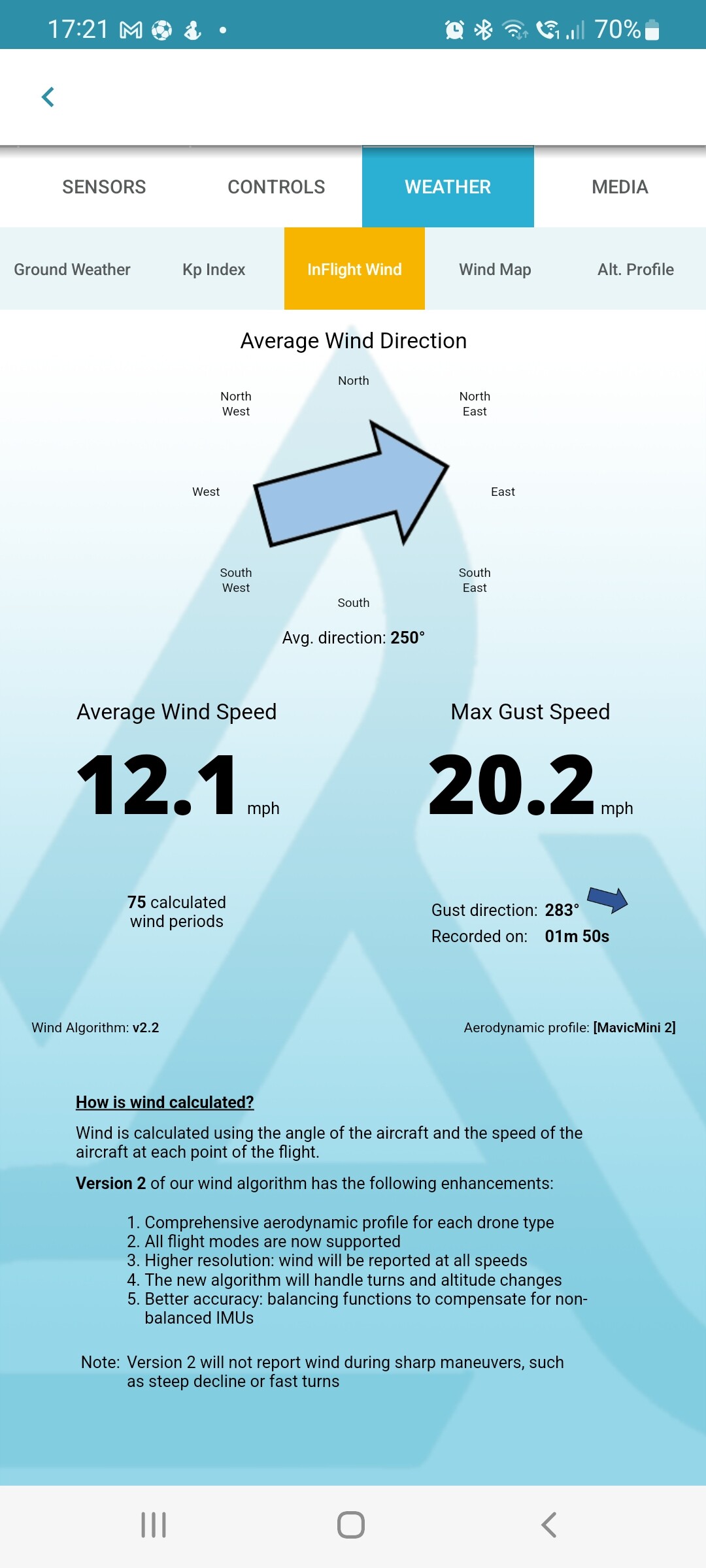
Out today with the mini 2 and flew with litchi, had 2x Strong wind warnings…phhhhh, whatever… completed the flight
But
Nothing in the flight data uploaded to Airdata about strong winds… ???
Do you have a screenshot of the wind data = or better can you share the data file?
Hi Rob,
Hopefully this is a working.
Warnings were about point G if i remember correctly but some time after changing mode.
Weather data is wrong there wasn’t a cloud in the sky, well maybe one, hence my glowing head today!!
All looks relatively normal, You must have the free version of Airdata, I have the next level up which gives the wind speeds and directions at various altitudes.
Your ground wind speed is less than 3 mph, typically at 400 feet it can be 3 to 5 times the ground speed but even so that shouldn’t trigger a wind warning; I’m trying to remember whether you can set the speed that will trigger the strong wind alert in the Litchi settings and you maybe have it set low.
The only other thing I can think of is that you took off in a spot where the trees sheltered you from the SE wind andwhen you were at 300 feet or more there was some feature of the landscape that causes upcurrents or turbulence.
Thanks Rob.
Nothing i can see in the app. Took off on the edge of the hill, so no shielding. The warning was after 3 minutes of flight, out over the edge of the hill.
Took a smooth video of it panning from Bristol to Bath, nothing noticeable when filming.
Mini 2 was as smooth as normal. Didn’t notice any drifting or the like but i was on the edge of a rise with a hill the object of my filming. It may have been wind hitting the hill. Strange nothing is in the Airdata though.
Upgraded the airdata and there was a gust, although only 20mph. But still nothing in the warnings about high winds.
Please be gentle, I’m a Litchi virgin ( and very lazy)
I have had Litchi installed for months now, but I just never use it. I have had a play but never any more than a quick flight here and there, I wasn’t previously interested in video which I suppose is why I’ve never used it as much as I should have?. Now that I’m starting to get to grips with the mini2 and the photography side of things using drone tweaks, I’m starting to get interested in the video side of things. I’m not here to ask you guys for step by steps to do everything I want, there are plenty of tutorials and videos out there on the tinterweb. BUT are there any things I need to be aware of, things to avoid, things you just shouldn’t do, the REALLY important things that you guys have learned through experience.
1 Like
DO NOT MAKE THE MISTAKE I MADE.
I put together 3 flights on the work field.
Flew the first, moved the drone manually to second start point, flew the 2nd mission. Then got cocky!! Pressed the start on mission 3.
Mini 2 went like a bat out of hell to the start point of mission 3… straight into the trees that were between the end of mission 2 and start of mission 3.
Second mistake, be very careful if flying missions of obstacles. Seems obvious but on my second mission
Bewcastle - Added to Iconic Landscapes and Ancient Sites in North West
I didn’t take into account the trees height between the start and wp1. Started plenty high enough but then dropped to wp1 height too quickly.
Only noticed it when watching the video. In hindsight i should have kept her higher by adding an additional wp to drop the height later.
Live and learn.
1 Like
Hi there,
I was wondering if it’s worth purchasing the Litchi App for DJI Mini 2.
Sorry if this has been asked before but I’m new to flying drones.
2 Likes
Hi - moved your post to this thread that has lots of info about Litchi, and others will certainly add their comments.
1 Like
Is there something you’d like to do that you’re finding you can’t do, or is difficult?
1 Like
Im having difficulty installing, or even downloading Litchi. I get the message in the attached picture wvery time and it never installs!!! I have paid for it and part of the beta testers program. Galaxy S20 is what I’m using.
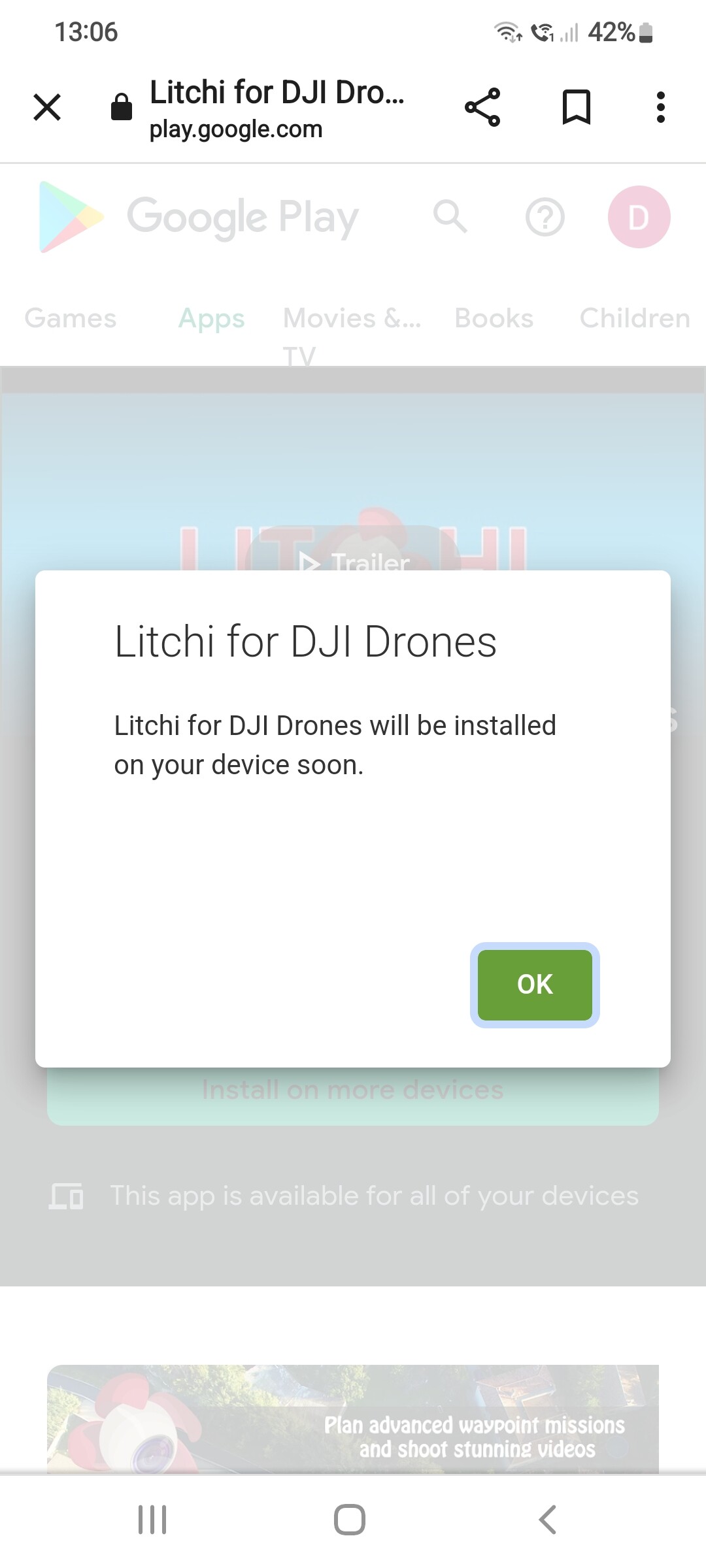
Have you restarted the phone, also are you using the play store in a browser or the app?
Yip restarted phone. Dont know if it is using the app or not to be honest? I click the search button on my phones internet search bar at top, then type in litchi which takes me to google store.
Try to open the google play store app and download it from there, it’s linked to your google account so you can download it on any device that has your Google account