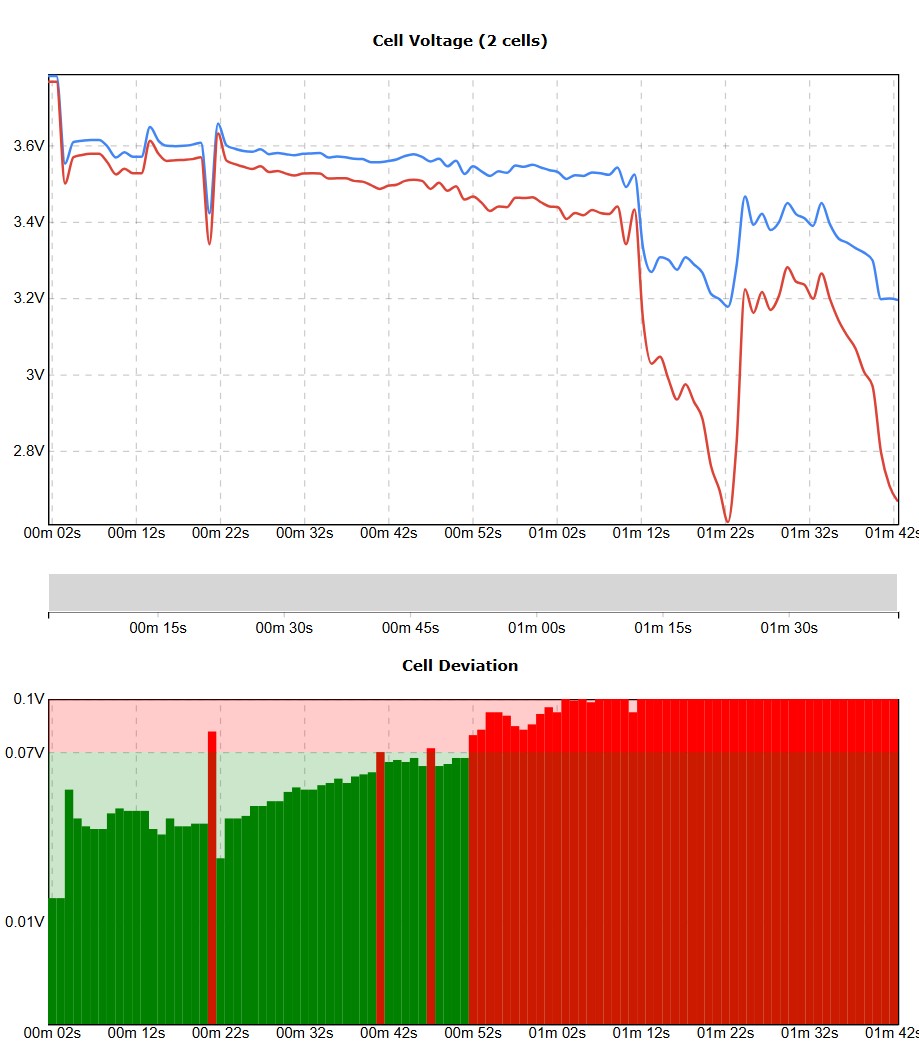
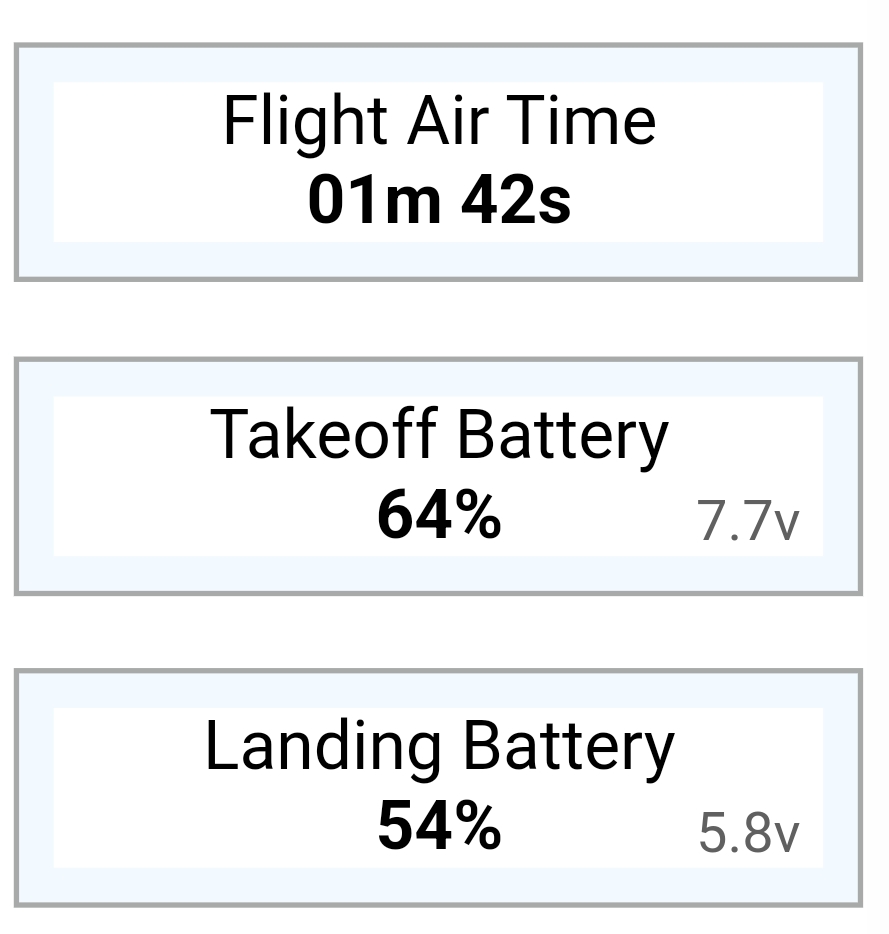
Lost my Mini 4K this morning.. clear conditions and sunny day with little to no wind.. and 15 satellites before taking off and home point registered
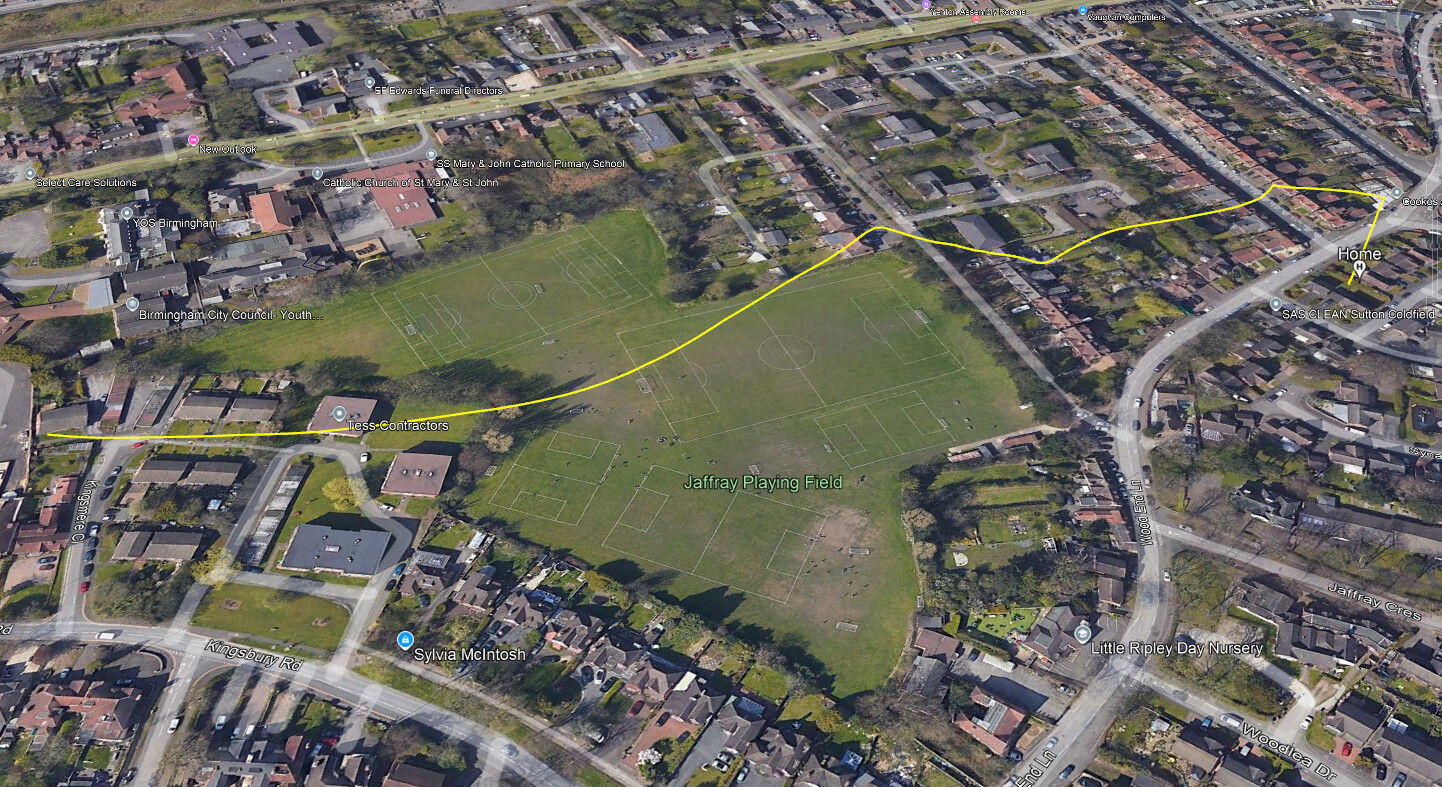
I flew from home (back garden as have many times and reached a point with no connection. Had this before with Mini 4K and Mini 2 is similar area… and always after a few seconds it returns on its own and connection restores… I over ride the RTH and continue as normal.
Not today I started a care request.. They requested video/pictures but i have none.. it is just lost.
They put up a link to say how much you have to contribute (if accepted of course.. but my 4K is not on the list.. i’d hate to have to pay £100 on a £200 drone.. although better than losing everything I guess.
A bitter blow to the confidence.. only had it a few months ..
ps.. just now got an email from DJI… Care replacement is £105 however they did offer to look at the data and if a malfunction it will be replaced under warranty.. I presumed I just had to pay.
If they find no issue I’ll have to use the Care plan… I’ll have to work out what they need from me to analyse data?
Oh well.. .. As the @Johnster says .. One door opens and another slams inot your face.. LOL
@Grazuncle, it would be really useful if you could share the Airdata logs for this issue, it’ll help people provide you with a more detailed answer based on what actually happened.
If you’re not familiar with Airdata it’s an independent platform that allows you to aggregate your flight records and it also allows you to share logs with other people.
Here’s a guide on how to upload your flight logs to their web site / app:
Setting up Direct DJI Sync
Once your logs are visible in Airdata you can use this guide to share the log(s) in question:
Once you’ve created the share on the Airdata web site simply reply here and paste the URL, someone will then take a closer look for you.
normally they tell you where to find the files on your phone or controller but you should be able to just sync the flight logs to DJI ( you will need to do that in order for AirData to download / sync with there system )
But as PingSpike says get the AirData into this post for people to have a look at it and someone with the smarts will tell you what went wrong.
Only thing that springs to mind is that maybe the drone was set to hover when it lost signal or the RTH height was not high enough and it hit something on its return ?
With a bit of luck DJI might think it was a drone issue and then your covered.
Thanks all for the advice.. DJI have my data now.. had to authorise it first and they said they have it…
I’m interested myself to see what happened.. the Home Point was definitely set before take off and i got the ‘Home point has been updated’ voice. I have never flown this or the mini 2 without it.
Im thinking it’s going to be in a tree in someone’s back garden..
If it was a field or open space I’d go for it.. but don’t want to knock doors on a wild goose chase
Weird thing is i have tested this route so many times and never had an issue .. Not RTH..before .. Even with this 4K.. And I’m not presuming anything here or pending anything.
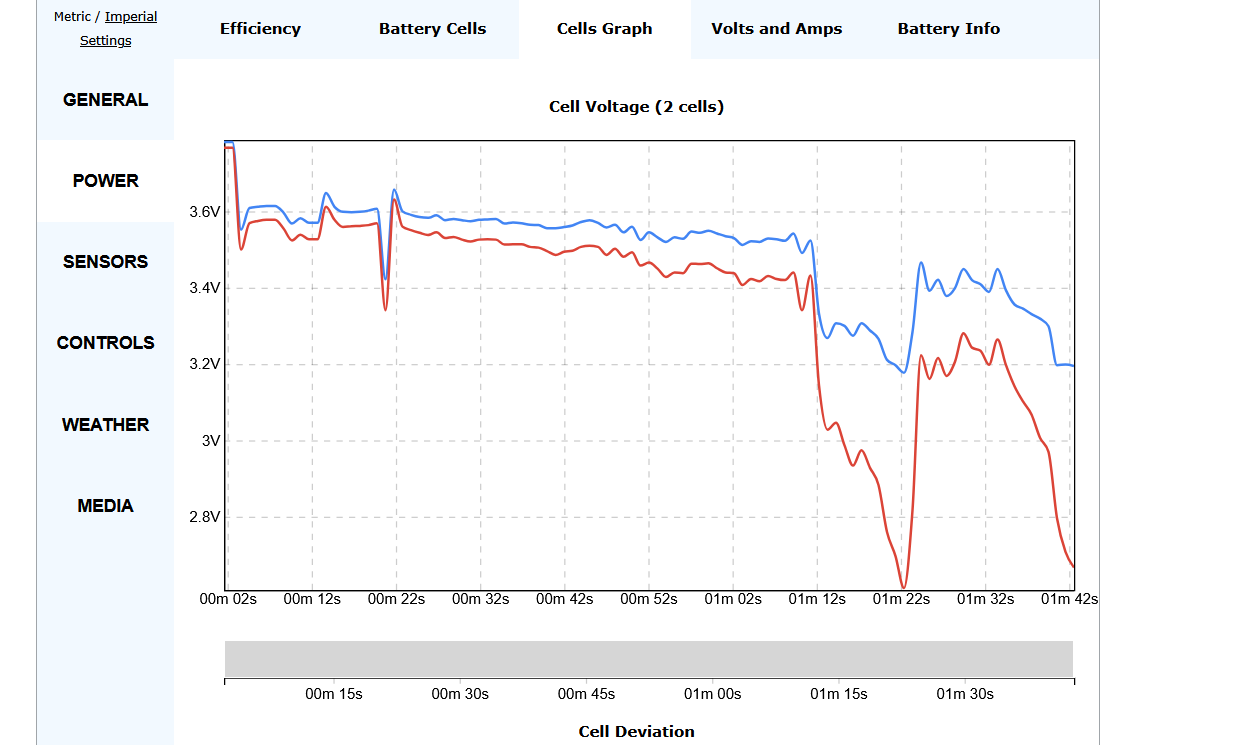
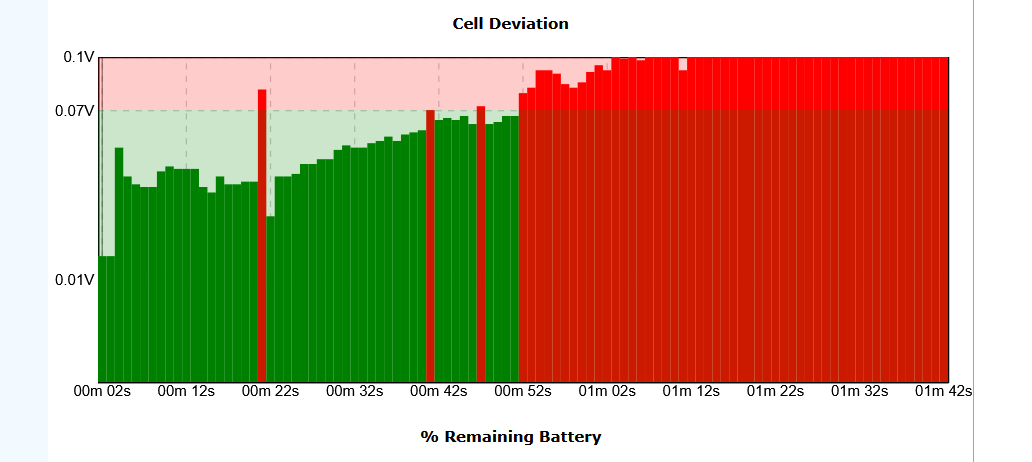
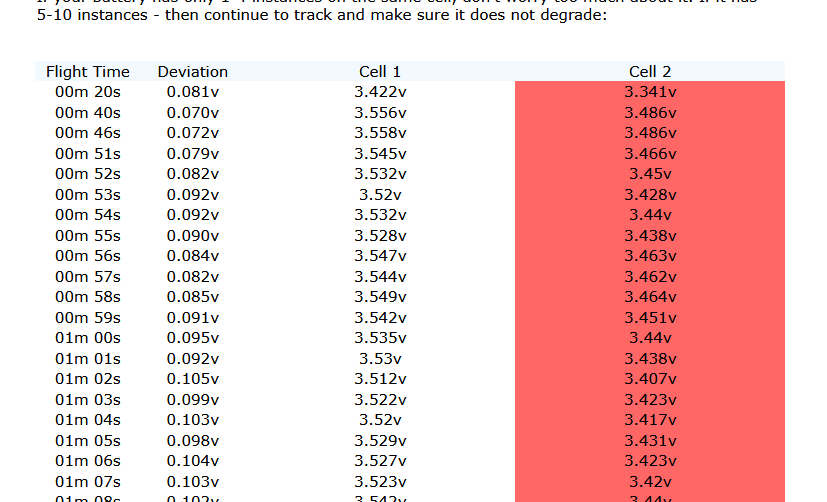
The beret life falls off a cliff or the connection does.. there was no reporting of battery life ending whilst flying and it should have started a RTH regardless..
The battery was a as it says on the data before taking off.. It’s not lying. I knew what it was but the flight was for a specifically short run. .5 mins max.. But didn’t happen.
Well… I can’t complain. I started a care request and they talked me out of it to try data analysis first. They reported back.. this morning
1.The aircraft worked under Sport mode
2.Flight Time T=01:43, Relative Height H=95.0m, The pilot pushed the pitch stick forward, the Throttle stick up, the aircraft flew to the front direction and ascended, the record ended
3.The last coordinate:(52.51503, -1.8456324)
Conclusion: Record ended, can’t judge the responsibility.
They are replacing under warranty.. I can’t complain I lost it about 21 hours ago, started and request and sorted with replacement on way.
Not sure what will happen to my care plan now though.. I bought a 2 year plan 3 months ago?
Great result. It wont take long for your new one to arrive either. My warranty replacement one arrived in a matter if days. DJI are fairly good from my experience with them