A full rainbow - neat 
I am in two minds of to where you are. There is someone in a red coat but since meeting you I think it is the red the red car parked sideways lol.
Holy crap Nik @Nik469, that looks absolutely amazing 
And as for capturing the whole bloody rainbow 

Nope, twas sneaky and parked directly under the drone
A happy accident with the rainbow
I wanted to see how much it would moan about the wind. Surprisingly i had one brief orange warning at take off after that nothing at 30m. Mini vs Storm Benjamin… 1/0
I was also streaming for a couple of hours just to test it out. Even tho it was sat on my dashboard it still seemed 100% stable
Shortly after that flight (and watching the live feed) I took the mutt for a walk, and I don’t live far away and not right on the coast, but the first thing to happen when I ventured out of the back gate was three wheelie bins blew over .. despite the relative shelter of houses and fences.
I think “wheelie bins blowing over” should be the defining wind limit for drones. 
Hehe,
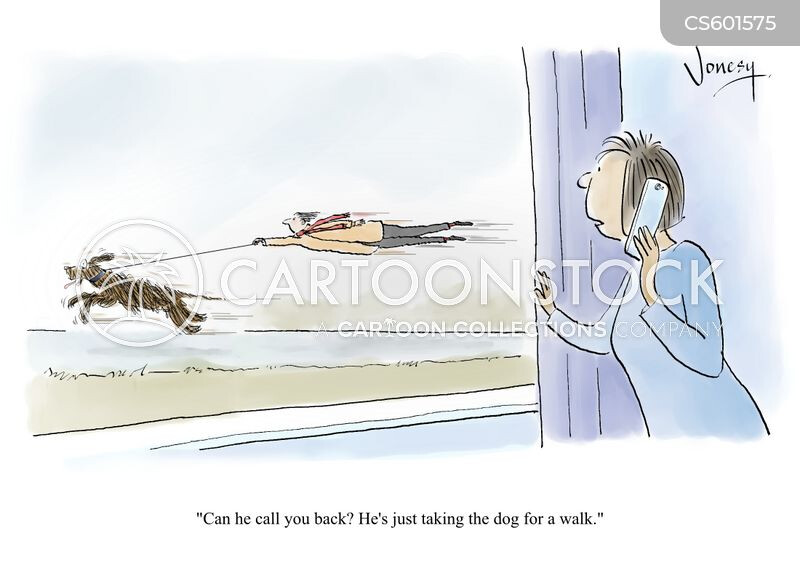
I just had a vision of you being pulled behind an airborne red head like you were flying a kite
Yes, indeed.
Preflight check: Are your wheelie bins stable and accounted for.. ;p
Haha,
Epic
Both yourself, Dave @OzoneVibe and Rob @macspite have posted up those panoramic shots and they look great 
Now all I need is a tutorial 

Lol
For which bit?
Taking the shot or uploading it?
Either way, i’ve only done 3 i think. @ozonevibe and #@macspite are who i learnt from 
Btw i’ve spent the past couple of rainy days fiddling with the pro 2’s setup.
Got a decent version of firefox and edge running plus a few other novelties.
Drone scene is running about as well as it does on other devices…
I havent tried it yet but now you mention it ill look into uploading those panos directly from the controller. If it works ok we can fiddle next time we meet?
One issue is the size of the image being compatible with the website. The standard resolution direct from the drone is too big. At present i transfer it to a tablet and resize it there.
Hey Nik, yep I upload everything directly from the memory card to my iPad via the Apple SD Card connector. Taking the panorama should be easy as there’s a Quick Shot available for that purpose…Unless I’m totally missing something! It’s uploading it so that you can drag the photo around that I’m not sure about.
Hihi.
Yup, there should be a few different pano options available on the fly app.
Once you get it onto a tablet or something you might have to resize is down a bit as the hosting site.. kuula doesnt seem to like the photo resolution thats standard with fly pano’s.
I’m planning to look into this a bit more as i suspect its possible to upload directly from your controller.
There is a detailed guide on here somewhere which is fairly good.
Lemme find it…
Sorry, cant find it right now.
@OzoneVibe linked it last time
If your still looking into it 2moro, we could maybe to a live stream or video call and i can show you how i bumble my way throught it.
Maybe poke mr @macspite, He posts lots of impressive panos
This should give you everything you need to know: Interactive 360 Panoramas - How To Post on GADC
Obviously, your drone will create the stitched image for you .. so it’s just the Kuula account needed and copying the “iframe” sharing link to paste here.
Using the individual images the drone takes it’s possible to create a hi-res version, and @clinkadink’s tutorial covers that. How to create high resolution 360 Panoramics
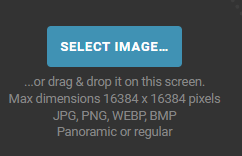
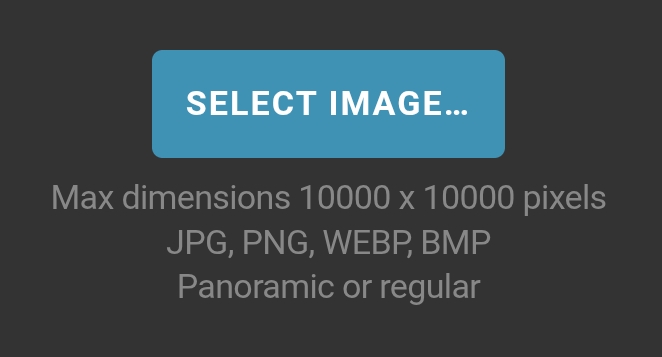
AFAIK the maximum size for a Kuula upload is 12000x6000 px from a PC or Mac but if uploading from a phone or tablet it can be no larger than 10000x5000.
The autostitched pano that DJI Fly creates is too large for phone/tableet upload - either rescale it keeping the 2:1 aspect ratio or transfer from a PC / Mac
Hugin (Windows / Mac) is apparently a good piece of kit for stitching, a very simple one is Microsoft Image Compositie Editor (MICE) - Windows only. It seems to be deprecated by Microsoft but is still downloadble from CNET as of 27/10/25.
The Mini 4 Pro gives stitched images for upload to Kuula straight out of the box, earlier aircraft that only have a gimbal range of -90 to +30 degrees create a stitched image that lacks the upper part of the sky.
Some people take the trouble to try and paint and blend a sky to fill the upper part of the picture, others just add an area of blue. You pays yer money … But, whichever you do you need to create a 2:1 aspect ratio image in order to get a spherical image!
Computer..
Mobile ..
A bit of a pain for RAW/.dng
Tho, from about the Mini 2 / Mavic Pro 2 times, they do fudge the gap and it’s still directly uploadable to Kuula without a “gap” at the top,
Hmmm.
So kuula will accept pano as directly extracted from the drone if uploaded from a desktop of some description? No resizing required?
So. In theory, in the field the pano could be remotely dumped onto a pc. Then remote into that pc for upload?