A new version of Drone Scene has been released 
(Missed the June updates? Take a look here!)
What’s new in the July 2025 update? 
It’s all about multimedia 


Read on for more details!
(Missed the June updates? Take a look here!)
New Feature
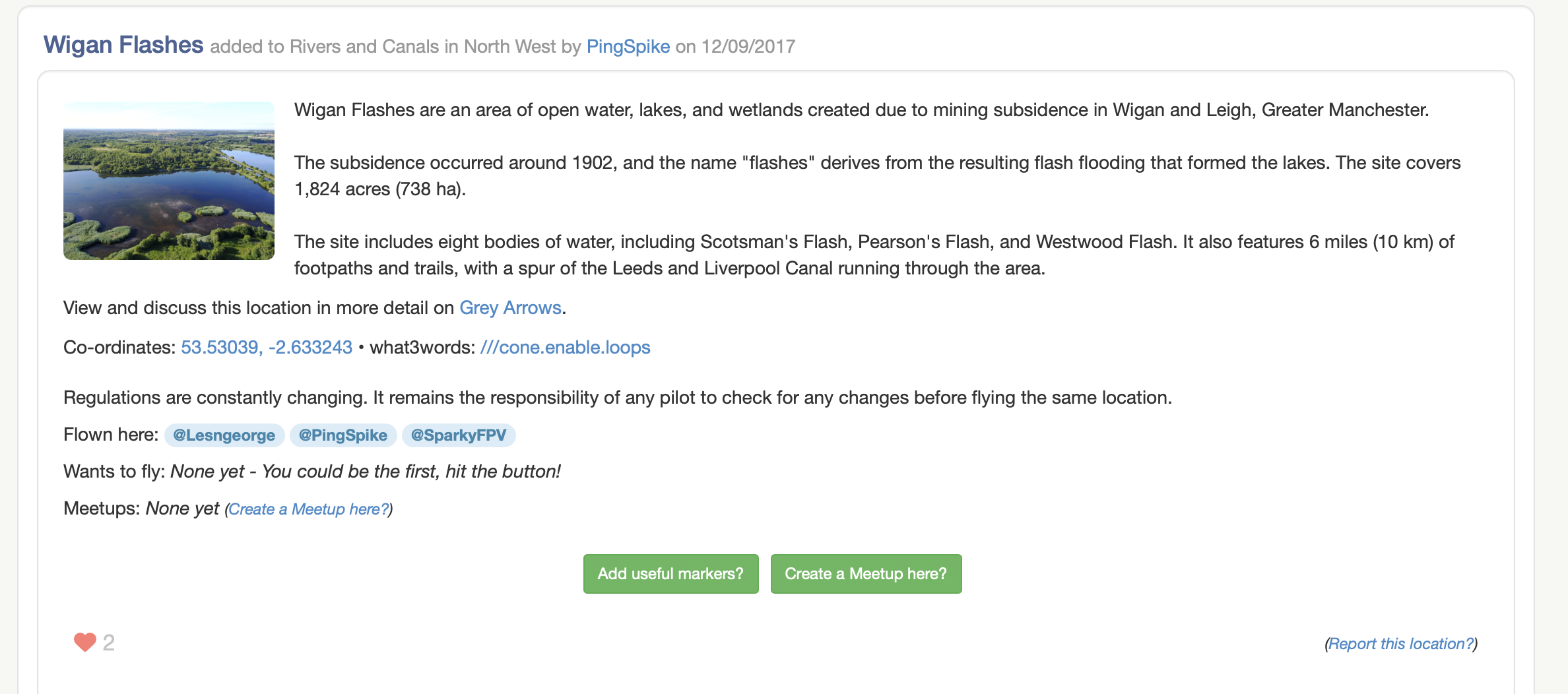
Until today, Drone Scene has only ever displayed a single image on the details page of a location.
That has all changed now 
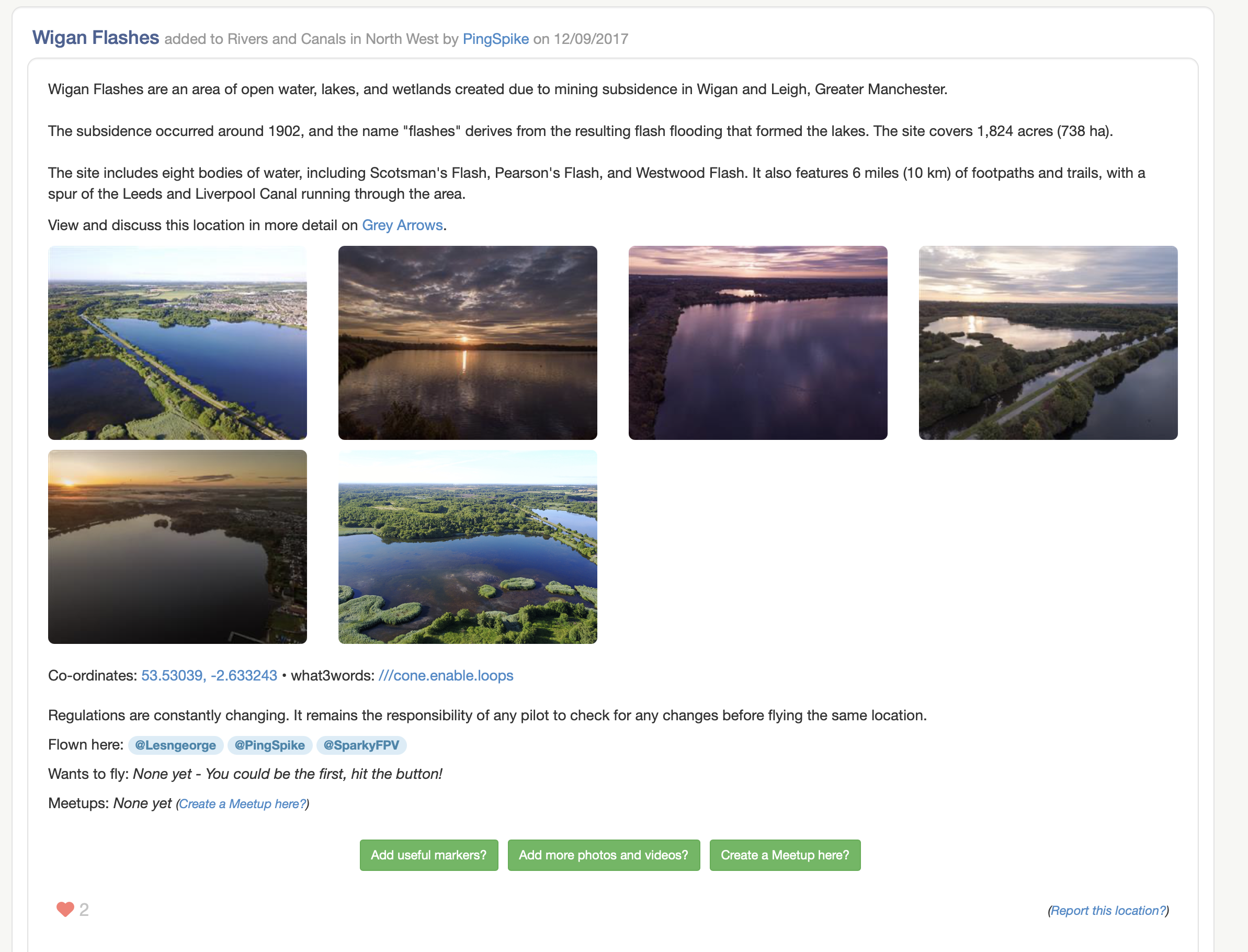
Drone Scene now supports multiple images being added to each location.
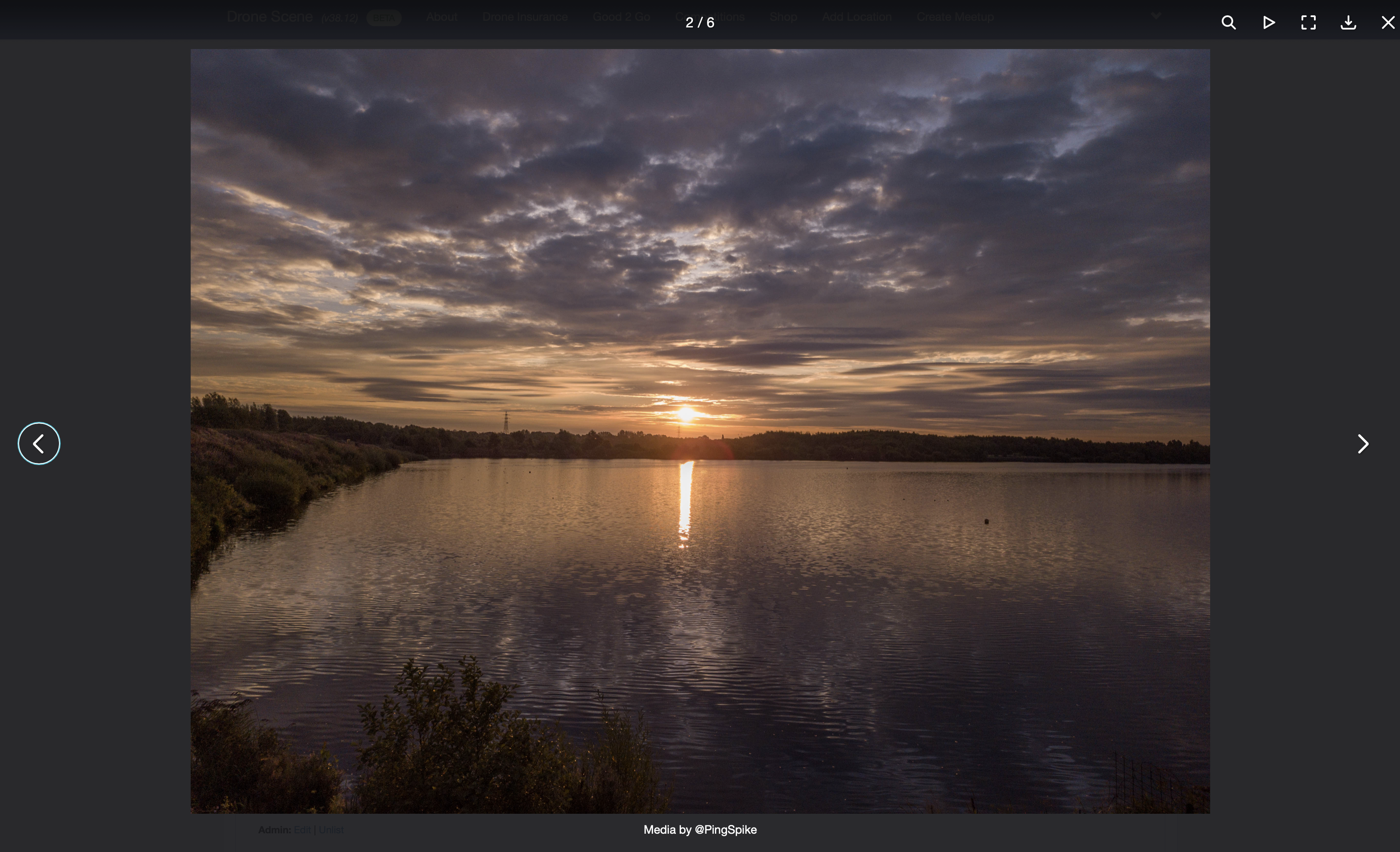
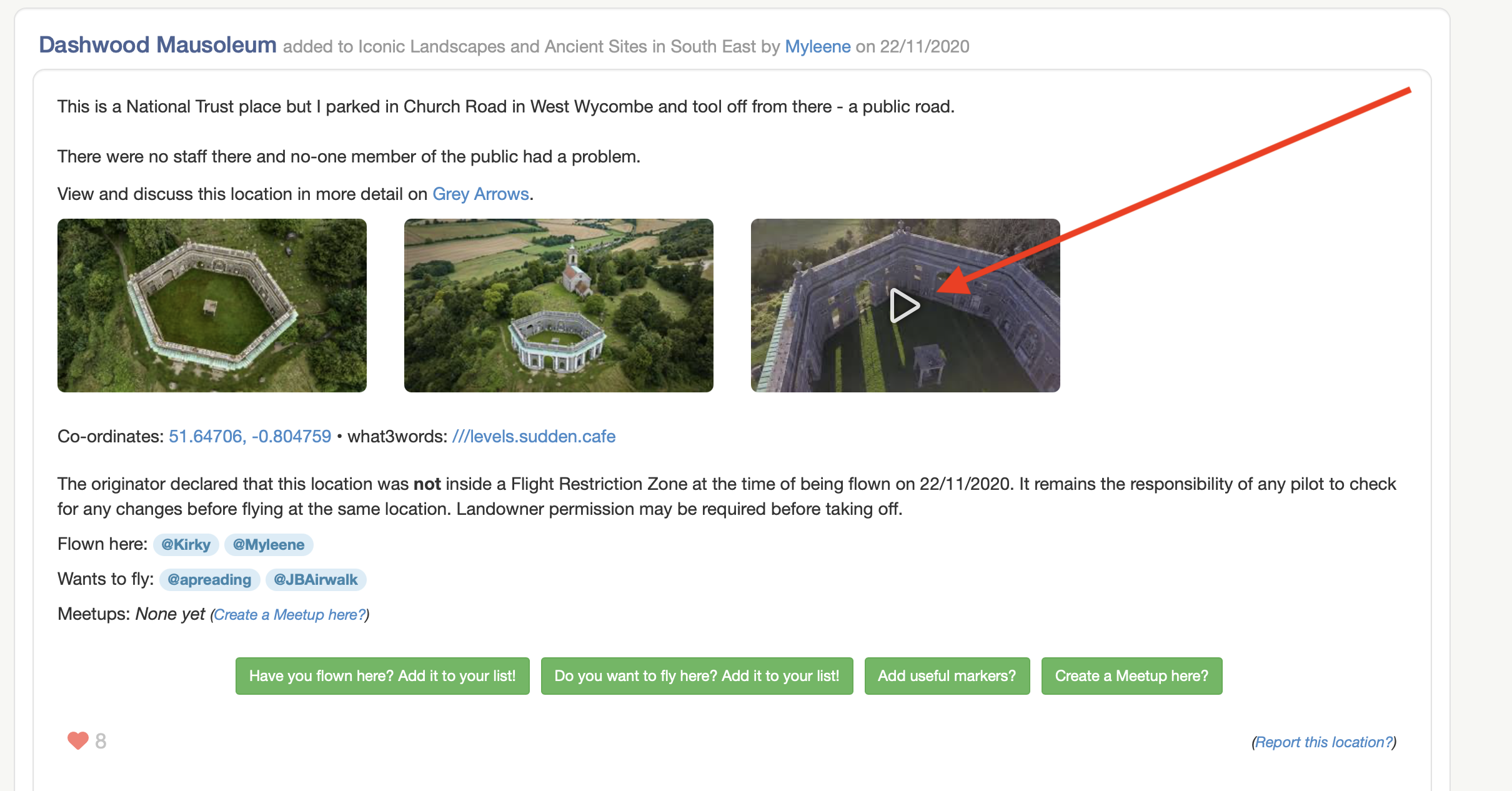
Not only that, but the images are now clickable and will open up (full size!) in to a new gallery of media, allowing you to scroll left and right through all the media for any location.
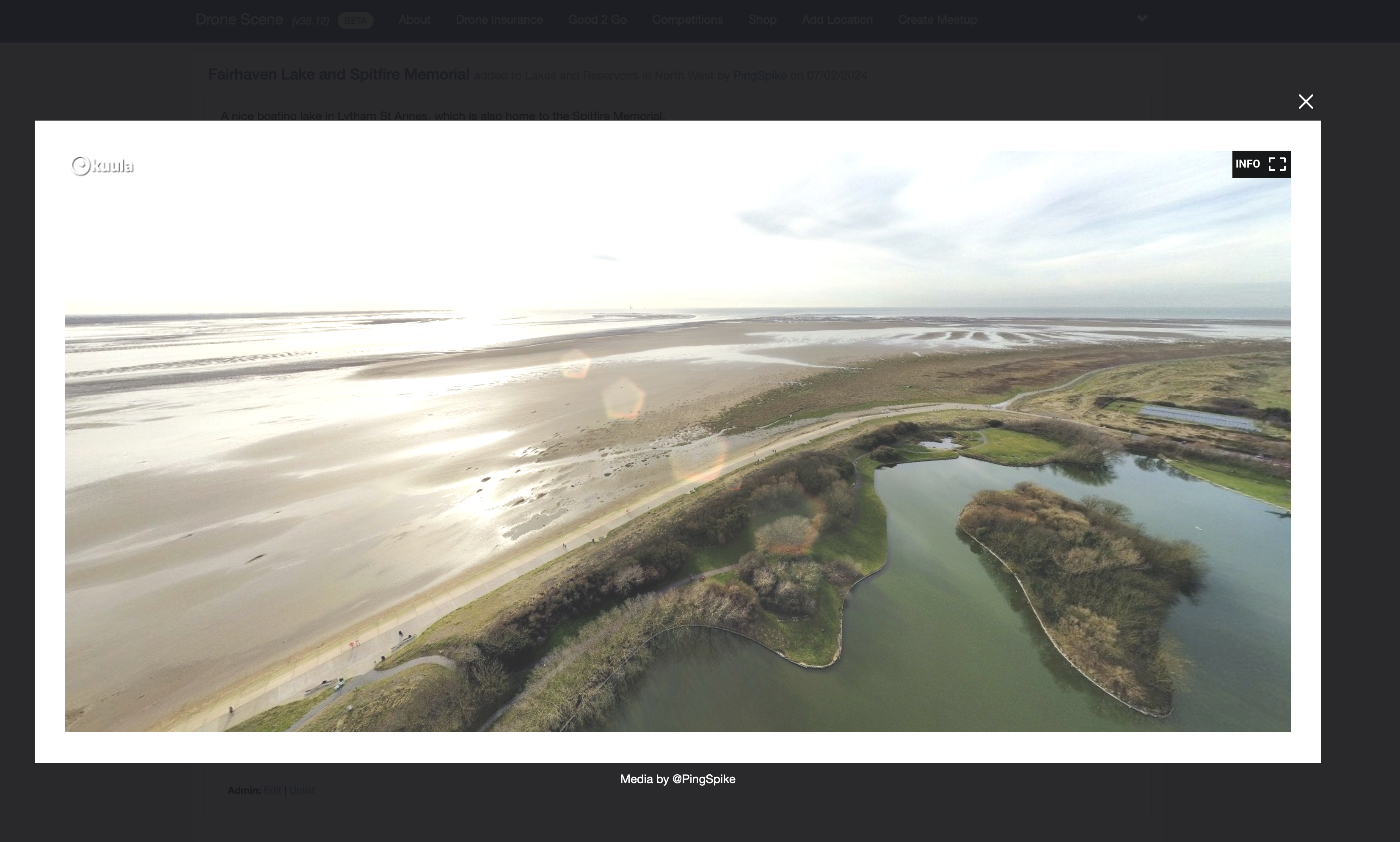
Drone Scene now also embeds interactive Kuula panos in its new media gallery too, allowing you to pan and zoom around a location
And we didn’t stop there 
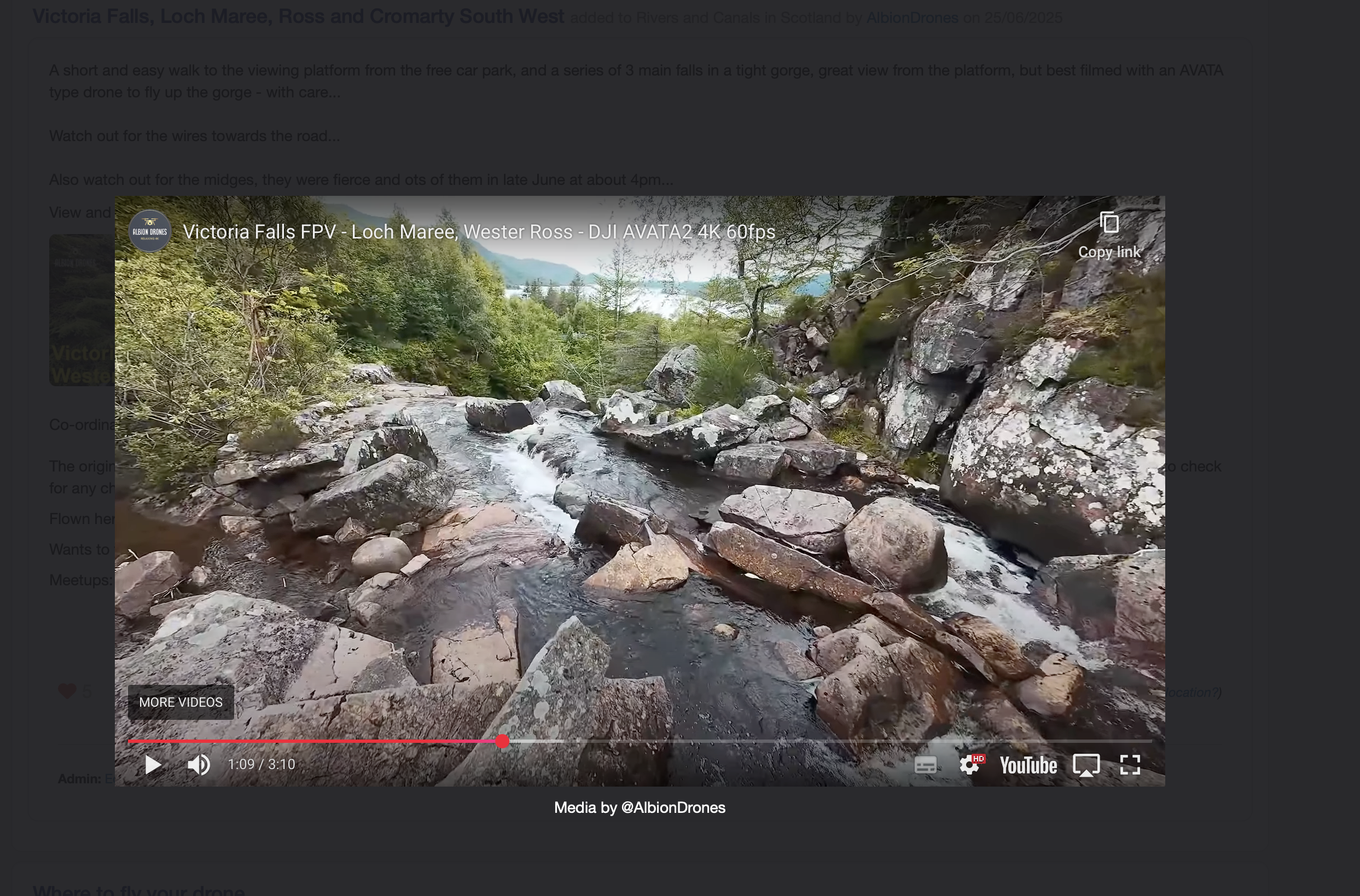
Both YouTube and Vimeo videos are now added to the media gallery and fully playable within Drone Scene 
Interactive media will automatically display a small Play icon  over the top of any videos and interactive panos so you can quickly view the media you’re most interested in.
And we didn’t stop there 
If you’ve flown at an existing location on the map you can now also add your own photos and videos to other peoples locations too 
This will build up a fantastic media gallery of each location over time.
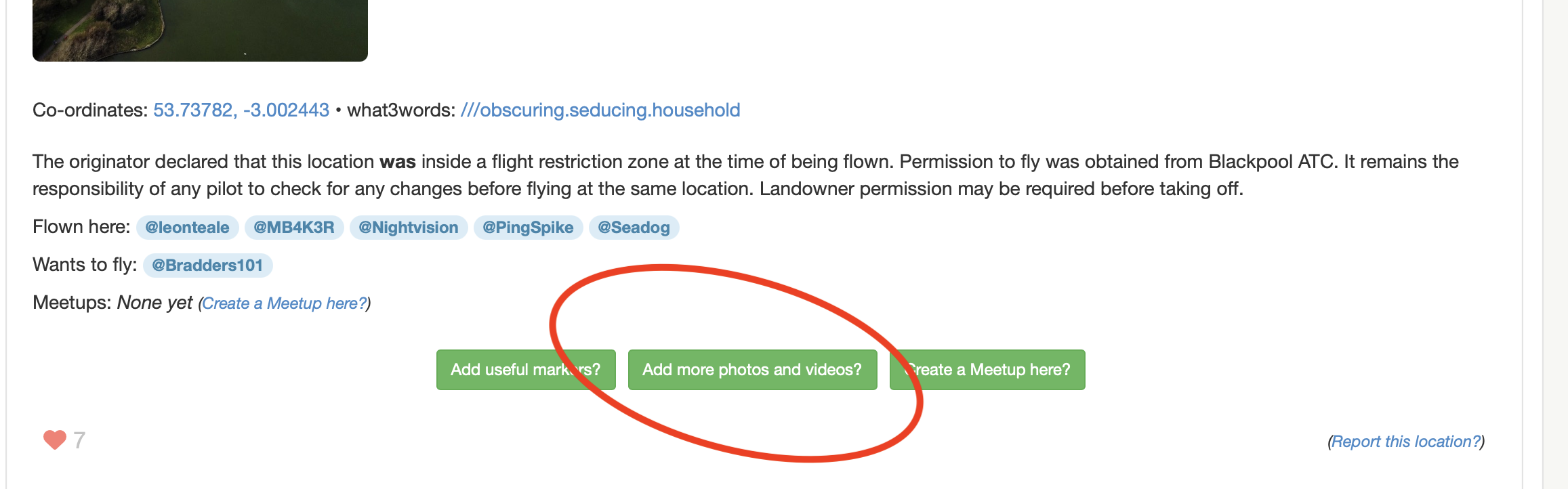
To add more photos, videos or panos to any location on the map simply click on the new Add more photos and videos button:
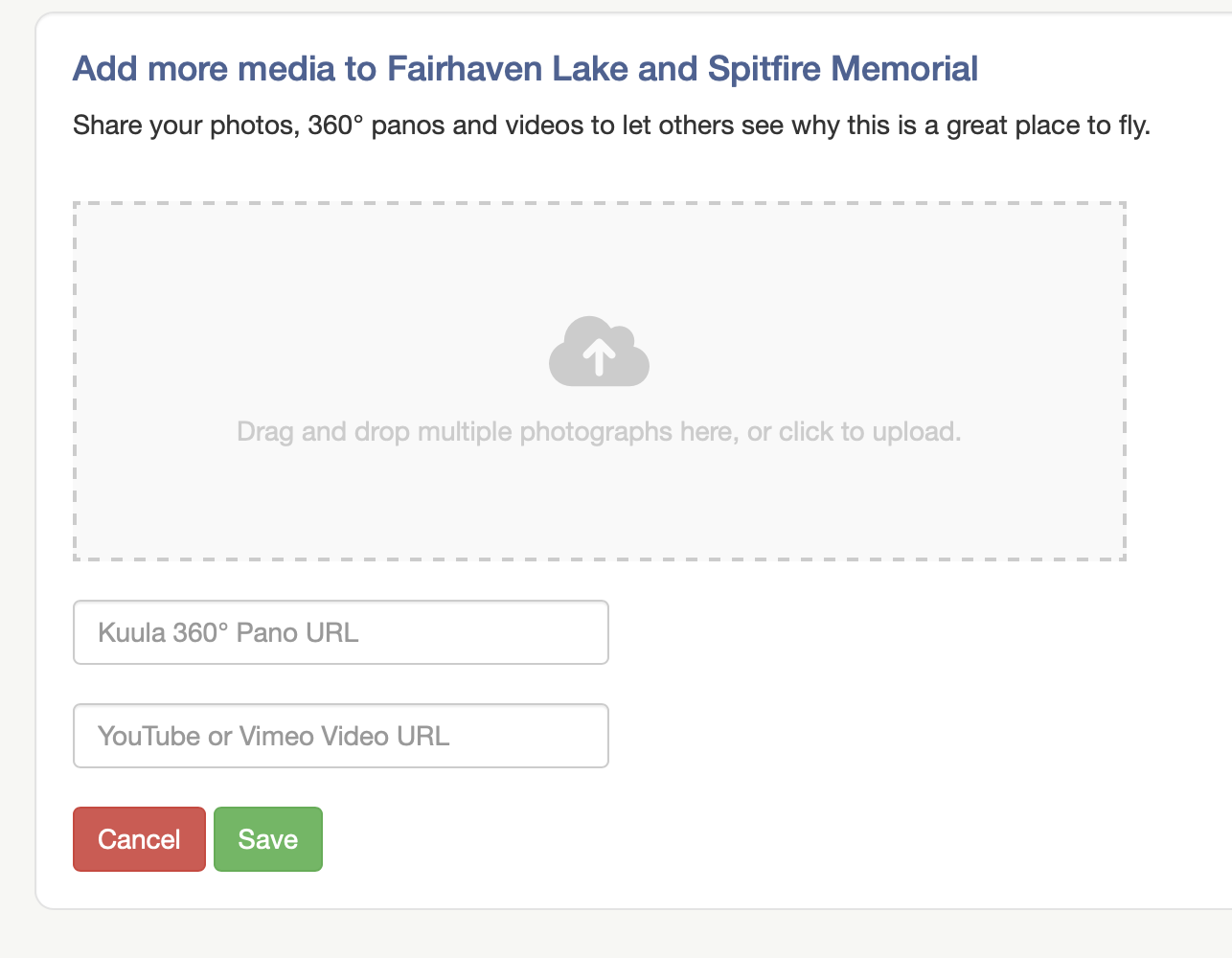
This will take you to a brand new upload page where you can drag, drop and select multiple photos at a time.
You can also paste a link to your pano or video at the same time too.
When you click on Save your new photos, panos and videos will automatically be added to the existing media gallery for everyone to enjoy.
New Feature
The Meetups feature of Drone Scene is still relatively new and something that became immediately apparent once we’d launched it was that there was no means of changing your attendance.
If you registered as Might Attend and then wanted to change to Will Attend, the only way to do it was to completely remove yourself from the meetup, then add yourself again 
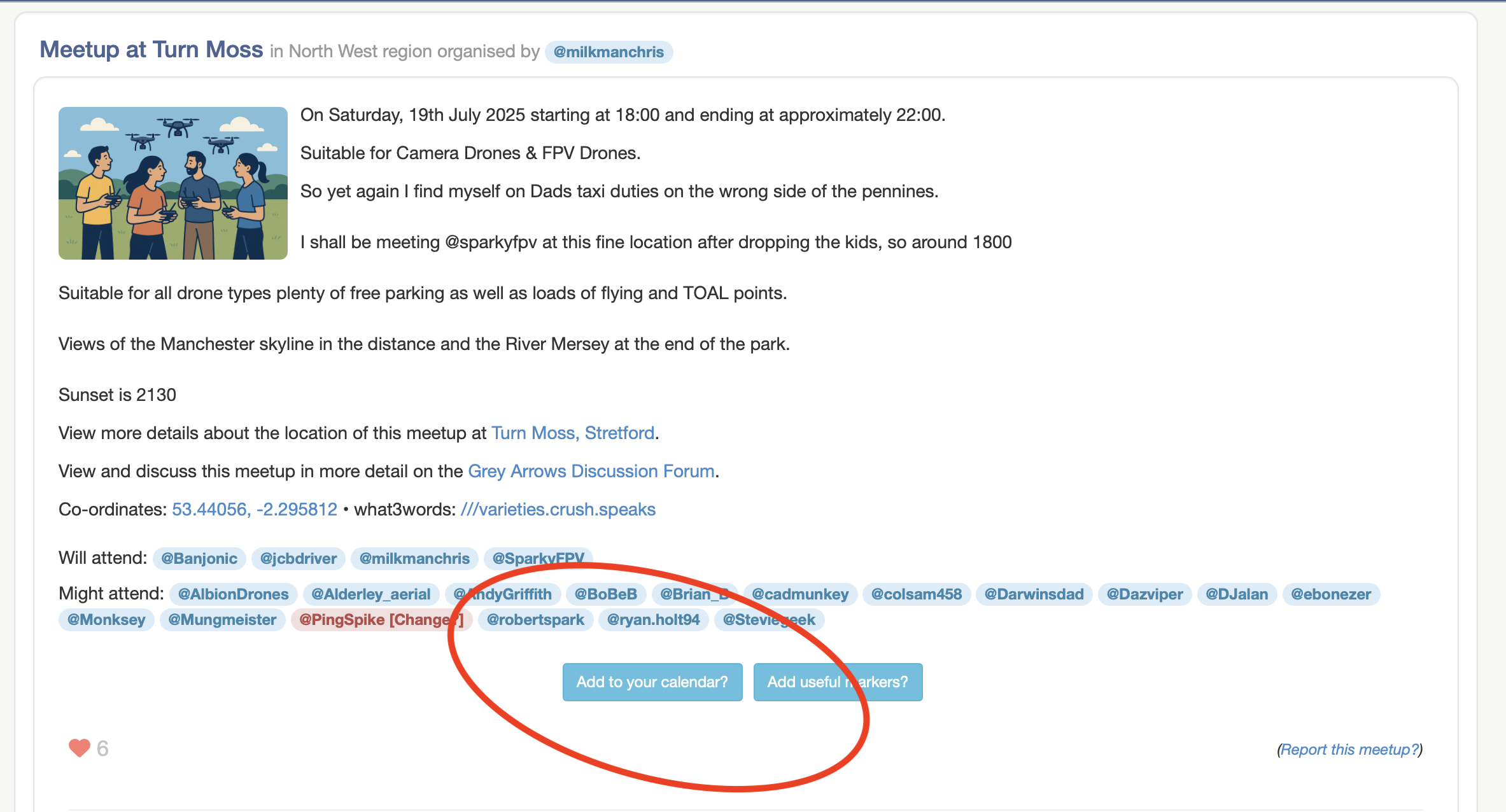
We’ve now added a method of changing between Might Attend and Will Attend (or vice versa).
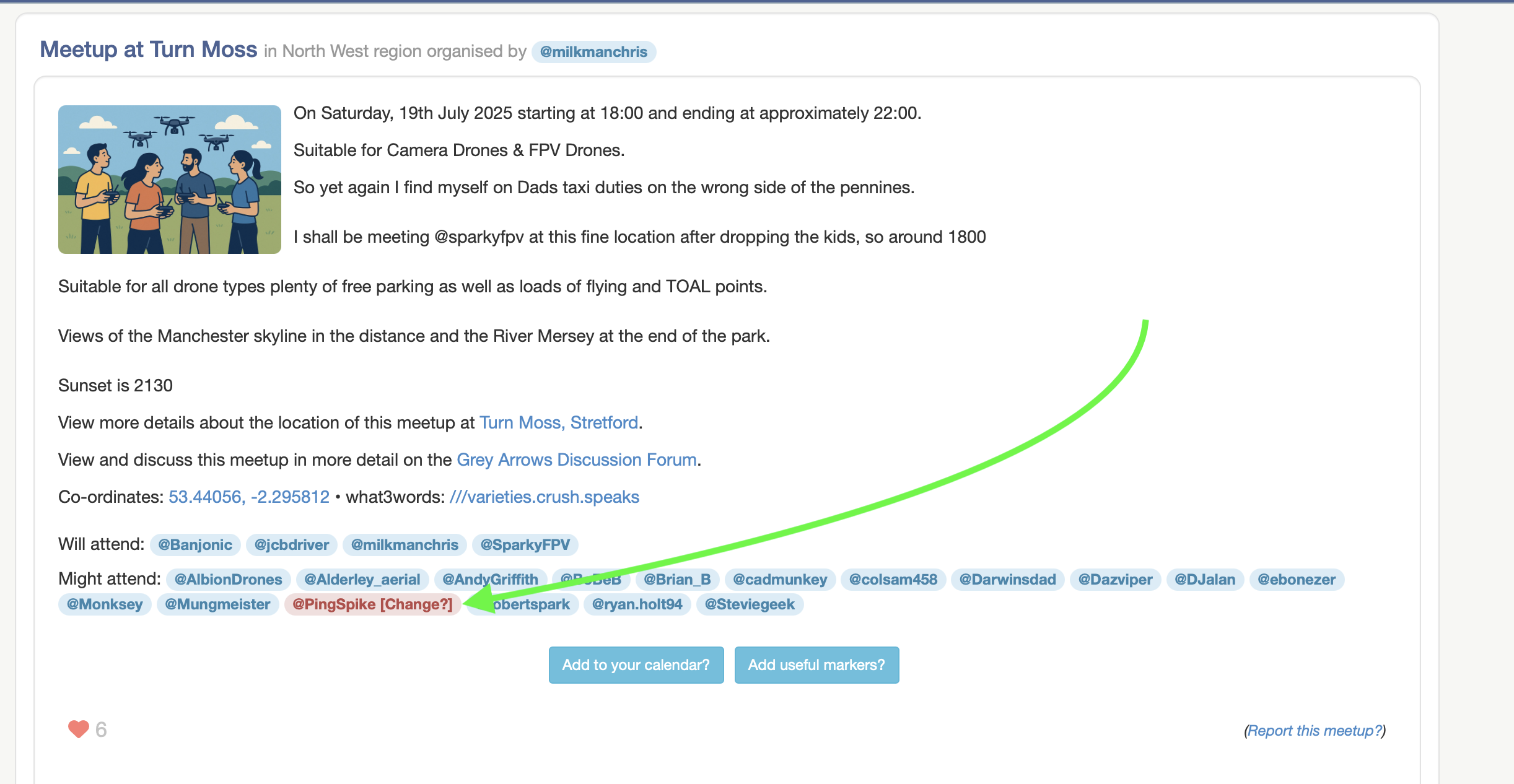
On the meetup details page you’ll now see a [Change?] link in red next to your name:
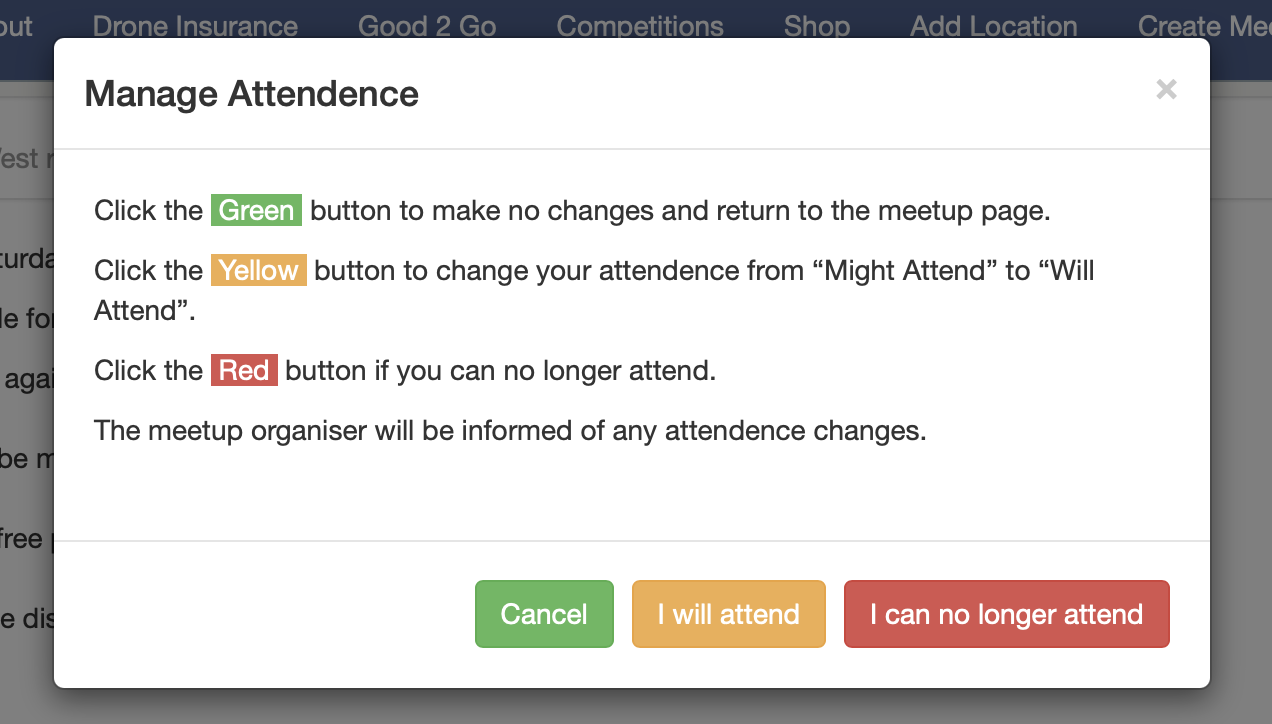
Clicking the [Change?] link will open a modal with some new options, allowing you to very quickly and easily manage your attendance for the meetup:
New Feature
There has been occasion in the past when a meetup organiser has completed a meetup but for one reason or other was unable to add all the attendees to the final list.
We’ve added a new feature which allows the meetup organiser to add people at a later date who may not have been added first time round.
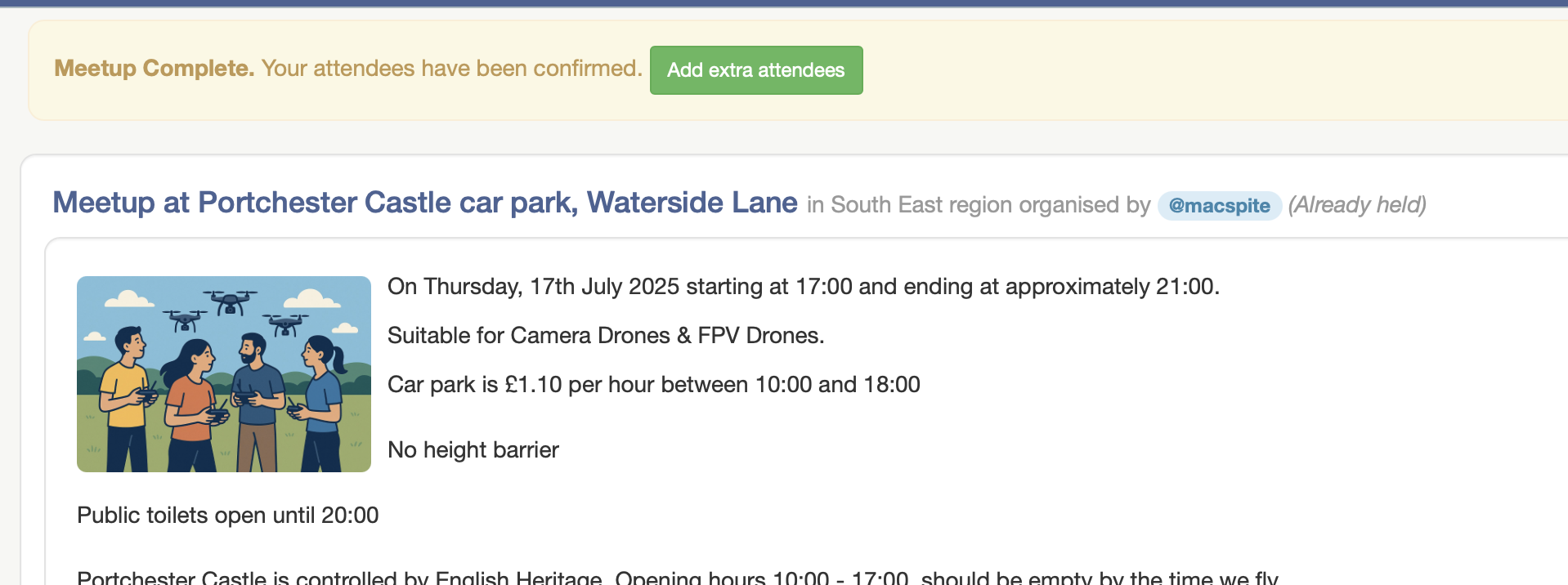
A new [Add extra attendees] button is available to the meetup organiser:
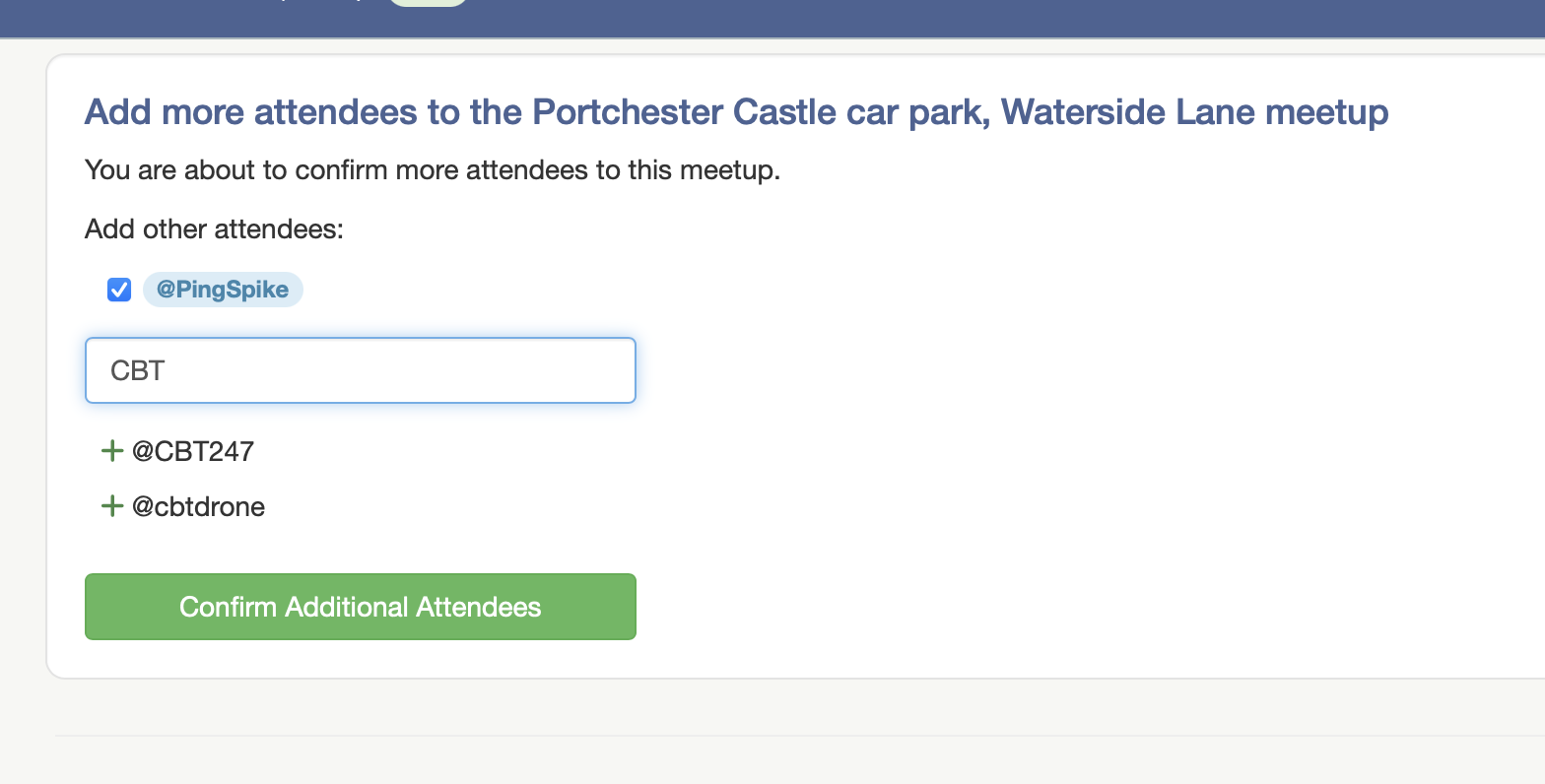
Which then takes the organiser to a familiar screen where they can add more people:
Adding any additional people here will also grant them the Social badge award on their profile
New Feature
A new [Add to your calendar?] button is available to anyone who has registered an interest in a meetup.
Clicking the new [Add to your calendar?] button will download a calendar entry to your device and add the meetup details to your personal calendar, including the location, start time and more.
It even includes a clickable link to load the meetup directly in to your sat nav app.
It’s compatible with iOS and Android and will work with all calendars that support .ics files (Outlook, Google, Apple, etc).
UI / UX Change
Instead of using the handshake icon that we use on the map, we’ve added an AI-generated icon to the meetup details page:
UI / UX Change
We used to display a list of your previously completed Flight Reports.
Changes at Altitude Angel mean we can no long display your historic reports.
All current and future flight reports are still available in your Drone Scene account at https://dronescene.co.uk/flight-reports
Bug Fix
– Reported by @IanC2002
If you added a new location and provided a link to a YouTube Playlist instead of providing a link to a single specific video, the location failed to be added to Drone Scene.
Thanks for the bug report Ian!
Other Random Stuff
If a meetup is edited, rather than just letting people know it’s has been edited and asking them to read the meetup details again, we now let people know exactly what has changed.
eg. If the start time has changed, we now tell you the start time has changed.
Furthermore, if the start time or duration changes, Drone Scene will also now email all attendees with an updated Calendar .ics file so the calendar in your smartphone or other device will also be kept up to date with any important changes.
Other Random Stuff
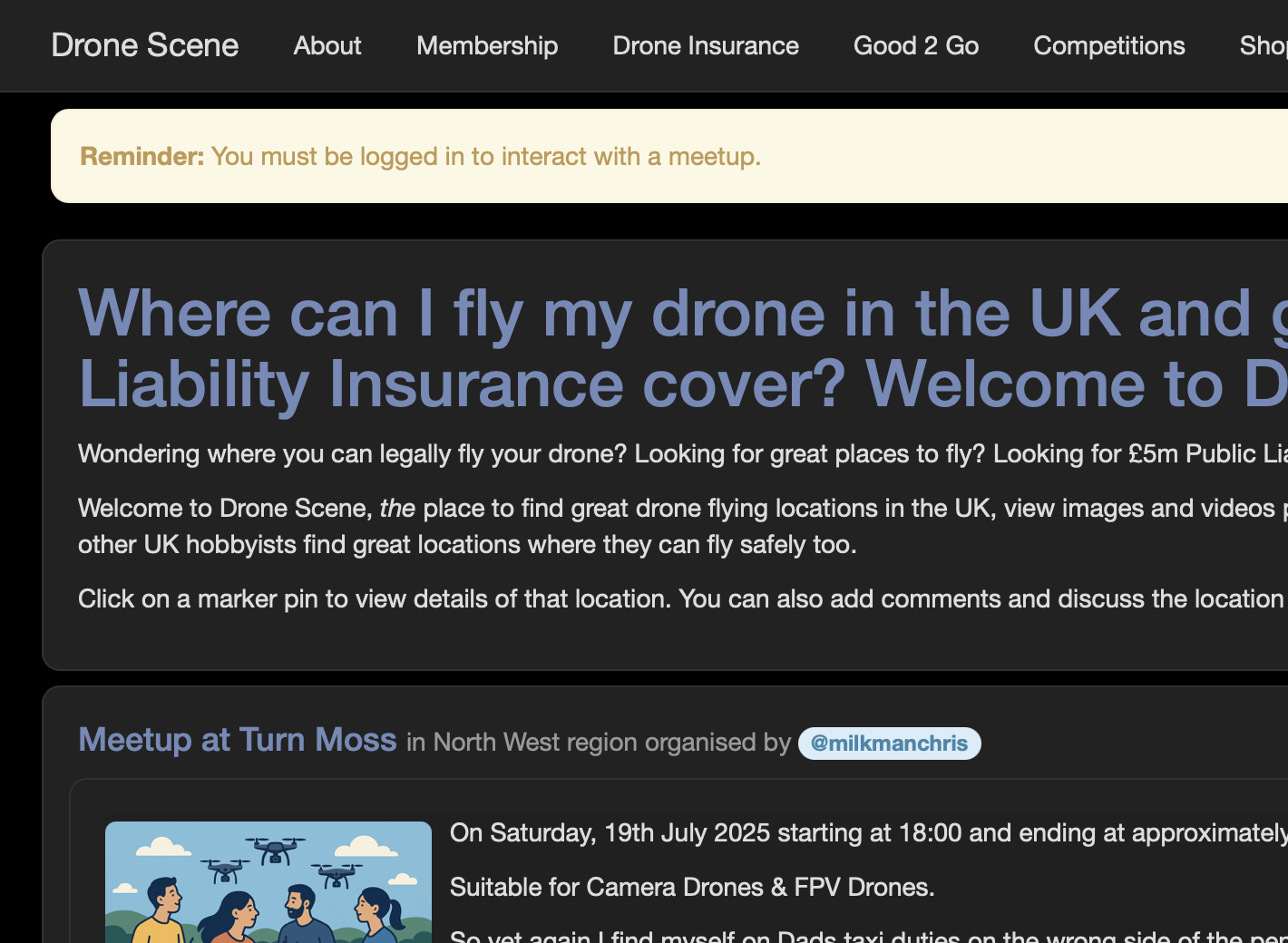
We now display a reminder banner to login before trying to interact with a meetup.
Beta Tester Programme
We run a Drone Scene Beta Tester Programme and if you’re a Silver or Gold Member you may be eligible to join.
What do you get out of joining the Beta Tester Programme?


What do we need in return?

If this is something you might be interested in helping us with please get in touch and let us know why you think you’d be a great addition to the group 
Thank you
As ever, please keep those feature requests coming. Drone Scene is only as good as your feedback!
We also hope you find this level of release notes / details useful 
But don’t forget!
In order to use all the features of Drone Scene you need to be a Silver or Gold Member of Grey Arrows Drone Club.
Membership is available from as little as £1.34 per month
And another big THANK YOU to all our @beta-testers for all their time and help with these updates 

Once again!
Well done to all involved in bringing in these new features.
Thank-you
What can one say great job which will make this group even more interactive. Well done to the team for all of the hard work
Looks fantastic, big well done to the team for putting this together.
Really high quality results!
We have some very talented members!
yay